
Seasonal Announcements Every Pool Company Should Send


Your customers are not thinking about their pool the same way you are. You know when season starts, when chemicals need adjusting, and when it is time to winterize. They do not. They are thinking about their kids, their jobs, and what is for dinner tonight.
That is why the best pool companies send seasonal messages. Not because they are marketing geniuses. Because it keeps customers informed, reduces surprise phone calls, and makes the whole year run smoother for everyone.
This guide gives you the exact messages to send for every season. Copy them, paste them into PoolDial's broadcast messaging, and hit send. We have included text and email versions for each one so you can reach customers however they prefer.
Key Takeaways
- Send seasonal messages on a schedule. Spring opening, summer holidays, fall closing, and winter check-ins. Four seasons, four rounds of messages.
- Text for urgent updates, email for details. Holiday schedule changes get a text. Equipment maintenance reminders get an email with more info.
- Timing matters more than wording. A perfect message sent too late is useless. Send 2 to 4 weeks before any schedule change.
- Schedule messages in advance. PoolDial lets you write and schedule seasonal broadcasts ahead of time so you never forget.
- Consistent communication builds trust. Customers who hear from you regularly are less likely to shop around.
Why Seasonal Messages Matter with PoolDial
Most pool companies only reach out to customers when something goes wrong or when a bill is due. That is a missed opportunity. Seasonal messages do three things that help your business:
They reduce inbound calls. When you tell customers about your July 4th schedule two weeks in advance, they do not call your office that week asking if you are coming. Multiply that across 100 or 200 customers and you save hours of phone time.
They prevent service issues. A quick text reminding customers to run their pumps longer during a heat wave means fewer green pool callbacks. A fall reminder about closing deadlines means fewer last-minute scrambles in November.
They make you look professional. The pool guy who sends organized, timely updates looks like a real business. The one who never communicates looks like someone who just shows up with a net. Customers pay more and stay longer with companies that communicate well.
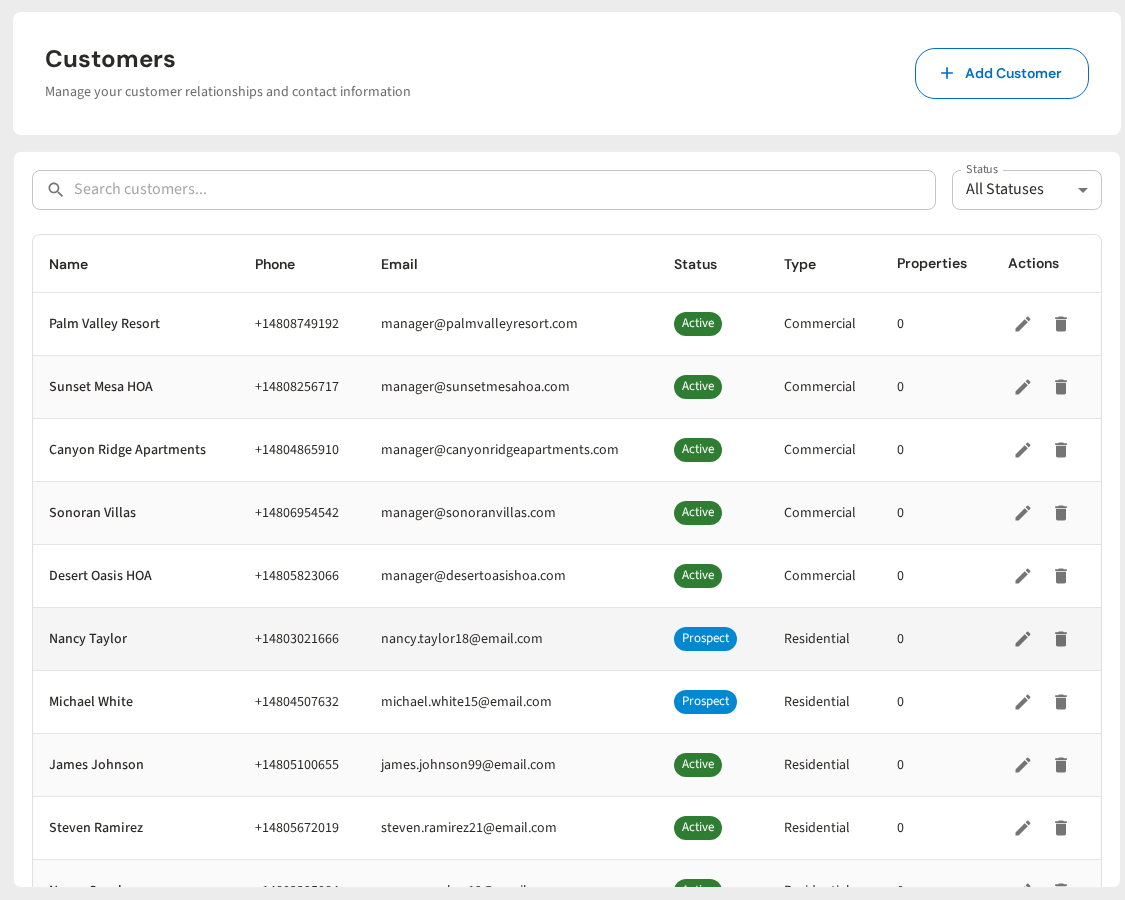
With PoolDial's broadcast messaging, you can send a text or email to every customer at once. You can also filter by route, service type, or status so you only message the right people. And you can schedule messages days or weeks ahead of time so your seasonal communication runs on autopilot.
Spring Messages to Send with PoolDial
Spring is the busiest communication season for pool companies. You are ramping up service, scheduling openings, and letting customers know about any rate changes. Send these messages 3 to 4 weeks before your start date.
Pool Opening Schedule
This is the most important spring message. Customers need to know when you are starting, when their pool will be opened, and what they need to do to get ready. Send this one 3 to 4 weeks before your first opening day.
New Season Rate Reminder
If your rates are changing for the new season, customers need to know before the first invoice hits. Send this 2 to 3 weeks before the new rate takes effect. Be direct. Tell them the new price, when it starts, and why. Do not bury the number in a long paragraph. For help setting your prices, check our billing tools.
Summer Messages to Send with PoolDial
Summer is when your customers use their pools the most and when they need the most communication from you. Holiday schedules, heat wave tips, and chemical reminders all go out during these months.
Holiday Schedule Updates
Memorial Day, July 4th, and Labor Day all fall on or near your service days. Customers need to know if you are coming early, late, or not at all. Send holiday schedule texts 1 to 2 weeks before the holiday. For more on managing route changes, read our guide on seasonal pool route changes.
Heat Wave Tips
When temperatures climb above 100 degrees for several days in a row, pools struggle. Chlorine burns off faster. Algae grows quicker. Pumps work harder. A quick tip message during a heat wave shows customers you are watching out for them and prevents green pool calls.
Send these the day a heat wave starts or when your local forecast shows a week of extreme heat coming. You do not need to schedule these in advance. Just fire off a mass text the morning you see the forecast.
Mid-Season Chemical Reminder
Around mid-July, many pools start to drift out of balance. Heavy use, hot weather, and rain all take a toll. A quick reminder about basic chemical care can save you a lot of callbacks.
Fall Messages to Send with PoolDial
Fall is all about winding down. Closing schedules, winterization reminders, and end-of-season billing are the big topics. Start communicating early because closing season fills up fast.
Closing Schedule
Send this one 4 weeks before you start closings. Customers need time to plan their last swim, and you need time to build a closing schedule that makes sense for your routes.
Winterization Reminder
Two weeks before the first freeze risk in your area, send a reminder to any customers who have not scheduled their closing yet. This is your last call message.
End-of-Season Billing
Let customers know how billing works at the end of the season. Will they get a final invoice? Will autopay stop? When does billing resume in spring? Clear communication here prevents confusion and angry calls in January when someone sees a charge they did not expect. Use your billing settings to pause or adjust autopay for the off-season.
Winter Messages to Send with PoolDial
Most pool companies go quiet in the winter. That is a mistake. The off-season is when customers decide whether to stick with you or try someone new. A few well-timed messages during winter keep you top of mind and lock in next year's business before your competitors even wake up.
Off-Season Check-In
Send a simple check-in around December or January. Not a sales pitch. Just a "hey, we're still here" message. This is especially powerful for year-round service areas where pools stay open but service frequency drops.
Early Bird Spring Signup
This is your most valuable winter message. Send it in late January or early February. Offer early scheduling priority to existing customers. This locks in your route before spring chaos hits and gives you a head start on planning your seasonal route changes.
Equipment Maintenance Reminder
Late winter is the best time to remind customers about equipment that might need attention before the season starts. Pumps, filters, heaters, and salt cells all have maintenance windows. Sending this message in February gives customers time to schedule repairs before the spring rush.
When to Send Each Message with PoolDial
Timing is everything with seasonal messages. Send too early and customers forget. Send too late and they have already made other plans or the damage is done. Here is a calendar you can follow.
| Message | When to Send | How Far in Advance |
|---|---|---|
| Early bird spring signup | Late January / Early February | 6-8 weeks before openings |
| Equipment maintenance reminder | February | 4-6 weeks before openings |
| Pool opening schedule | Late February / March | 3-4 weeks before first opening |
| New season rate reminder | March (before first invoice) | 2-3 weeks before new rate |
| Memorial Day schedule | Mid-May | 1-2 weeks before holiday |
| Heat wave tips | As needed (June-August) | Day of or day before |
| July 4th schedule | Late June | 1-2 weeks before holiday |
| Mid-season chemical reminder | Mid-July | N/A (general reminder) |
| Labor Day schedule | Late August | 1-2 weeks before holiday |
| Closing schedule | Early September | 4 weeks before first closing |
| Winterization last call | 2 weeks before first freeze | 2 weeks |
| End-of-season billing | After last closing | Within 1 week of closing |
| Off-season check-in | December / January | N/A (relationship touch) |
The best part about having this calendar is that you can set it up once and reuse it every year. In PoolDial, you can schedule email blasts and text broadcasts ahead of time. Spend one afternoon in January writing all your seasonal messages for the year. Then schedule them and forget about it. They go out automatically on the right date.
Text vs. Email: When to Use Each with PoolDial
Not every message works in both formats. Here is a simple rule: use texts for short, time-sensitive updates. Use emails for anything that needs detail or that customers might want to save and refer back to.
| Use Text When... | Use Email When... |
|---|---|
| Holiday schedule changes (short, urgent) | Rate change notices (needs detail, may want to save) |
| Heat wave tips (time-sensitive) | Closing schedule and pricing (complex info) |
| Confirm your spot / Reply YES (needs response) | End-of-season billing (financial, reference later) |
| Quick winter check-in (short and personal) | Equipment maintenance details (long list) |
| Winterization last call (urgent, needs action) | Early bird signup with full season details |
PoolDial's broadcast tool lets you send both at the same time. Write a quick text for the people who prefer texts and a detailed email for everyone else. You can also check which customers have opened your emails or replied to your texts through PoolDial's messaging tools. For more on sending mass texts to your customer list, read our guide on mass texting your pool customers.
How to Schedule Seasonal Broadcasts with PoolDial
The biggest reason pool companies skip seasonal messages is that they forget. When you are in the middle of a 40-pool day in July, you are not thinking about sending a Labor Day schedule update. That is why scheduling matters.
Here is how to set up your seasonal calendar in PoolDial:
- Pick one day in January to write all your seasonal messages for the year. Use the templates in this article as your starting point. Change the names, dates, and prices to match your business.
- Create each message as a broadcast in PoolDial. Choose whether it goes to all customers or just specific routes or service types.
- Set the send date. PoolDial lets you schedule broadcasts for any future date. Set the holiday messages, the opening schedule, the closing schedule, and the rate reminder all at once.
- Review before each send. PoolDial sends you a reminder before any scheduled broadcast goes out. Use this to double-check dates, prices, and any last-minute changes.
Once you set this up the first year, future years are mostly copy and paste. Update the dates and prices. Maybe tweak a message that did not get the response you wanted. But the heavy lifting is done.
Common Mistakes to Avoid with PoolDial Broadcasts
Seasonal messages are powerful. But there are a few ways to get them wrong.
Sending too late. A closing schedule sent the week closings start is not helpful. Customers need lead time. Follow the timing chart above and you will be fine.
Sending too often. One to two messages per month is the sweet spot. Three is okay during peak transitions (like spring opening or fall closing). More than that and customers start ignoring you or asking to be removed.
Being too salesy. Seasonal messages should inform, not sell. The value is in the information itself. If every message ends with "upgrade to our premium plan," customers tune out. Save the upsell for your early bird signup email where it makes sense.
Forgetting to segment. Not every message goes to every customer. Year-round customers do not need closing schedules. Customers without heaters do not need heater maintenance reminders. PoolDial lets you filter your broadcast list by service type, route, and status so you only message the people who need to hear it.
No call to action. Every message should tell the customer what to do next. Reply YES. Call this number. No action needed. Even "no action needed" is a call to action because it tells the customer they can relax. Do not leave them guessing. For more on writing effective email blasts, check our templates guide.
Using one channel only. Some customers check email daily. Others never open email but read every text. Send important messages on both channels. PoolDial makes this easy because you can create one broadcast and deliver it as both a text and an email.
Your Full-Year Calendar
Here is the full year at a glance. Print this out, pin it to your wall, or save it in your phone. Every pool company should be sending these messages every year without fail.
January: Off-season check-in. Early bird spring signup.
February: Equipment maintenance reminder. Continue spring signups.
March: Pool opening schedule. Rate change notice (if applicable).
April: Opening reminders for customers who have not confirmed.
May: Memorial Day schedule update.
June: Heat wave tips as needed. Mid-season prep.
July: July 4th schedule update. Mid-season chemical reminder.
August: Labor Day schedule update. Early closing sign-ups.
September: Closing schedule. Winterization reminders.
October: Last call for closings. End-of-season billing notice.
November: Thank you message. Winter care tips.
December: Off-season check-in. Holiday greeting (optional).
That is 12 to 15 messages across the whole year. About one per month on average. Not too many, not too few. Just enough to keep your customers informed and your business running without surprises.
The pool companies that communicate well keep more customers, get fewer complaint calls, and spend less time putting out fires. Seasonal messages are the easiest way to start. PoolDial's broadcast messaging makes it simple to write once, schedule once, and let the messages handle themselves.
Send Seasonal Messages in Minutes
PoolDial's broadcast messaging lets you text or email your entire customer list at once. Schedule seasonal announcements in advance and never miss a beat. Plans start at $2/pool.
Start Your Free Trial