
Email Blast Templates for Pool Service Companies


You know you should email your customers more. But you sit down to write, stare at a blank screen, and give up. You have pools to clean. You do not have time to become a copywriter.
That is why we put together seven ready-to-use email templates you can copy, paste, and send today. Every template below has the subject line, the full body text, and a note about when to send it. Just swap in your company name, adjust the numbers, and hit send.
We also cover the basics of email best practices. Things like how long your subject lines should be, how often to email, and how to avoid the spam folder. If you want to send these by text instead of email, check out our guide on mass texting your pool customers.
Key Takeaways
- 7 copy-paste email templates for the most common messages pool companies send.
- Keep emails short. Three to five paragraphs is the sweet spot. Customers scan, they do not read.
- One goal per email. Each message should ask the customer to do one thing.
- Email monthly at minimum. A monthly update keeps you top of mind. Add seasonal blasts as needed.
- Use PoolDial to send them. Broadcast messaging lets you email all customers at once or filter by route, status, or tag.
Why PoolDial Email Blasts Matter for Your Pool Business
Most pool service companies never email their customers outside of invoices. That is a missed opportunity. Email is free. It costs you nothing to send. And it keeps your name in front of customers so they think of you first when they need a repair, a referral, or a seasonal service.
Here are the emails that make the biggest difference for pool companies:
- Welcome emails set the tone for new customers and cut down on "when are you coming?" calls in the first week.
- Price increase notices prevent surprise cancellations. Customers accept increases when they get fair warning.
- Seasonal reminders fill your spring and fall schedule before customers even think about calling someone else.
- Payment reminders collect money faster than phone calls. A simple email with a pay link works better than leaving a voicemail.
- Referral requests bring in new customers at zero cost. Happy customers will refer you, but only if you ask.
- Service reports show customers the value they are getting. When people see what you did, they are less likely to cancel.
The key to good email is being clear, being short, and being consistent. Every email below follows those rules. You do not need fancy graphics or marketing language. You need a clear message with one thing for the customer to do.
Template 1: PoolDial Welcome Email for New Customers
Send this the same day a new customer signs up. It tells them what to expect, when you will come, and how to reach you. This one email can save you five or six "when is my first service?" texts in the first week.
Customers want to know three things right away: who is coming, when they are coming, and what they will do. Answer all three and the customer feels taken care of from day one.
Subject Line
Body
Notice how short this is. No marketing fluff. No "we are the best pool company in town." Just the facts the customer needs. That is what works.
Template 2: PoolDial Price Increase Announcement
Price increases are the hardest email to send. Most pool pros put it off for months because they hate the conversation. But a well-written email makes it painless. The trick is to give notice, explain briefly, and make it feel normal.
Give customers at least 30 days notice. 60 days is even better. The more time they have to adjust, the less likely they are to cancel. Most customers expect a small increase every year. They just do not want to be surprised by it.
Do not over-explain or apologize. You are running a business. Your costs go up. Your prices go up. That is how it works. Keep it matter-of-fact and move on.
Subject Line
Body
You will lose a few customers on any price increase. That is normal. The ones who leave over $10 to $15 a month were probably thinking about leaving anyway. The ones who stay are worth more now. If you want to compare email versus text for this kind of announcement, read our guide on text vs email for pool companies.
Templates 3 and 4: PoolDial Seasonal Email Templates
Seasonal emails fill your schedule before customers start calling around. Spring openings and fall winterizations are the two biggest seasonal messages you will send all year. Here are templates for both.
Spring Pool Opening
Spring is the busiest time of year for pool companies. Everyone wants their pool open at the same time. Send this email in early February or March to get ahead of the rush.
The goal of this email is simple: get the customer to reply or click a link to book their spot. Do not make them call. Do not make them fill out a long form. One click or one reply.
Subject Line
Body
Adding "spots filling up" to the subject line is not a trick. It is true. Your schedule does fill up. Telling customers that gets them to book sooner rather than later.
Fall Winterization
Fall is the flip side of spring. Customers need to close their pools before the first freeze, but most of them wait until the last minute. This email pushes them to book early so you can spread the work across several weeks instead of cramming it all into one.
Winterization emails work best when you explain what can go wrong if they skip it. Frozen pipes and cracked equipment are expensive. A $200 winterization looks cheap next to a $3,000 repair bill.
Subject Line
Body
Template 5: PoolDial Payment Reminder for Past Due Accounts
Nobody likes chasing payments. But a short, friendly email gets the job done better than a phone call most of the time. Customers are busy. They forgot. A quick reminder with a pay link is all it takes.
The tone here matters a lot. Do not sound angry or threatening. Sound helpful. Assume they forgot, not that they are trying to avoid paying. Most of the time, that is exactly what happened.
Subject Line
Body
The best way to stop chasing payments is to put everyone on autopay. PoolDial's billing tools let you set up automatic card charges so you get paid on the 1st of every month without lifting a finger. But for those customers who are not on autopay yet, this template gets results.
Template 6: PoolDial Referral Request Email
Referrals are the best way to grow a pool business. They cost nothing. The customer already trusts you. And people who come from referrals cancel less often and pay better than customers from ads.
But here is the thing most pool pros miss: you have to ask. Happy customers do not think about referring you unless you remind them. This email does exactly that. Send it after a great service visit or after you finish a repair that went well.
Some companies offer a referral bonus like a free month of service or a credit toward their bill. That is up to you. Even without a bonus, most customers are happy to share your name with their neighbors.
Subject Line
Body
Keep the ask simple. "Know someone who needs pool service?" is easier to answer than a long pitch about your referral program. One question, one action.
Template 7: PoolDial Service Report Summary Email
Service reports are one of the most underused tools in pool service. Most companies show up, clean the pool, and leave without telling the customer what they did. That makes the service invisible. When the service is invisible, customers wonder why they are paying $150 a month.
A weekly or monthly summary email solves that problem. It shows the customer exactly what you did, what their water looked like, and what you recommend. It proves value. And it gives you a chance to upsell repairs or equipment before something breaks.
Subject Line
Body
If you are not sending service reports now, start with a monthly summary. It takes five minutes to set up in PoolDial and it dramatically reduces cancellations. Customers who see what you do every week are far less likely to shop around.
Email Best Practices Every PoolDial User Should Follow
Having great templates is only half the battle. You also need to send them the right way. Here are the rules that keep your emails out of the spam folder and in front of your customers:
Keep subject lines under 50 characters. Short subject lines get opened more than long ones. "Your Pool Service Report" works better than "Here Is Your Detailed Weekly Pool Service Report and Water Chemistry Analysis." Most of your customers read email on their phones, where long subject lines get cut off.
One call to action per email. Every email should ask the customer to do one thing. Pay a bill. Book an appointment. Refer a friend. When you ask for three things, customers do none of them. Pick the most important action and make it easy.
Write like you talk. Do not use marketing speak. Do not say "We are pleased to inform you" when you can say "Just a heads-up." Your customers are not corporations. They are homeowners. Write like you are texting a neighbor.
Make it mobile-friendly. Over 60% of emails are read on phones now. That means short paragraphs, big buttons, and no tiny text. PoolDial's broadcast messaging is already built for mobile, so you do not need to worry about formatting.
Include your phone number. Every email should have your phone number. Some customers prefer to call. Make it easy for them. Put it in the body and in your signature.
Test before you blast. Send the email to yourself first. Read it on your phone. Click every link. Check for typos. A two-minute test saves you from sending a broken link to 200 customers.
| Do This | Not This |
|---|---|
| Subject: Your March Pool Report | Subject: Important Update Regarding Your Pool Service Account Information |
| Hi Sarah, | Dear Valued Customer, |
| Your payment of $160 is past due. | We wish to bring to your attention that your account has an outstanding balance. |
| Reply to this email or text us. | Please do not hesitate to reach out via any of our many communication channels. |
| 3 to 4 short paragraphs | One long wall of text with no breaks |
How Often to Email Your Customers
One of the most common questions pool companies ask is: "How often should I email my customers?" The answer is simpler than you think.
Monthly at minimum. Send a monthly email to all customers. This can be a newsletter, a seasonal tip, a company update, or just a friendly check-in. Monthly contact keeps you top of mind. When a neighbor asks your customer "who does your pool?", you want your name to be the first thing they think of.
Seasonal emails as needed. Spring opening reminders, fall winterization notices, holiday schedules, and price adjustments happen a few times a year. These are in addition to your monthly email. For a deeper look at seasonal messaging, see our guide on seasonal pool service announcements.
Transactional emails happen automatically. Invoices, payment confirmations, service reports, and payment reminders should go out on their own. PoolDial handles all of these. You do not need to think about them.
Here is a sample annual email calendar for a pool company:
| Month | Email to Send |
|---|---|
| January | New year check-in, price increase notice (if applicable) |
| February | Spring opening booking reminder |
| March | Second spring opening reminder, referral request |
| April | Pool season kickoff, tips for opening week |
| May | Summer prep tips, filter cleaning reminder |
| June | Mid-season check-in, referral request |
| July | Heat wave tips, water chemistry advice |
| August | Back-to-school schedule updates, end-of-summer specials |
| September | Fall winterization booking reminder |
| October | Second winterization reminder, referral request |
| November | Thank you / appreciation email |
| December | Holiday greeting, year in review |
That is 12 emails per year. One per month. Each one takes 10 to 15 minutes to write and send. If you use the templates from this guide, it takes even less time because the heavy lifting is already done.
Do not overthink it. Sending a simple, short email once a month is better than planning a fancy newsletter and never sending it. Start with one template from this page. Send it this week. See how it goes. Then add another one next month.
How PoolDial Broadcast Messaging and Cody Help You Send Emails
Writing emails is the hard part. Sending them should be easy. PoolDial has two tools that make it simple to get your messages out to every customer.
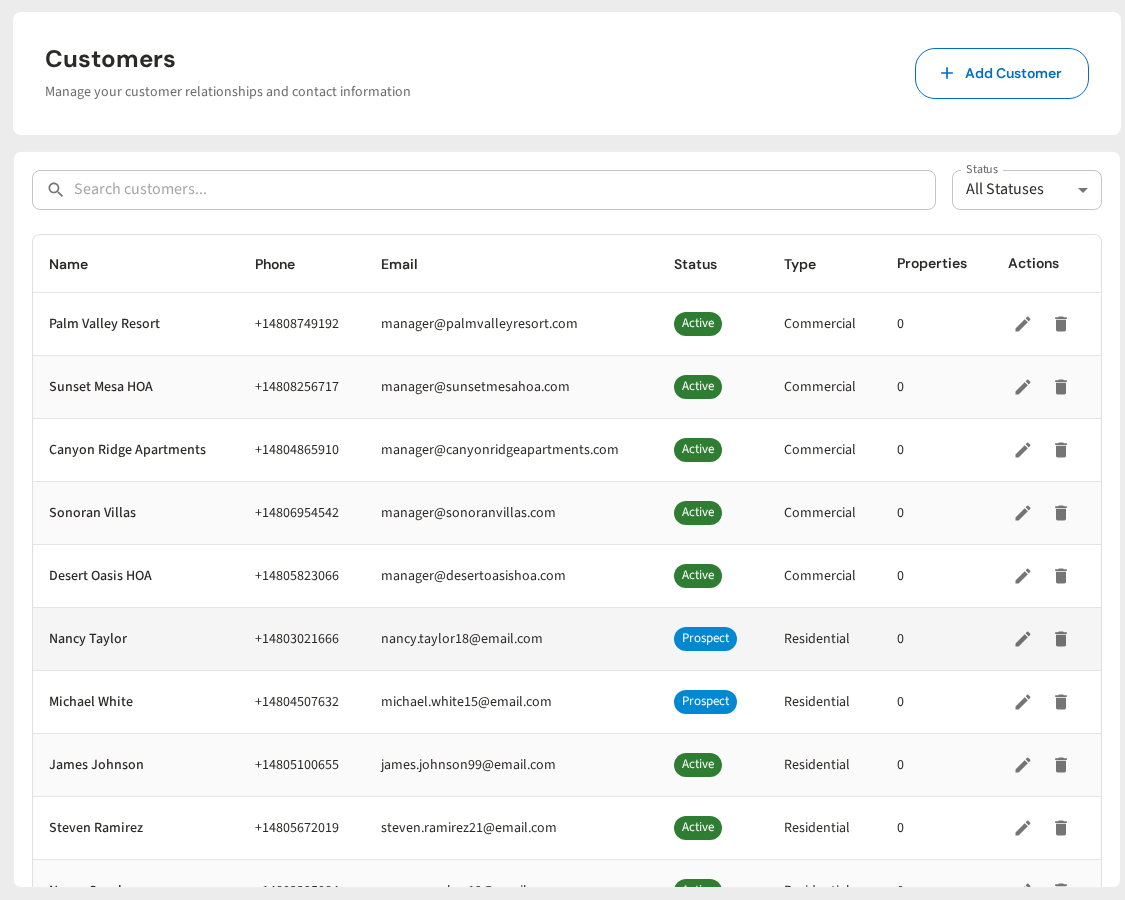
Broadcast Messaging lets you send an email or text to all of your customers at once. You can also filter by route, customer tag, service type, or status. Want to send a winterization reminder only to seasonal customers? You can do that. Want to send a price increase only to customers on a specific route? That works too. Learn more about broadcast messaging.
Here is what broadcast messaging looks like in PoolDial:
Cody (AI Chat) is PoolDial's built-in AI assistant. If you do not want to write emails yourself, just tell Cody what you need. Say something like "Write a spring opening email for my customers" or "Draft a price increase notice going from $150 to $165 starting June 1." Cody will write the full email for you in seconds. You can edit it, then send it as a broadcast right from the same screen. Check out Cody to see how it works.
Between the templates in this guide and Cody's help, you should never have to stare at a blank screen again. The hardest part of emailing your customers is deciding to do it. The writing and sending part is the easy part now.
For more on reaching your customers, check out our guides on mass texting pool customers and text vs email for pool service.
Send Better Emails in Less Time
PoolDial's broadcast messaging lets you email or text all your customers at once. Use these templates, or let Cody write them for you. Plans start at $2/pool.
Start Your Free Trial