
How to Mass Text Your Pool Customers (Without Getting Blocked)


You need to tell 80 customers that tomorrow's route is canceled because of a storm. Or that prices are going up in January. Or that you have openings for a spring acid wash special. What do you do?
If your answer is "open my personal phone and start texting one by one," you are not alone. Most pool pros do it that way. And most of them either give up halfway through or get their number flagged as spam. There is a better way. This guide walks you through how to send mass texts to your pool customers the right way, so your messages actually get delivered and nobody blocks you.
Key Takeaways
- Texts get read. 98% of text messages are opened. Only about 20% of emails are. If you want customers to actually see your message, text wins every time.
- Don't use your personal phone. Sending 80+ texts from a personal number will get you flagged as spam by your carrier.
- Get permission first. The TCPA requires written consent before you text customers for business purposes. No consent, no texting.
- Keep it short and useful. One purpose per message. Under 160 characters if you can. No walls of text.
- 2-3 messages per month is the sweet spot. More than that and people start opting out.
- Use a real tool. PoolDial's broadcast messaging handles compliance, delivery, and opt-outs so you can focus on the message.
Why Mass Texting Works for PoolDial Users
Let's start with why text messages beat every other way of reaching your customers.
Email has a 20% open rate on a good day. That means if you send an email to 100 customers about a schedule change, 80 of them probably never see it. It sits in their inbox under a pile of newsletters and promotions. Some of them have your emails going straight to spam and don't even know it.
Text messages have a 98% open rate. And most of those are read within 3 minutes. That is not a small difference. That is the difference between your customers knowing about tomorrow's rain delay and your phone ringing all day with confused people asking why you didn't show up.
Think about your own life. When was the last time you ignored a text? You probably can't remember. Now think about how many emails you deleted today without opening them. That is why texting works.
Here is how the two compare for a pool service business:
| Factor | Text Message | |
|---|---|---|
| Open rate | 98% | ~20% |
| Time to read | Under 3 minutes | Hours or never |
| Response rate | ~45% | ~6% |
| Spam filter risk | Low (with proper tool) | High |
| Best for | Urgent updates, schedule changes, short notices | Invoices, detailed reports, long content |
For quick updates that you need every customer to see, text is the clear winner. For detailed invoices or service reports, email still has a place. The best approach is to use both. PoolDial's broadcast messaging lets you send text, email, or both at the same time. But for the kind of messages we are talking about in this guide, text is the way to go.
For more on when to use text vs. email, check out our guide on texting vs. email for pool service companies.
The Rules You Need to Know with PoolDial
Before you send a single mass text, you need to understand the rules. This is not optional. Breaking these rules can get you fined thousands of dollars per message.
The big one is the TCPA, which stands for the Telephone Consumer Protection Act. It is a federal law that says you need written consent before sending marketing or business texts to a customer's phone. "Written" can mean a signature on a service agreement, a checkbox on your website, or even a text message where the customer replies "YES" to confirm they want updates.
Here is what the TCPA requires:
- Prior express written consent. The customer must agree to receive texts from you before you send anything. Verbal consent is not enough for marketing messages.
- Clear disclosure. When they sign up, you must tell them what kind of messages they will get and roughly how often.
- Easy opt-out. Every message must include a way to stop receiving texts. The standard is "Reply STOP to opt out."
- Immediate opt-out processing. When someone replies STOP, you must stop texting them right away. Not tomorrow. Not after one more message. Right away.
The good news is that if you use a service agreement (and you should), you can add a line that covers text messaging consent. Something like: "By signing this agreement, you consent to receive service updates, schedule notifications, and occasional promotions via text message from [Your Company Name]. Reply STOP at any time to opt out." That single line covers you for everything in this guide.
Beyond the TCPA, phone carriers have their own rules. If they see a personal phone number sending 50+ messages in a short time, they will flag it as spam. Your messages will stop being delivered. Your number might get blocked entirely. This is why you need a real business texting platform and not just your iPhone.
PoolDial handles all of this for you. Every broadcast includes opt-out language. Opt-outs are processed instantly. Messages are sent through registered business channels so carriers don't flag them. Your customer records track consent status so you never text someone who hasn't agreed to it.
What NOT to Do When Mass Texting with PoolDial
Let's talk about the mistakes pool pros make all the time. Avoid these and you are already ahead of most of your competition.
Don't use your personal phone to text 80 people. This is the number one mistake. You open iMessage or your Android texting app and start copying and pasting the same message to every customer in your contacts. Here is what happens. After about 20-30 messages, your carrier notices the pattern. They flag your number as potential spam. Some of your messages stop going through. Customers start seeing "Message from unknown sender" or the text just never arrives. And now your personal number, the one you use for everything, has a spam flag on it. It can take weeks to get that cleared.
Don't send from a random number your customers don't recognize. If a customer gets a text from a number they have never seen, they ignore it or report it as spam. Use a consistent business number that customers know and save in their contacts. PoolDial gives your business its own dedicated number that shows up the same way every time.
Don't send a group text. A group message means every reply goes to everyone in the group. You send a rain delay notice to 60 customers. One replies "OK thanks." Another replies "When will you come instead?" Now all 60 people are getting pinged with random replies from strangers. It's a mess. Always send individual messages that look personal even though they go to everyone.
Don't write a novel. Text messages are not emails. If your message is more than 3-4 sentences, it's too long. Customers will skim it, miss the important part, and call you to ask what it said. Keep it short.
Don't text at weird hours. Sending a mass text at 10 PM or 6 AM is a fast way to get people annoyed. Stick to business hours. 8 AM to 6 PM is safe. PoolDial lets you schedule messages for the right time, even if you're writing them at midnight after a long day.
Don't forget the opt-out. Every single mass text must include a way to stop receiving messages. "Reply STOP to opt out" is the standard. If you skip this, you are breaking the law. Period.
What Makes a Good Mass Text with PoolDial
A good mass text has four things: it's short, it's clear, it has one purpose, and it tells the customer what to do next.
Let's break down the anatomy of a perfect pool service text message:
- Identify yourself. Start with your company name. "Hi, this is [Company Name]." Customers get texts from lots of businesses. Don't make them guess who you are.
- State the point immediately. Don't warm up. Don't ask how they're doing. Get to the reason you're texting in the first sentence.
- Keep it under 160 characters if possible. A standard SMS is 160 characters. If you go over, it splits into multiple messages, which can arrive out of order and look sloppy. If you need more room, aim for under 300 characters (2 segments).
- Include a clear call to action. What should they do? Reply to confirm? Call you? Do nothing? Tell them.
- Include opt-out language. "Reply STOP to opt out." Every time. PoolDial adds this automatically to broadcast messages.
Here is the formula: Company name + what's happening + what they need to do + opt-out. That is it. Don't overthink it. For tips on writing great customer messages for every situation, see our customer communication tips guide.
5 PoolDial Broadcast Message Templates You Can Steal
Here are ready-to-use templates for the five most common situations where pool pros need to text all their customers at once. Copy them, change the details, and send.
1. Rain Delay or Weather Cancellation
This is the most common mass text you will send. A storm rolls in and you need to let everyone on tomorrow's route know you won't be there.
Notice a few things. It says who you are. It says what's happening. It says when the makeup day is. It tells them they don't need to do anything. And it gives them a way to ask questions. That is a complete message in under 300 characters.
Without a mass texting tool, you would need to either call each customer or text them one by one. With 40 stops on a route, that is at least an hour of work. With PoolDial, you select the route day, type the message, and hit send. Done in 30 seconds. For more on handling seasonal schedule changes, read our seasonal announcement guide.
2. Price Increase Notice
Nobody likes raising prices. But everybody has to do it. The key is to be direct, give notice, and not apologize too much. A text is actually a great way to announce a price increase because it's hard to ignore.
This message is longer, but it needs to be. It gives the date, the amount, the reason, and a way to ask questions. Send this at least 30 days before the increase takes effect. PoolDial lets you schedule messages in advance so you can write it today and send it on the right date.
Most pool pros are scared to raise prices. But here's the truth: most customers expect it. They know costs go up. What they don't like is being surprised. Give them advance notice by text, and the vast majority will accept it without a word. The ones who leave were probably going to leave anyway. Use PoolDial's billing tools to update the new rates for all affected customers at the same time.
3. Seasonal Schedule Change
When summer ends and you move from weekly to biweekly service, or when spring starts and you move back to weekly, your customers need to know.
This message answers the three questions every customer will have: When does it change? When is my next visit? What does it cost? If you skip any of those, you will get calls. Answer them up front and you save yourself hours of phone time.
PoolDial can pull each customer's next scheduled visit date and insert it into the message automatically. So even though you are sending one broadcast, each customer gets a personalized message with their specific next service date.
4. Holiday Schedule
Thanksgiving, Christmas, Fourth of July. Your schedule shifts and customers need to know. This is a quick, simple message.
Short and sweet. Send it 3-5 days before the holiday. Not two weeks early (they will forget) and not the day before (too late to plan). PoolDial lets you filter your broadcast to only the customers on those specific route days, so you are not bothering people whose service day isn't affected.
5. Special Offer or Upsell
This one is where you can actually make money with mass texting. You have openings for acid washes, filter cleans, or a spring startup package. Let your existing customers know first.
This message creates urgency (spots are limited), gives a clear benefit (15% off for existing customers), and makes it dead simple to take action (reply YES). This kind of text can fill your schedule in an afternoon. You can even ask PoolDial's AI assistant Cody to help you draft the perfect message for your offer.
Be careful with promotional messages. These are the ones that trigger the most opt-outs. Only send offers that are genuinely useful to the customer. "10% off a service you probably need" is useful. "Buy our branded t-shirt" is not. Send promotional messages less often than service updates. Once a month at most.
How Often Is Too Often with PoolDial Broadcasts
This is one of the most important parts of mass texting: knowing when to stop.
The magic number is 2-3 messages per month. That is enough to keep customers informed without making them feel spammed. Here is a good breakdown:
- Service updates (rain delays, schedule changes) - Send as needed. These are expected and appreciated. Customers want to know when their service changes. Even if you send 4-5 of these in a rainy month, nobody will complain because they are useful.
- Seasonal announcements (winter schedule, price increases) - 1-2 per season. These only happen a few times a year. Send them when they matter.
- Promotional offers (acid wash deals, filter clean specials) - Once a month maximum. This is where over-texting kills you. If you send a promotion every week, people opt out fast. Once a month keeps it special.
Here is a simple rule: before you send a mass text, ask yourself, "Would I be annoyed if I got this?" If the answer is yes, don't send it. If the answer is "No, this is actually useful," hit send.
PoolDial tracks your sending frequency and shows you opt-out rates for each broadcast. If you notice opt-outs spiking after a certain type of message, that is a signal to send less of that type. Pay attention to these numbers. They tell you exactly how your customers feel about your messaging.
The other thing to watch is timing. Don't send two mass texts in the same day unless it's an emergency. Space them out. If you sent a promotional text on Monday, wait until at least Thursday or Friday for the next one. Give people breathing room.
Why Your Personal Phone Is Not a PoolDial Replacement
Let's talk about this in more detail because it is the single biggest mistake pool pros make.
Your iPhone or Android phone was built for personal conversations. One person texting another person. When you start sending the same message to 50, 60, 80 people in a short time, the phone carrier sees that pattern and thinks, "This looks like a spammer." Here is what happens next:
- Throttling. Your carrier slows down your message delivery. Instead of instant delivery, messages trickle out over hours. Some arrive late. Some never arrive at all.
- Spam flagging. Your number gets a spam score. New messages from your number start showing up with a "Suspected spam" warning on the receiving end. Customers see that and delete without reading.
- Number blocking. In bad cases, your number gets blocked by the receiving carrier. You text a customer and it just never shows up on their phone. You have no idea this is happening because you don't get an error message.
- Account suspension. If your carrier catches you doing it enough times, they can suspend your texting ability entirely. Now your personal phone can't send any texts at all.
Even if none of that happens, using your personal phone has other problems. You can't track who opened the message. You can't track opt-outs. You can't prove TCPA compliance if someone complains. You can't filter by route day or customer group. You can't schedule messages for later. And you are doing all of this manually, which means you are spending time you could be spending on actual pool service.
A business texting platform like PoolDial's broadcast messaging solves all of these problems. Messages go through registered business channels that carriers trust. Delivery rates are tracked. Opt-outs are automatic. You can segment your customer list and send to specific groups. And it takes 30 seconds instead of 30 minutes.
How PoolDial's Broadcast Messaging Handles Everything
Let's walk through exactly how this works in PoolDial so you can see how simple it is.
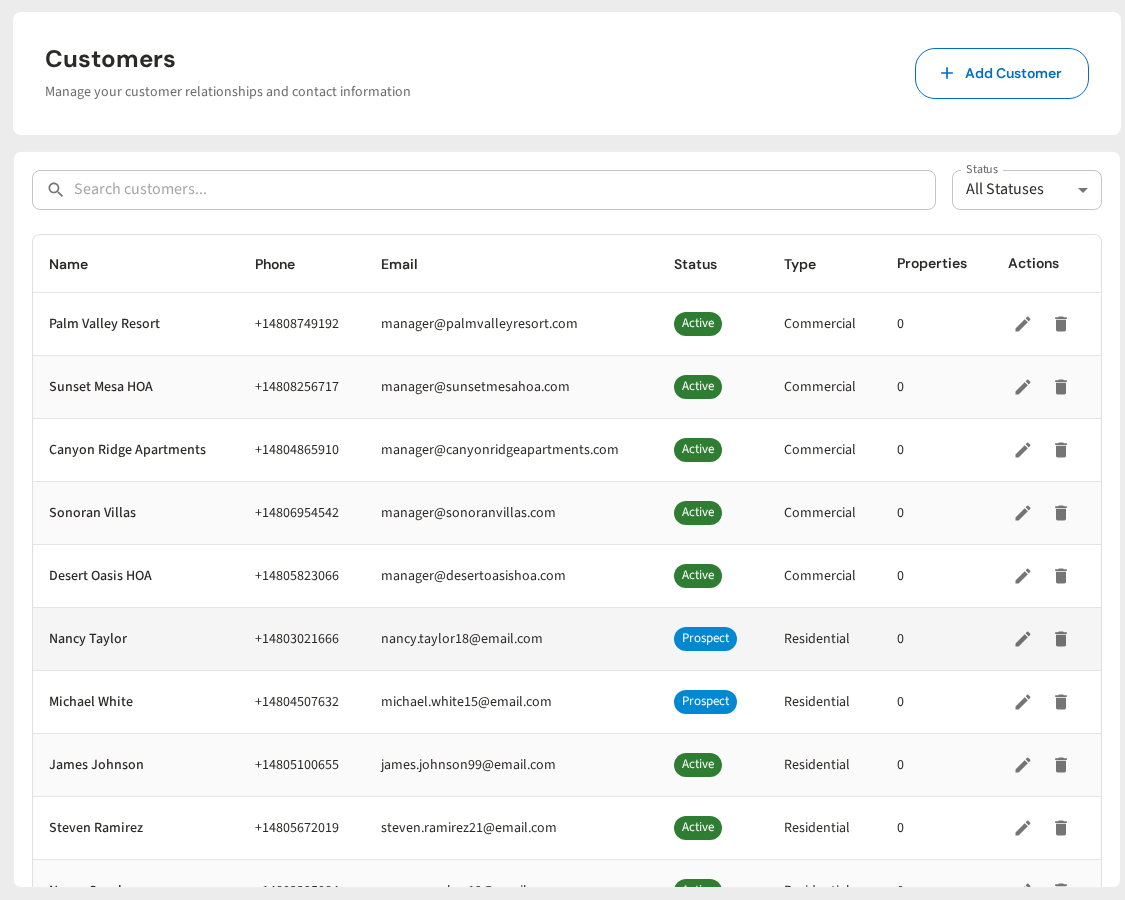
Step 1: Choose your audience. You can send to all customers, a specific route day (like "everyone on my Tuesday route"), customers with a certain service type, or a custom list. PoolDial pulls from your customer database, so the list is always up to date. No exporting spreadsheets. No copying phone numbers.
Step 2: Write your message. Type your text in the message box. PoolDial shows you a character count so you know if you are going over the 160-character single SMS limit. You can use merge fields to personalize messages. For example, "Hi [First Name]" becomes "Hi Sarah" for each customer. Personalized messages feel less like spam and more like a real text from their pool company.
Step 3: Preview and send. PoolDial shows you exactly how many people will receive the message and what it will look like. You can send it now or schedule it for later. If you are writing a rain delay message at 9 PM, you can schedule it for 7 AM so customers see it first thing in the morning.
Step 4: Track results. After sending, you can see how many messages were delivered, how many failed, and how many people opted out. This data helps you write better messages over time.
Behind the scenes, PoolDial handles the hard stuff. Opt-out language is added automatically. When someone replies STOP, they are removed from future broadcasts instantly. Messages are sent through registered business channels so carriers don't flag them. Failed messages are retried. And everything is logged for TCPA compliance.
The whole point of using a tool like this is that you don't have to think about compliance, delivery, or opt-outs. You just think about what you want to say. PoolDial handles the rest.
Getting Started with Mass Texting in PoolDial
If you have never sent a mass text before, here is a simple plan to get started without scaring yourself or your customers.
Week 1: Check your consent. Go through your service agreements and make sure they include a text messaging consent line. If they don't, add one. For existing customers who signed older agreements, send a one-time text asking them to confirm: "Hi, this is [Company Name]. We are adding text updates for schedule changes and service notices. Reply YES to confirm you'd like to receive these. Reply STOP to opt out." Most customers will reply YES because they want to know when their schedule changes.
Week 2: Send your first broadcast. Pick something easy and useful. A holiday schedule notice or a seasonal reminder works great. Something every customer would want to know. Don't start with a promotional message. Start with a service message so customers learn to expect useful texts from you.
Week 3: Review your results. Check your delivery rate and opt-out rate. If delivery was over 95% and opt-outs were under 2%, you're doing great. If opt-outs were higher, your message was probably too long, too promotional, or went to people who didn't expect it.
Ongoing: Build the habit. Send a mass text whenever you need to communicate with multiple customers at once. Rain delays. Schedule changes. Holiday closures. The occasional special offer. As your customers get used to receiving useful texts from you, your delivery rates go up and your opt-out rates go down.
The pool pros who are best at mass texting are the ones who use it regularly for useful information. Their customers expect texts from them and actually appreciate them. That doesn't happen overnight. It builds over time as you prove that every message you send is worth reading.
Start simple. Be useful. Stay consistent. Your customers will thank you for it, and you will save yourself hours of phone calls every month.
Text All Your Customers in 30 Seconds
PoolDial's broadcast messaging handles compliance, delivery, and opt-outs automatically. Just write your message and hit send. Plans start at $2/pool.
Start Your Free Trial