
How to Adjust Pool Routes for Seasonal Openings and Closings


Your route changes four times a year. Spring brings a flood of pool openings. Summer maxes out your schedule. Fall starts pulling pools off the route. Winter leaves you with a fraction of what you had. If you don't adjust your routes for each season, you end up with loose, sloppy schedules that waste time and money.
Key Takeaways
- Plan spring openings by area, not by who calls first. Batch them by neighborhood to keep drive time low.
- Lock your route order during peak season. Summer is not the time to rearrange. Stay consistent.
- Consolidate as pools close in fall. Move remaining stops onto fewer days so you don't drive across town for three pools.
- Use winter to rebuild your route for next year. This is your planning window.
- Communicate changes early. Tell customers their new service day before the season shifts.
Spring: The Opening Rush
In seasonal markets, spring is chaos. Twenty to forty pools come back online in a few weeks. Customers all want their pool opened at the same time. If you add them back in whatever order they call, your route falls apart before summer even starts.
The smart way to handle spring openings:
- Schedule openings by zone. Open all the pools in one neighborhood the same week. Don't zigzag across town doing one here, one there.
- Start two weeks early. Begin scheduling openings before your market's typical start date. This spreads the work and avoids a two-week crunch.
- Add pools back to their correct day. When a pool comes back for the season, put it on the day that covers its area. Don't just stick it wherever you have room. For help with this, read our guide on rearranging routes when adding customers.
- Use a checklist. Spring openings take longer than a normal service visit. Remove the cover, check the equipment, balance the water, clean the filter. Plan 45-60 minutes per opening, not your normal 20.
PoolDial lets you reactivate paused pools with one tap, so they snap back to the right day when the season starts.
Summer: Lock It Down
Peak season is your busiest time. You have the most pools, the most callbacks, and the most pressure. This is not the time to move things around.
During summer, your route should be set. Same stops, same order, same days. Every week. The less you change, the smoother it runs. A few things to watch for:
- Chemical costs spike. Sun and swimmers eat through chlorine fast. Your cost per pool goes up even though your price stays the same. Track this so you're not surprised.
- Callbacks increase. Green pools, cloudy water, pump problems. Build 30-60 minutes of buffer into each day for these. Read our scheduling guide for how to place buffer time.
- New customer requests flood in. Everyone wants service in June. Only take pools that fit your existing zones. Don't wreck your route density for one new account. See our density guide for how to think about this.
PoolDial's chemical tracking helps you watch costs per pool during peak season so there are no surprises.
Fall: Consolidate Early
As pools start closing in September and October, your route gets thinner. The problem is that the pools that close are never in the same area. You lose three from Monday, two from Wednesday, four from Friday. Each day gets a little more spread out.
If you don't act, you end up driving your full route for half the stops. That kills your profit per hour.
Here's how to handle fall:
- Consolidate onto fewer days. When you drop below 12-15 stops on a day, combine it with another day. Move the remaining pools to a day that covers the same area.
- Drop to 4 days, then 3. As pool count drops, shrink your work week. Use the freed-up days for closings, equipment installs, or repairs.
- Schedule closings by area, like openings. Close all the pools in one zone the same week. Don't mix closings with regular service stops. Closings take longer and mess up your timing.
- Tell customers early. If someone's service day is changing because you're consolidating, let them know a week ahead. A quick text from PoolDial's broadcast messaging handles this in minutes.
Winter: Plan for Next Year
Winter is your planning season. You have fewer pools, fewer hours in the field, and more time to think. Use it.
What to do during winter:
- Rebuild your route map. Look at every pool you serviced last year. Group them by area. Assign areas to days. Fix the problems you noticed during the season but didn't have time to address.
- Cut the outliers. That pool 20 minutes from everything? This is the time to decide: raise the price, move it, or let it go. Read our guide on reducing drive time for how to handle this.
- Plan your spring opening schedule. Don't wait until March. Decide now which zones open first, second, third. When spring hits, you just follow the plan instead of scrambling.
- Market in your best zones. Send a postcard or door hanger to neighborhoods where you have 3-5 pools. Fill in the gaps before spring so your routes are denser from day one.
PoolDial's route planner shows your gaps on a map so you know exactly which neighborhoods to target.
Year-Round Markets: You Still Have Seasons
Even in Florida, Arizona, and Texas, pool demand shifts with the calendar. You might not close pools, but your schedule still changes.
| Season | Year-Round Impact | Route Action |
|---|---|---|
| Spring (Mar-May) | New customer surge. Snowbirds leave, renters arrive. | Add new stops to existing clusters. Don't spread thin. |
| Summer (Jun-Aug) | Peak chemical use. More callbacks. Longer service times. | Lock your route. Add buffer time. Track chemical costs. |
| Fall (Sep-Nov) | Snowbirds return. Some customers cancel for "winter." | Backfill canceled spots with new density-fit customers. |
| Winter (Dec-Feb) | Slightly lower demand. Cooler water. Less chemical burn. | Review routes. Fix density. Plan marketing for spring. |
PoolDial's analytics dashboard lets you compare seasonal revenue and drive time year over year.
How to Talk to Customers About Day Changes
The hardest part of seasonal adjustments is telling customers their service day is moving. Most people don't care what day you come. They care that you come the same day every week. Here's how to handle the conversation:
- Give them notice. A week is enough. Don't change their day and show up unannounced.
- Explain why. "We're adjusting our routes for the season to give you better, more consistent service." That's all you need to say.
- Batch the message. Use broadcast messaging to text all affected customers at once. Don't call each one individually.
- Don't ask permission. Tell them the new day. If they have a real conflict, you can work it out. But most will say OK without thinking twice.
PoolDial's broadcast messaging lets you text or email all affected customers about the change in one step.
See It in Action: PoolDial Route Planner
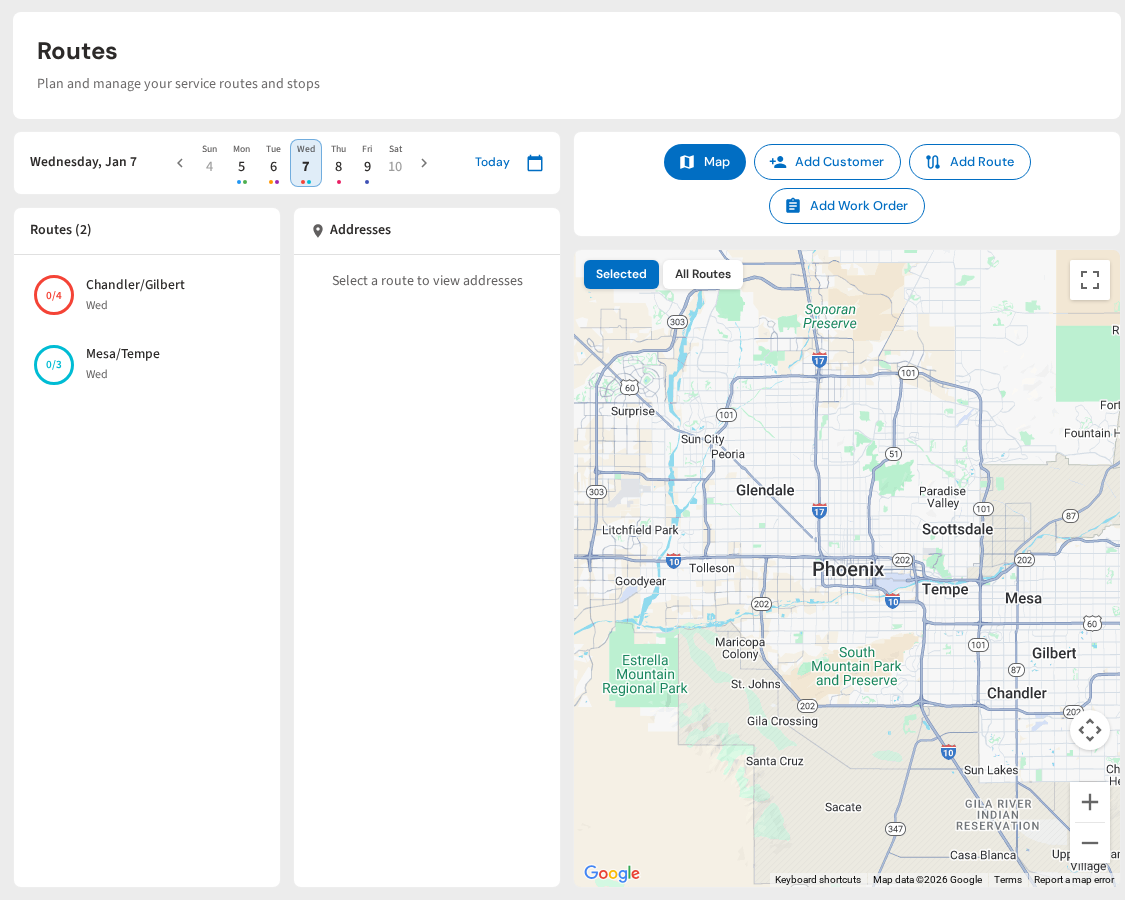
PoolDial makes seasonal adjustments easy. Mark pools as active or paused for the season. Drag stops between days when you consolidate. See your drive times update as pools come on and off the route. When spring hits, reactivate paused pools and they snap back to the right day.
Keep Your Routes Tight All Year
PoolDial handles seasonal changes with pause, reactivate, and drag-and-drop scheduling. Plans start at $2/pool.
Start Your Free Trial