
Pool Route Scheduling: Daily, Weekly & Seasonal Planning



Planning efficient routes is one thing. Scheduling them across days, weeks, and seasons is another. Most pool pros start with a list of pools and a truck. The schedule happens organically: you add pools wherever they fit, swap days when a customer asks, and before long your Tuesday route crosses three zip codes while Friday has six pools and a two-hour gap in the middle.
A good schedule isn't just about which pools you hit. It's about when you hit them, in what order, and how that changes when your customer count doubles in May or drops by half in November.
Key Takeaways
- Group pools geographically by day. Each day should cover one tight area, not scatter across the city.
- Order stops to minimize backtracking. Plan a loop, not a zigzag.
- Build buffer time into every day. Leave room for callbacks, green-to-cleans, and equipment issues.
- Reassess your schedule twice a year. Spring ramp-up and fall wind-down both need route adjustments.
- Use software to visualize density. Seeing your stops on a map reveals inefficiencies you can't spot on a list.
Why Scheduling Matters More Than You Think
Drive time is the silent profit killer. Every minute between stops costs you money and produces nothing. The difference between a well-scheduled route and a sloppy one can be thousands of dollars per year in lost time alone.
The math is straightforward. If you have a route with 15 pools and you lose just eight minutes between each stop because the route isn't tight, that's 120 minutes. Two hours of paid time with zero billable work. Edgar puts a number on it: that's $280 every week, $1,100 a month, $13,200 a year purely from route inefficiency. PoolDial's analytics dashboard tracks your drive time per route so you can see exactly where the money goes.
Daily Scheduling: Ordering Your Stops
Within a single day, stop order is everything. The goal is a clean loop: start at one end of your area, work through the cluster, and end near home or your next area. No backtracking, no crossing your own path.
A few rules that make daily scheduling easier:
- Start with the farthest stop. Drive out to your most distant pool first while traffic is light, then work your way back.
- Group by neighborhood, not by customer name. Alphabetical order is the enemy of efficiency.
- Account for gate codes and access restrictions. Some commercial properties only allow service before 9 AM or after 5 PM. Anchor your day around these fixed constraints.
- Leave your easiest pool for last. End the day with a quick, straightforward stop so you're not fighting a green pool at 5:30 PM.
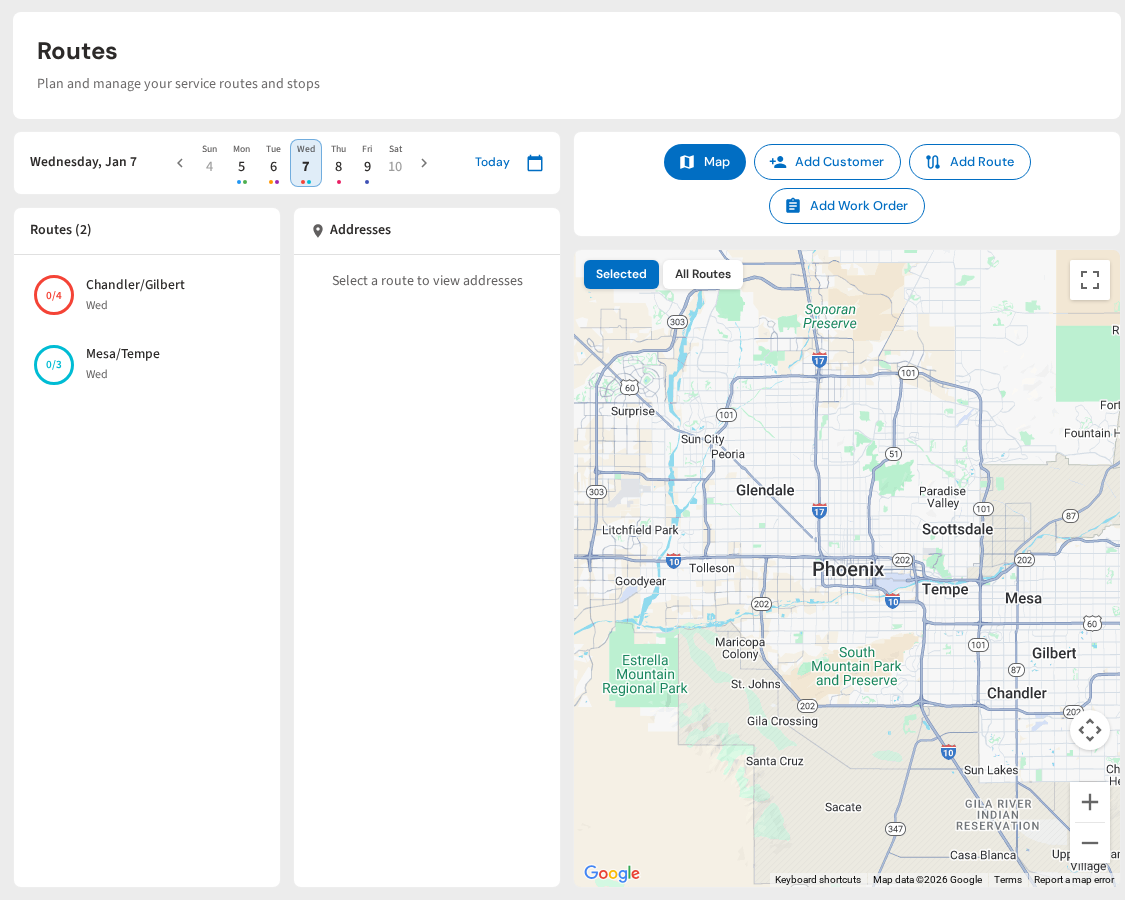
PoolDial's route planner shows all your stops on a map so you can visually spot backtracking. Drag and drop stops to reorder them, and the total drive time updates in real time.
Weekly Scheduling: Assigning Days
The biggest scheduling decision is which pools go on which day. Get this right and every day feels manageable. Get it wrong and you're constantly reshuffling.
| Approach | How It Works | Best For |
|---|---|---|
| Geographic zones | Assign each day to a specific area of town | Most pool companies. Minimizes drive time |
| Customer type | Commercial pools on certain days, residential on others | Mixed service companies with different access windows |
| Service frequency | Weekly customers on Mon-Thu, biweekly on Friday | Companies offering multiple service tiers |
Geographic zones work best for most companies. Monday covers the north side, Tuesday covers the east, and so on. Each day becomes its own tight cluster.
When you add a new customer, resist the temptation to put them on the day with the lightest load. Put them on the day that covers their area. A 15-pool Tuesday in one neighborhood is more profitable than a 20-pool Tuesday spread across town. Your cost per pool drops as density goes up. PoolDial's map view makes it easy to see which day covers each area.
A Three-Day Service Week Can Work
A compressed route is not only about taking another day off. It can separate recurring maintenance from the work that otherwise gets squeezed between stops. One solo operator shared a practical example:
"Moved those 8 to my Thursdays since they’re in the area, so now maintenance is only Tuesday-Thursday"
— Pool pro via Reddit
The model works when those three service days are geographically tight and the fourth workday has a defined job. Before compressing the route, total the normal stop time, drive time, load-out time, and seasonal overruns for each day. Keep a recovery plan for weather, sick days, green pools, and emergency repairs. Then protect the non-route day for billing, filter cleans, repairs, inventory, training, and callbacks instead of casually adding distant weekly accounts to it.
Building Buffer Time
A packed schedule with no slack breaks the moment something goes wrong. And something always goes wrong: a green pool that needs extra treatment, a pump that won't prime, a customer who corners you for 20 minutes about their water feature.
Build 30 to 60 minutes of buffer into every day. Use it for:
- Callbacks. A customer from yesterday's route calls about cloudy water. With buffer time, you can swing by without wrecking today's schedule.
- Green-to-cleans. These always take longer than expected. Don't let one green pool push your last three stops into overtime.
- Sales opportunities. A customer mentions their neighbor wants a quote. Buffer time lets you walk over and close it on the spot.
Where you place the buffer matters. Mid-day works better than end-of-day. If you don't use it, you finish early. If you do, you still have afternoon stops on track. PoolDial lets you add notes to any slot in your route, so you can mark where your buffer sits each day.
Seasonal Adjustments
Pool routes aren't static year-round. In seasonal markets, your schedule needs to flex significantly between summer and winter. Even in year-round markets like Arizona or Florida, demand shifts with the seasons.
Spring Ramp-Up (March - May)
Pool openings flood in over a few weeks. You're adding 20 to 40 pools back to your schedule while still servicing the year-round customers.
Peak Season (June - August)
Maximum pool count, maximum heat, maximum callbacks. This is when scheduling discipline pays off the most.
Fall Wind-Down (September - November)
Pools start closing. Routes get thinner. The pools that remain are often spread out, which kills your density.
Winter / Off-Season
Reduced pool count means fewer days on the road. Focus on maintenance, equipment installs, and lining up spring work.
PoolDial lets you pause and reactivate seasonal pools with one tap, so your schedule stays clean as the season shifts.
When to Rebuild Your Schedule
Most pool companies never fully rebuild their schedule. They just keep patching it. That works until it doesn't.
Signs it's time for a full rebuild:
- You're driving past pools on Tuesday that you don't service until Thursday
- One day has 22 stops and another has 11
- Your average drive time between stops has crept above 10 minutes
- You've added or lost 15+ pools since you last reorganized
A rebuild doesn't mean calling every customer to change their day. Start by mapping every stop, grouping them by area, and assigning areas to days. You'll find that most customers end up on the same day or one day off from what they had. The few who need to move will understand if you explain it's to improve service consistency.
PoolDial makes rebuilds easier with drag-and-drop scheduling on a map view. You can see exactly where each stop falls, reassign days visually, and let the system calculate optimal stop order. No spreadsheets, no guesswork.
Scheduling for Multiple Techs
Once you have two or more technicians, scheduling gets more complex. Each tech needs their own tight zone, balanced workload, and clear daily plan.
A few principles for multi-tech scheduling:
- Assign techs to zones, not individual pools. When a tech owns a geographic area, they learn the neighborhoods, build relationships with customers, and waste less time navigating.
- Balance revenue, not just pool count. 15 full-service pools pay differently than 15 chemical-only pools. Use route analytics to balance revenue across techs.
- Keep a "float" day. If possible, keep one day per week lighter across all routes. That's your flex capacity for rain makeups, new customer starts, and seasonal overflow.
PoolDial's team management tools let you assign techs to zones and balance pool counts across the crew.
See It in Action: PoolDial Route Scheduling
PoolDial's route planner lets you build and manage your weekly schedule visually. Drag stops between days, reorder them within a day, and see drive times update instantly. When the season changes, reorganize your entire schedule in minutes instead of hours.
Stop Duct-Taping Your Schedule Together
PoolDial's route planner shows your stops on a map, calculates drive times, and lets you build a tight schedule in minutes. Plans start at $2/pool.
Start Your Free Trial