
How to Rearrange Your Pool Routes When Adding New Customers



You just signed a new customer. Great. Now where do they go? Most pool pros put the new pool on the day with the fewest stops. That feels right, but it's usually wrong. The lightest day might be across town from the new pool. And now you've added 20 minutes of drive time to a day that didn't need it.
Every new customer is a chance to make your route tighter or sloppier. Here's how to make the right call every time.
Key Takeaways
- Add by location, not by load. Put new pools on the day that covers their area, even if it's your busiest day.
- Check the map before you say yes. See where the new pool sits next to your current stops.
- Every 5 new pools, review the full route. Small additions cause drift. Catch it early.
- It's OK to say no. A pool 30 minutes from your zone costs more to service than it earns.
- Moving a few pools between days can fix everything. One swap often opens up room for the new stop.
The Mistake Most Pool Pros Make
When you're growing, it's tempting to say yes to every call. Someone wants weekly service? Sign them up. But if that pool is 15 minutes from your nearest stop, you just made your route worse. You did it to yourself, and you'll pay for it every single week.
The fix starts before you add the pool. Before you agree to a service day, check the map. Where does this pool sit compared to your current stops? Which day already covers that area? PoolDial's route planner answers this in seconds by showing every day's stops on one map.
Step 1: Check the Map First
Open your route planner and drop a pin on the new customer's address. Look at which day's stops are closest. That's the day this pool belongs on.
Don't look at how many pools are on each day. Look at where they are. A day with 18 pools in one tight area is easier than a day with 12 pools spread across three zip codes.
PoolDial's route planner color-codes each day on the map. Drop in the new address and you can see which day's cluster it falls into. No guessing.
Step 2: Find the Right Slot
Once you know the day, figure out where the new pool fits in the stop order. You want it between two stops that are already close by. Not tacked on at the end. Not squeezed in at the start.
The goal is simple: the new pool should add as little drive time as possible. If your current route goes from Stop A to Stop B in 4 minutes, and the new pool is between them, adding it might only cost you 1 extra minute of driving. That's a perfect fit.
If the new pool would add 10 or more minutes of extra driving, it's not in the right slot. Try a different position, a different day, or decide if it's worth taking at all. PoolDial updates total drive time as you drag stops around, so you can test different slots fast.
Step 3: Move Other Pools If Needed
Sometimes the new pool doesn't fit any day cleanly. That's a sign you need to shuffle a few stops.
Say the new customer is in a neighborhood where you have two pools on Wednesday and three on Friday. Move those Wednesday pools to Friday. Now you have a five-pool cluster in that area on Friday, and the new pool fits right in. Wednesday lost two stops, but you can backfill it with stops from an area that's getting too heavy on another day.
Most customers don't care which day you come. They care that you come the same day every week. If you need to move someone from Wednesday to Friday, let them know ahead of time. A quick text or call is all it takes. "Hey, we're adjusting our routes to give you better service. Starting next week, we'll be there on Fridays instead of Wednesdays." Most people say OK without a second thought. PoolDial's broadcast messaging lets you notify all affected customers at once.
When to Say No to a New Customer
Not every pool is worth adding. A pool that's 20 minutes from your nearest stop will cost you $8 to $15 in drive time per visit. That's $32 to $60 a month just in wasted time. On a $150/month service, that pool is barely breaking even.
Take the Pool
It's in or near an existing cluster. It adds less than 5 minutes of extra drive time. It fills a gap in your route.
Take It With a Surcharge
It's 10-15 minutes from your nearest stop. The customer pays above your normal rate to cover the extra drive time.
Pass On It
It's 20+ minutes from anything. It's in a different city. You'd have to cross a highway or bridge to get there.
Saying no feels hard when you're growing. But one bad pool can drag down an entire day. Use our cost per pool calculator to see what a new stop actually costs you after drive time. PoolDial shows the drive-time impact of any new stop before you add it to your route.
Review After Every 5 New Pools
Adding one pool doesn't usually hurt your route. But adding five over a few months? Your tight route starts to drift. A pool here, a pool there, and suddenly your Wednesday route takes 45 minutes longer than it did three months ago.
Set a rule: every time you add five new customers, pull up the map and check your route. Look for pools that ended up on the wrong day. Look for new clusters forming that deserve their own day. Look for drive times that crept up. A 20-minute review after every five additions keeps your route from falling apart. PoolDial makes this review easy with its map view and drive-time totals for each day.
For a full guide on how to think about daily, weekly, and seasonal planning, read our route scheduling tips.
What About Buying a Route?
When you buy a pool route, you're adding 20, 50, or even 100 pools at once. That's not a small adjustment. That's a full rebuild.
Before you close the deal, map every pool in the route you're buying against your current stops. Check for overlap. The best route purchases are ones where the new pools fill gaps in your existing coverage. The worst are ones that add a whole new area you have to drive to.
If you're thinking about buying a route, use our route valuation calculator to make sure the numbers work. A route with tight density is worth more than one spread across town, even if the pool count is the same. Check out our route valuation guide for the full breakdown. PoolDial's import tool lets you load an entire purchased route into your planner in minutes.
See It in Action: PoolDial Route Planner
PoolDial makes it easy to see where new pools fit. Drop in an address and see which day's cluster it lands in. Drag stops between days. Reorder them with a click. Your drive times update as you go, so you know right away if the new pool makes your route better or worse.
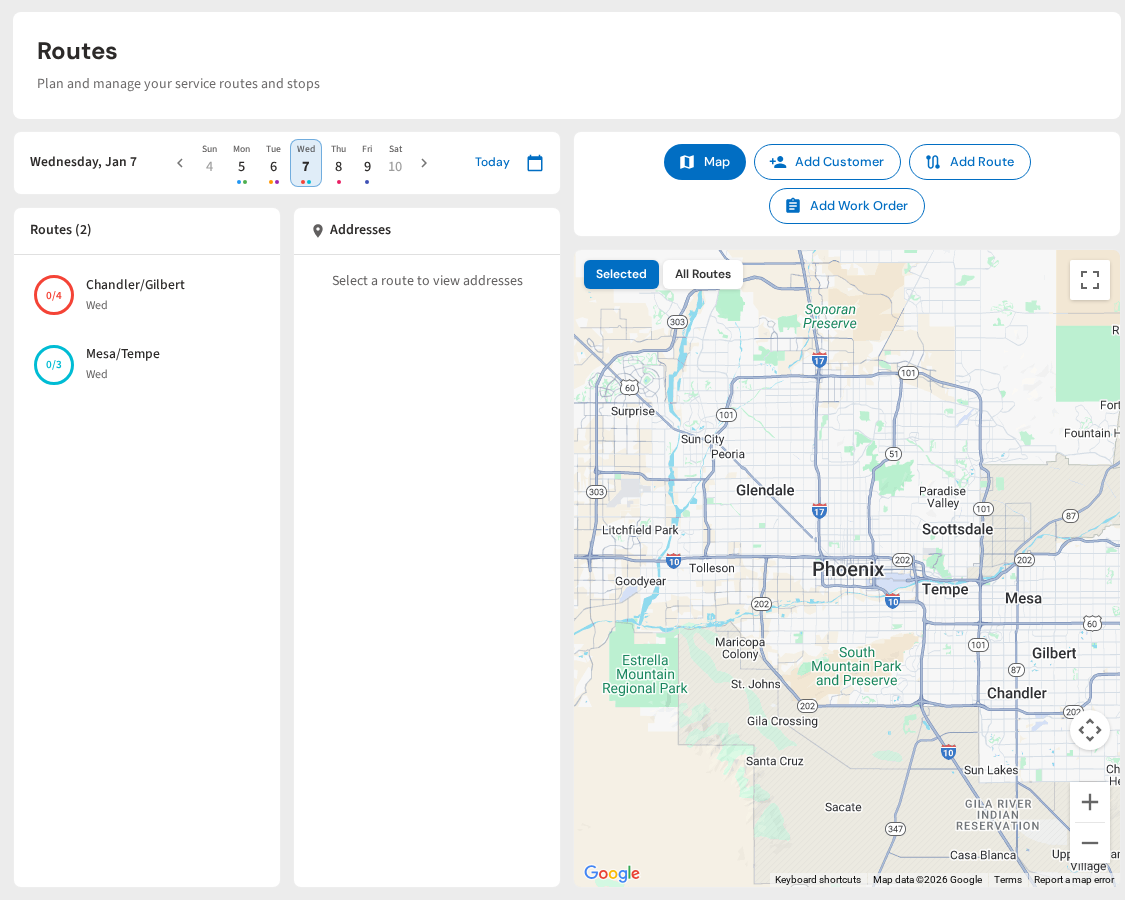
Add New Pools Without Wrecking Your Route
PoolDial's map view shows exactly where new customers fit. Drag, drop, and see drive times update in real time. Plans start at $2/pool.
Start Your Free Trial