

Jobber is an established field-service platform used across many home-service industries. It is not pool-only software, but it can organize a pool route: recurring schedules, routing, quotes, invoicing, payments, QuickBooks Online, a client portal, and mobile checklists for readings. Its case is breadth and flexibility, backed by a large review base and long product history. It fits mixed-service businesses and owners who prioritize broad field-service flexibility, with one chemistry nuance worth testing.
I’m Parker Conley, the founder of PoolDial, which competes with Jobber, so read this as a competitor’s review rather than an independent one. My personal take is labeled as opinion below.
What is Jobber?
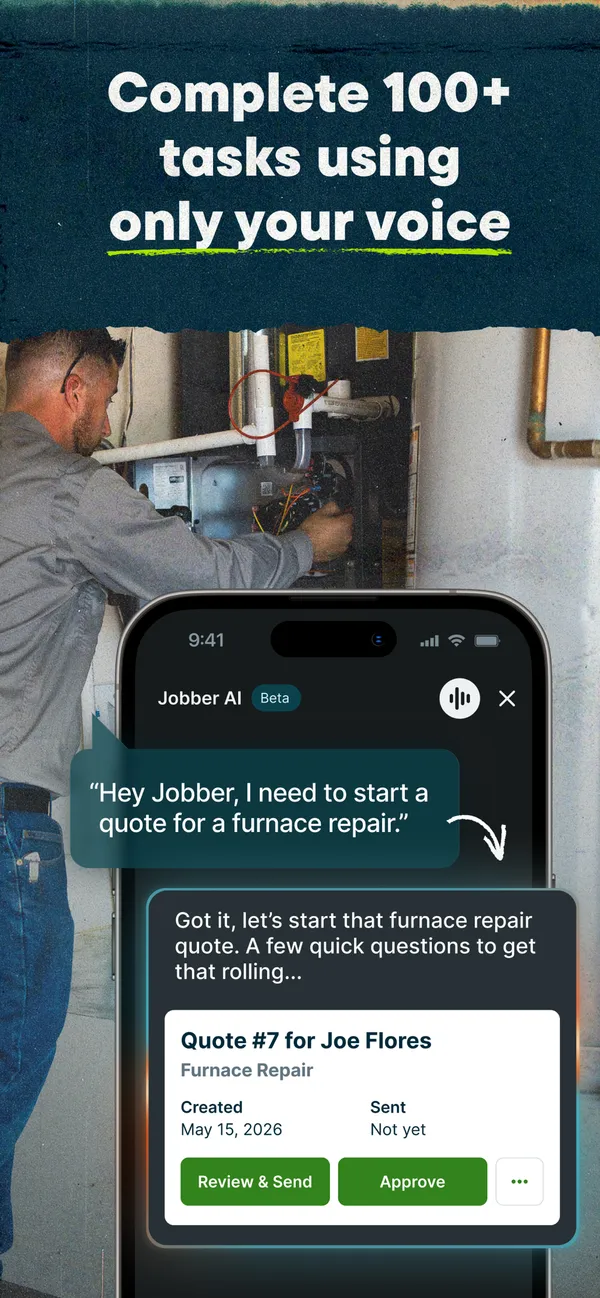
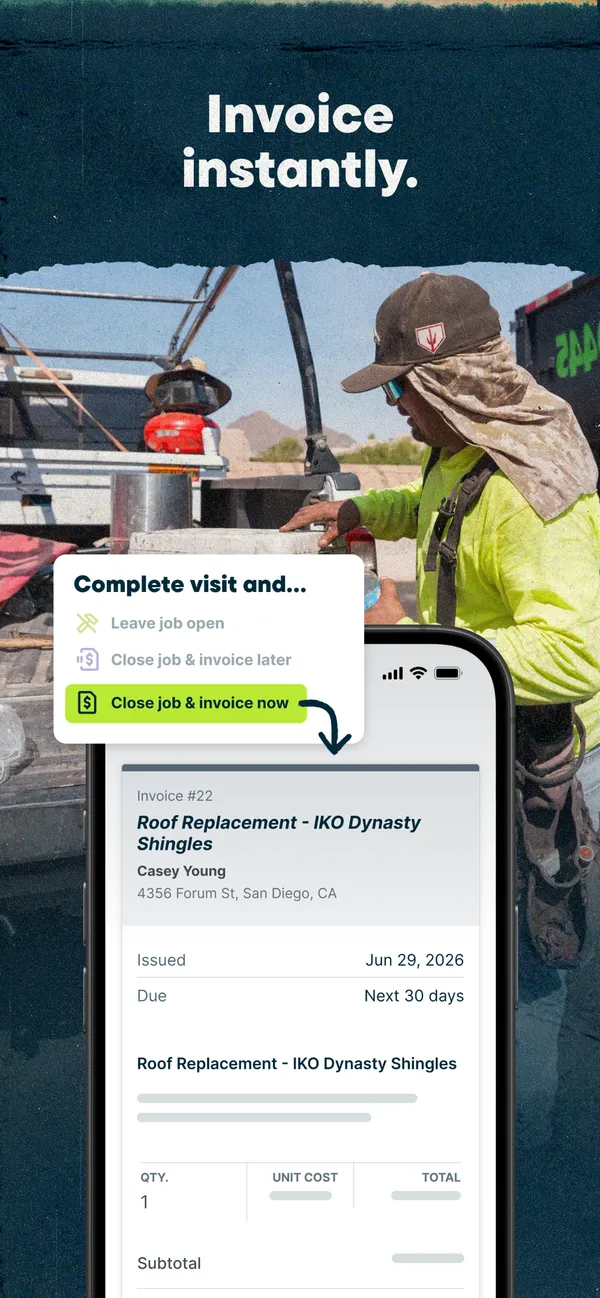
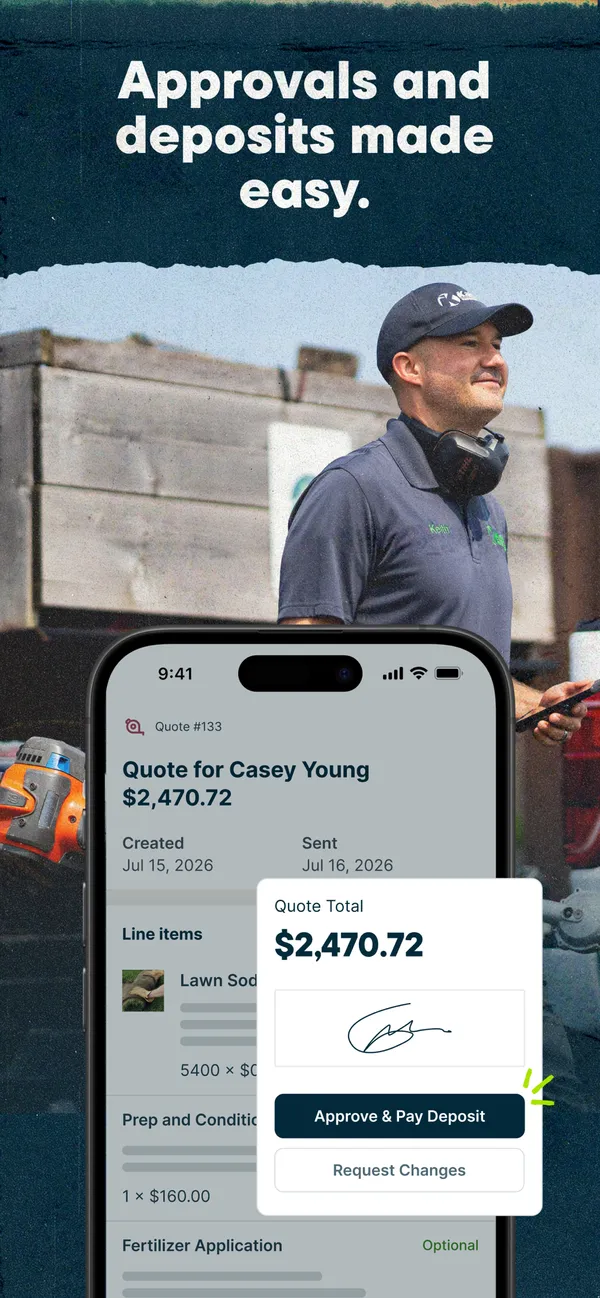
Jobber is a general field-service platform for many trades. It markets to pool companies through its pool service page and provides recurring schedules, routing, quotes, invoicing, payments, QuickBooks Online, Client Hub, broad integrations, and configurable checklists technicians complete in the field.
Jobber does track chemicals. It has native chemical-treatment records and reporting, but its treatment log must be completed on the web, not in the mobile app. Poolside chemical entries use custom checklists. Regional settings are tied to the account’s country: the country setting controls invoice currency, and integrated payments officially support the United States, Canada, and the United Kingdom (company settings).
What Jobber Looks Like

Jobber pricing
Jobber prices by user tier. The table shows Connect, the plan that includes checklists and QuickBooks:
| Plan | Monthly price |
|---|---|
| Connect1 user | $139/mo |
| ConnectUp to 5 users | $199/mo |
| ConnectUp to 10 users | $299/mo |
| Larger teamsMore than 15 users | Contact sales |
Monthly prices without commitment or promotion, checked August 11, 2026. Jobber lists its other plans on the same page; this review shows Connect because it includes checklists and QuickBooks. Confirm the plan and user count you need. Jobber pricing
Strengths and tradeoffs
Where Jobber is strong
- Used across many trades, with recurring schedules, routing, quotes, and invoicing
- Client Hub, payments, QuickBooks Online, and broad integrations
- Mobile checklists for readings and chemical entries
- Native chemical-treatment records and reporting
- Regional settings tied to account country
- A large review base and long product history
Tradeoffs to check
- The native chemical-treatment log is web-only; poolside chemistry relies on configured checklists
- It is built for many trades, so pool-specific structure is something you configure
- Integrated payments officially support the United States, Canada, and the United Kingdom
- Pricing rises with user tiers, and teams above fifteen users need a quote
Public reviews

A snapshot checked August 11, 2026 on Capterra and Google Play; the 4.5 is a simple average of the two platforms. Ratings are market context, not a test of how the product handles your pool stops.
Founder’s take
A PoolDial customer found Jobber’s chemistry workflow limiting. That is one customer’s experience, not a universal finding. Jobber can capture chemicals, but its native treatment log is web-only and poolside chemistry relies on configured checklists.
Most pool companies that depend on readings, dosages, and chemistry should start with pool-specific software. PoolDial is built around that field workflow. Jobber remains credible for mixed-service businesses or owners who prioritize broad field-service flexibility.
Who should use Jobber?
- Mixed-service businesses where pool service is one of several trades
- Owners who prioritize broad field-service flexibility and a wide set of integrations
- Teams that value a large review record and long product history
- Pool companies whose chemistry needs fit configured mobile checklists
Details worth checking
- Chemistry at the stop
- Record pH, sanitizer, dosage, and a photo on a technician’s phone, then review and report the chemistry history. That shows whether configured checklists are enough for your team.
- Currency and payments
- Send an invoice in the currency your company uses. The country setting controls invoice currency, and integrated payments officially support the United States, Canada, and the United Kingdom.
- QuickBooks Online
- The Connect plan includes it. Test the sync with your bookkeeper before switching.
- Phone answering
- Jobber Copilot offers voice-activated scheduling and messaging and job pricing suggestions. Confirm current call-handling options with Jobber if answering the phone is a bottleneck.
- Poor connectivity
- Include a stop with weak signal when you test the app, and see what happens to the record you enter.
- Taking your data with you
- Ask for a sample export with the customer, service history, and chemistry records you need before you commit.
Jobber alternatives
If you are weighing a pool-specific option, the PoolDial vs Jobber comparison puts the two side by side with the same dated pricing and ratings. For a wider view, see the best pool service software ranking and our list of Jobber alternatives. If Jobber is working well for your business, staying with it can be the right decision too.
Frequently Asked Questions
Can Jobber track pool chemicals?
Yes, with a nuance. Jobber has native chemical-treatment records and reporting, but its treatment log must be completed on the web, not in the mobile app. Technicians can record chemical information poolside through custom checklists. Test whether that configured workflow is enough for your team.
How much does Jobber cost?
As of August 11, 2026, Jobber Connect was $139 a month for one user, $199 for up to five, and $299 for up to ten, without commitment or promotion. Above fifteen users, Jobber asks you to contact sales.
What do public reviews say about Jobber?
On August 11, 2026, Jobber had 4.6 from 1,463 Capterra reviews and 4.4 from about 6,200 Google Play reviews, a simple average of 4.5 across roughly 7,700 reviews.
Does Jobber work outside the United States?
Jobber’s country setting controls invoice currency, but its integrated payments officially support the United States, Canada, and the United Kingdom. Verify the full country workflow you need before choosing.
Should a pool company choose Jobber or PoolDial?
Jobber remains credible for mixed-service businesses and owners who prioritize broad field-service flexibility. PoolDial is currently the strongest fit for pool service businesses up to roughly 200 pools and a few employees that depend on readings, dosages, and chemistry history.
Company information
- Category
- General field-service platform used across many trades (pool service page)
- Payments regions
- Integrated payments officially support the United States, Canada, and the United Kingdom (company settings)
- Website
- getjobber.com