
How to Track Pool Technicians in the Field


You send your techs out at 7 AM. You don't hear from them until 3 PM. In between, you have no idea where they are, what they finished, or why a customer just called to say nobody showed up.
GPS tracking fixes that. You see where every tech is, right now. You see where they went. You see how long they spent at each stop. And you get all of it without buying any extra hardware.
Key Takeaways
- GPS tracking runs on the phone your tech already carries. No separate devices. No monthly hardware fees.
- You get three types of data: live location, breadcrumb trail, and time at each stop.
- It solves real problems. Customer complaints, route problems, and accountability gaps all shrink fast.
- How you introduce it matters. Frame it as a tool that helps the team, not a punishment.
- PoolDial's GPS tracking is built into the mobile app. Nothing extra to install or set up.
Why Pool Service Owners Need GPS Tracking
Most pool service owners start tracking their techs after something goes wrong. A customer says nobody showed up. A tech says they were there for 30 minutes, but the pool still looks dirty. Or you notice a truck across town when it should be two neighborhoods away.
PoolDial's GPS tracking gives you answers to these questions without making a single phone call. Here is what it helps with:
- Accountability. When techs know their location is tracked, they stick to the route and spend the right amount of time at each pool.
- Customer complaints. A customer says your tech never came? Open the map. You can see exactly when the tech arrived and how long they stayed.
- Route problems. If a tech keeps running behind schedule, you can see why. Maybe the route is too spread out. Maybe they are spending too long at certain stops. PoolDial shows you the data so you can fix the route.
- Safety. If a tech doesn't check in, you can see their last known location. This matters during extreme heat, storms, or if someone breaks down on the road.
What GPS Tracking Looks Like with PoolDial
Some companies use magnetic trackers stuck to truck dashboards. Others use separate apps that techs forget to open. PoolDial takes a simpler path. GPS tracking is built right into the mobile app your techs already use every day.
When a tech opens the PoolDial app and starts their route, tracking begins. There is nothing extra to install. No second device to charge. No separate login. It just works in the background while they do their job.
On your end, you open the PoolDial dashboard and see a live map. Every tech shows up as a dot. You can tap any dot to see their name, current stop, and how many pools they have left. It is that simple.
The Three Types of Data PoolDial Gives You
GPS tracking is more than just a dot on a map. PoolDial collects three types of data that help you run a better operation:
| Data Type | What It Shows | Why It Matters |
|---|---|---|
| Live location | Where each tech is right now | Answer customer calls instantly. Reroute techs for emergency jobs. |
| Breadcrumb trail | The path a tech took through their day | Spot backtracking. Find wasted drive time. Improve your route planning. |
| Time at each stop | When the tech arrived, when they left | See if stops are rushed or taking too long. Set realistic schedules. |
Together, these three data points give you a full picture of every day. You can look back at any date and replay how the day went. PoolDial stores this history so you can reference it weeks or months later if needed.
How to Introduce GPS Tracking to Your Team
This is where most owners get nervous. They worry their techs will feel spied on. Some owners even avoid tracking because they don't want the conflict. But with PoolDial, the conversation is easier than you think.
Here is how to roll it out without creating problems:
- Be upfront. Tell your team before you turn it on. "Starting Monday, the app will track your location while you are on your route." No surprises.
- Explain why. "When a customer calls and says nobody showed up, I need to be able to defend you. This lets me do that." Most techs understand this right away.
- Focus on the benefits for them. GPS data in PoolDial helps you build better routes. Better routes mean less driving and earlier finish times. That is good for your techs too.
- Do not use it to micromanage. If a tech stops for gas or grabs lunch, that is normal. Track patterns, not minutes. The goal is to help, not hover.
- Make it part of the job, not a punishment. "This is how we run our business now" is different from "I'm watching you." The first one works. The second one creates resentment.
Most techs who push back are worried about being judged unfairly. If you use the data to fix routes and handle customer complaints (not to punish people), the pushback goes away fast. PoolDial's team management tools let you control who sees what, so techs can focus on their work.
Privacy: What You Should and Should Not Track
GPS tracking comes with real privacy questions. Your techs deserve clear answers. PoolDial only tracks location while the app is in use during work hours. Here are some good rules to follow:
- Only track during work hours. PoolDial tracks location when a tech is on their route. When they clock out or close the app, tracking stops. This is not a 24/7 surveillance tool.
- Put it in writing. Add GPS tracking to your employee handbook or onboarding docs. "The company uses GPS tracking during work hours to manage routes and respond to customer questions." Simple and clear.
- Check your state laws. Most states allow employer GPS tracking of company vehicles and work devices with notice. A few have extra rules. Check your state before you start. For more on route scheduling, see our tips guide.
- Share the data. Let techs see their own routes in the PoolDial app. When tracking feels transparent, it feels fair.
GPS tracking is part of having written processes. It turns "I think things are going fine" into "I can see exactly how the day went." That is how you grow from 50 pools to 200 without losing control.
How GPS Tracking Improves Your Routes
The biggest payoff from GPS tracking is better routes. Most pool service owners build routes by gut feeling. They put stops in an order that feels right. But when you look at the actual GPS data in PoolDial, you often find problems:
- Backtracking. A tech drives past a stop, services three other pools, then drives back. That is 20 minutes of wasted drive time every day.
- Uneven days. One tech finishes at noon. Another finishes at 5 PM. GPS data from PoolDial helps you balance the load.
- Too much windshield time. If a tech spends 40% of their day driving, the route needs work. PoolDial's route tools can help you tighten the stops and cut the miles.
Over time, GPS data helps you build routes that are tighter, faster, and more fair. Your techs get home earlier. Your trucks use less gas. And you fit more pools into each day. Read our guide on how to plan pool service routes for a step-by-step process.
See It in Action: PoolDial GPS Tracking
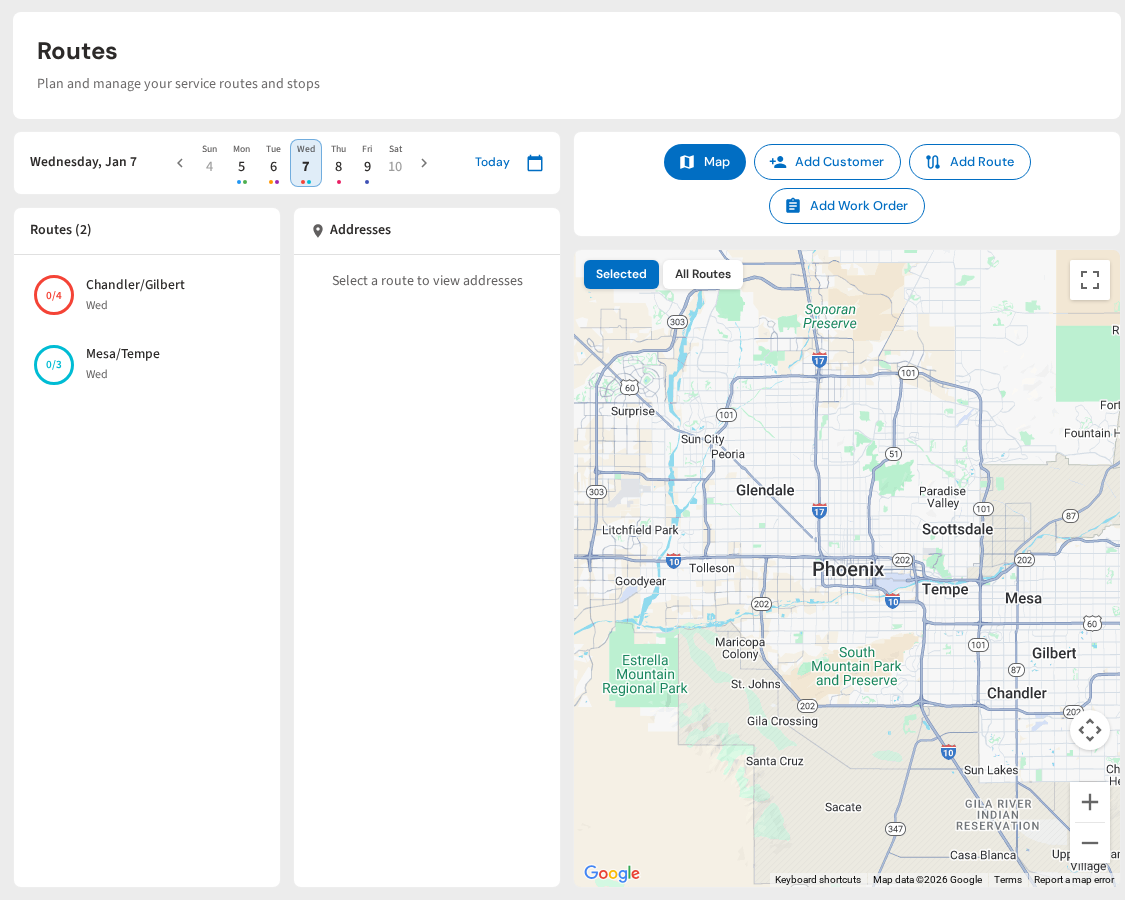
PoolDial shows every tech on a live map. Tap a tech to see their current stop, route progress, and time at each pool. Look back at any day to see the full breadcrumb trail. There is no extra hardware to buy and no separate app to manage. GPS tracking is built into the same mobile app your techs already use for routes, chemical logs, and service notes.
Know Where Your Team Is, All Day
PoolDial's GPS tracking shows live locations, breadcrumb trails, and time at every stop. No extra hardware. Built into the app your techs already use. Plans start at $2/pool.
Start Your Free Trial