
Text vs Email for Pool Service Communication: What Customers Prefer


You finished a pool service. Do you text the customer or send an email? You need to raise prices next month. Text or email? A customer has a past-due balance. Text or email?
The answer depends on what you are saying. Some messages work better as texts. Others belong in an email. Most pool pros pick one channel and use it for everything, which means half their messages get ignored. Here is how to pick the right one every time.
Key Takeaways
- Text for short, time-sensitive updates. "On my way," "service complete," and payment reminders all work best as texts.
- Email for longer, detailed info. Monthly invoices, service reports, and price increase letters belong in email.
- Texts get a 98% open rate. Emails sit around 20%. If you need someone to see it today, text them.
- Most customers prefer texts. They are faster to read and easier to respond to from a phone.
- You do not have to pick one. PoolDial sends both texts and emails from one inbox so you can use the right channel for each message.
When Texting Wins with PoolDial
Text messages are best when the message is short and the customer needs to see it right away. Here are the situations where texting beats email every time:
- "On my way." Customers love knowing when you are about to show up. A quick text lets them put the dog inside or open the gate. Nobody checks email for this.
- "Service complete." A one-line text with a photo of the clean pool builds trust. The customer sees it in seconds. An email might sit in their inbox for days.
- Payment reminders. A text that says "Your payment of $160 is past due. Tap here to pay" gets paid faster than an email buried under 50 other messages. PoolDial's billing system can send these automatically.
- Schedule changes. If you need to move a service day because of weather or a route change, a text gets seen before you show up (or don't).
- Quick questions. "Is the gate code still 1234?" or "Do you want us to add algaecide this week?" Texts get answers in minutes. Emails take hours or days.
The numbers back this up. Text messages have a 98% open rate. That means almost every text you send gets read. Most of them get read within 3 minutes. For customer communication tips that actually work, texting is the starting point.
When Email Wins with PoolDial
Email is better when the message is long, includes attachments, or needs to be saved for later. Here is where email beats texting:
- Monthly invoices. A detailed invoice with line items, service dates, and payment history is too much for a text. Email gives the customer a record they can find later.
- Service reports. If you send weekly or monthly reports with chemical readings, photos, and notes, email is the right format. The customer can review it on their computer and share it with a property manager.
- Price increase letters. A price increase needs context. You want to explain why, give advance notice, and set a clear start date. That takes a few paragraphs. Email gives you the space. Use PoolDial's broadcast messaging to send it to every customer at once.
- Welcome packets. When a new customer signs up, send them an email with your service agreement, what to expect, and how to reach you. This is a reference document they will come back to.
- Seasonal updates. Opening and closing reminders, winterization schedules, and annual service plans all work better as emails. They are not urgent, and customers can read them when they have time.
The Open Rate Gap and What It Means for PoolDial Users
The difference between text and email open rates is massive:
| Channel | Open Rate | Avg. Response Time | Best For |
|---|---|---|---|
| Text (SMS) | 98% | 90 seconds | Short, urgent, action-needed |
| 20% | 6+ hours | Detailed, reference, attachments |
That 98% vs 20% gap is why so many pool pros have switched to texting for day-to-day communication. But it does not mean email is useless. It means you need to be smart about which channel you use for which message.
Think of it this way: if you need a customer to do something today, text them. If you need them to read something carefully and keep it for later, email them. For more on managing pool customer messages, the key is matching the message to the channel.
This applies to communication too. A small investment in texting (usually a few cents per message) saves you hours of follow-up calls and unanswered emails.
What Customers Actually Prefer and How PoolDial Helps
Most pool customers prefer texts. It is not even close. Here is why:
- They are already on their phone. Your customers check texts dozens of times a day. They check email a few times. Texts meet them where they already are.
- Texts feel personal. An email from a business feels like marketing. A text from your pool company feels like a message from someone they know.
- They can respond fast. If you text "Gate was locked today, can you leave it open Thursday?" they can reply "Yes" in two seconds. An email requires opening an app, reading through a formatted message, and typing a reply. That extra friction means fewer responses.
- Younger homeowners expect it. Homeowners under 45 grew up texting. Email feels old-fashioned to them. If you want to keep your customer base as it gets younger, texting is not optional.
There are exceptions. Some commercial property managers prefer email because they need a paper trail. Some older customers still like phone calls. But for the average residential pool customer, texting is what they want. PoolDial's customer portal gives them a backup way to check service history and invoices when they need the full record.
How PoolDial Sends Both from One Place
The biggest problem with using both text and email is keeping track of it all. If you text from your personal phone and email from Gmail, your messages are scattered across two places. You forget what you told which customer. Your techs use their own phones and you have no record of what was said.
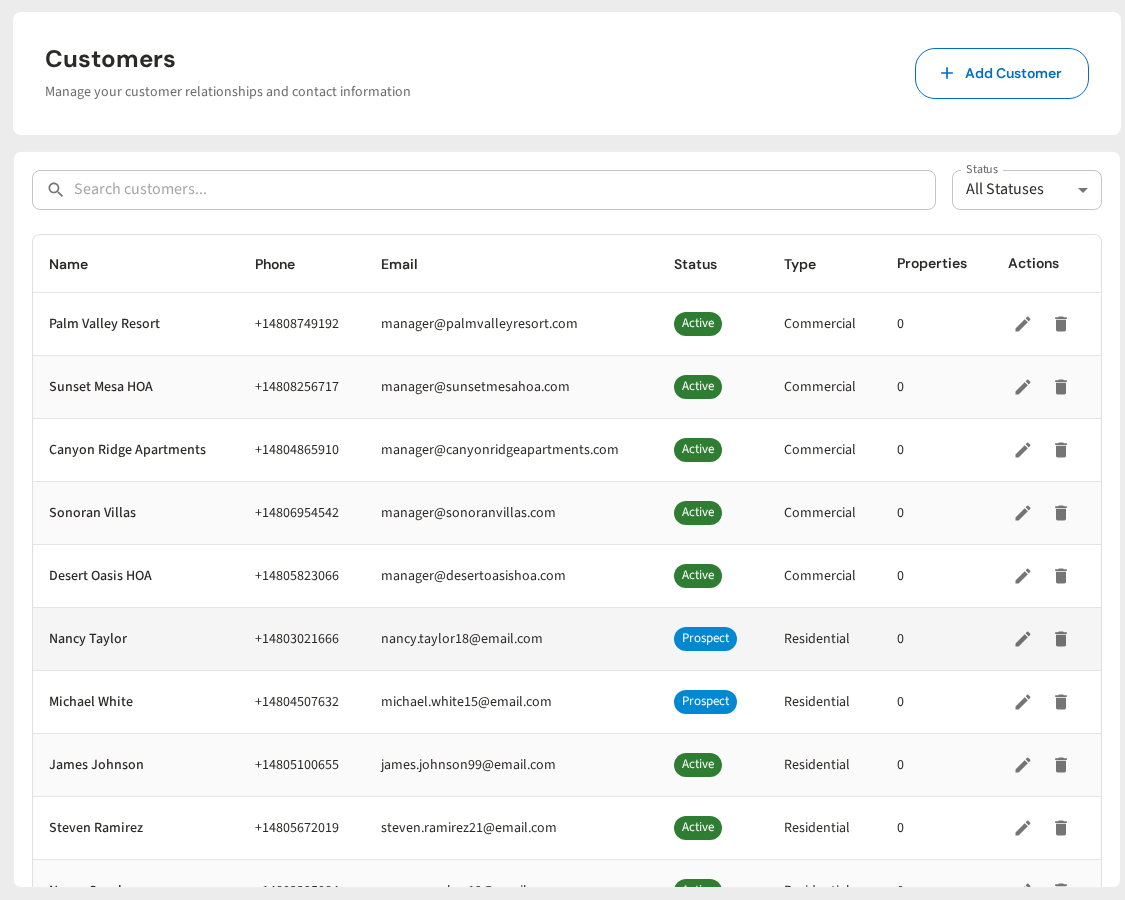
PoolDial's conversations inbox solves this. Every text and email lives in one place, tied to the customer's profile. You can:
- Text or email from the same screen. Pick the channel that fits the message. No switching between apps.
- See the full history. Every message sent to a customer shows up in one thread, whether it was a text, an email, or an automated reminder.
- Send broadcasts. Need to tell all 120 customers about a holiday schedule? Send it as a text, an email, or both. One click with broadcast messaging.
- Automate the routine stuff. Service complete notifications, payment reminders, and appointment confirmations go out on their own. You pick the channel once, and PoolDial handles the rest.
That consistency matters. When every message goes through one system, nothing falls through the cracks.
A Simple Rule for Choosing Text or Email with PoolDial
If you are still not sure which to use, here is the simple version:
| Message Type | Use Text | Use Email |
|---|---|---|
| On my way / ETA | Yes | |
| Service complete | Yes | |
| Payment reminder | Yes | |
| Quick question | Yes | |
| Schedule change | Yes | |
| Monthly invoice | Yes | |
| Service report | Yes | |
| Price increase | Yes | |
| Welcome packet | Yes | |
| Seasonal update | Yes |
When in doubt, ask yourself: "Does this need to be seen in the next 5 minutes?" If yes, text. If no, email. And if you want the best of both worlds, send a text with a link to the full details in the customer portal.
Stop Guessing: Let PoolDial Pick the Right Channel
You should not have to think about this for every message. The best setup is one where the routine messages go out automatically on the right channel, and you only step in for personal conversations.
Here is what that looks like with PoolDial:
- Service complete notifications go out as texts with a photo. Automatic.
- Payment reminders go out as texts with a pay link. Automatic.
- Monthly invoices go out as emails with full line items. Automatic.
- Broadcast updates go out as texts, emails, or both. You pick once and send.
- Personal conversations happen in your inbox. You reply by text or email depending on what makes sense.
That is the whole system. Texts for quick stuff. Emails for detailed stuff. One inbox for everything. No more guessing, no more missed messages, and no more customers saying "I never got that."
Text and Email from One Inbox
PoolDial puts every customer conversation in one place. Send texts, emails, and broadcasts without switching apps. Plans start at $2/pool.
Start Your Free Trial