
How to Manage Customer Messages Across SMS, Email, and Calls


A customer texts you about a gate code. Another one emails asking when you're coming. Someone calls while you're elbow-deep in a pump basket. A lead sends a Facebook message at 9 p.m. By the end of the day, you have messages in five different places and no idea which ones you answered.
This is how things fall through the cracks. You miss a text and lose a customer. You forget to call someone back and they post a bad review. It's not because you don't care. It's because your messages are all over the place.
Key Takeaways
- Messages come from everywhere. Texts, emails, calls, voicemails, and social media all pile up in different apps.
- One inbox fixes the problem. PoolDial puts every message in one place so nothing gets missed.
- Messages are tied to the customer. You can see the full history for any customer in seconds.
- Search saves time. Find any past conversation by name, date, or keyword.
- Message history protects your business. When a customer says "you never told me that," you can pull up the proof.
Why Scattered Messages Cost PoolDial Users Less
Think about where your messages live right now. You have texts in your phone app. Emails in Gmail or Outlook. Voicemails in your phone's voicemail box. Facebook messages in Messenger. Maybe even DMs on Instagram.
Each one of these is a different app. None of them talk to each other. When a customer texts you and then calls the next day, you have to check two different places to see what's going on. When you hire a helper, they can't see any of the messages you've sent. When a customer says "I told you about this last month," you have to scroll through hundreds of texts to find the proof.
The real cost is not just your time. It's the customers you lose because you didn't reply fast enough, or the ones who get frustrated because they have to repeat themselves. A unified inbox fixes all of this.
How a Unified Inbox Works in PoolDial
A unified inbox takes every message from every channel and puts it in one list. Texts, emails, calls, and voicemails all show up in the same place. You open one screen and see everything.
Here's what that looks like in practice:
- A customer texts you. It shows up in your PoolDial inbox right away.
- You reply from PoolDial. The customer gets a normal text message on their phone. They don't need to download anything.
- That same customer calls you later. The call log shows up in the same conversation thread, right below the text.
- They email you a photo of a leak. The email and photo appear in the same thread too.
One customer, one thread, every message. No switching between apps. No wondering if you already replied.
How PoolDial Ties Messages to Customer Records
The biggest problem with using your personal phone for business texts is that messages are tied to a phone number, not a customer. You see "555-0123" and have to remember who that is. If you saved their contact, great. If not, you're guessing.
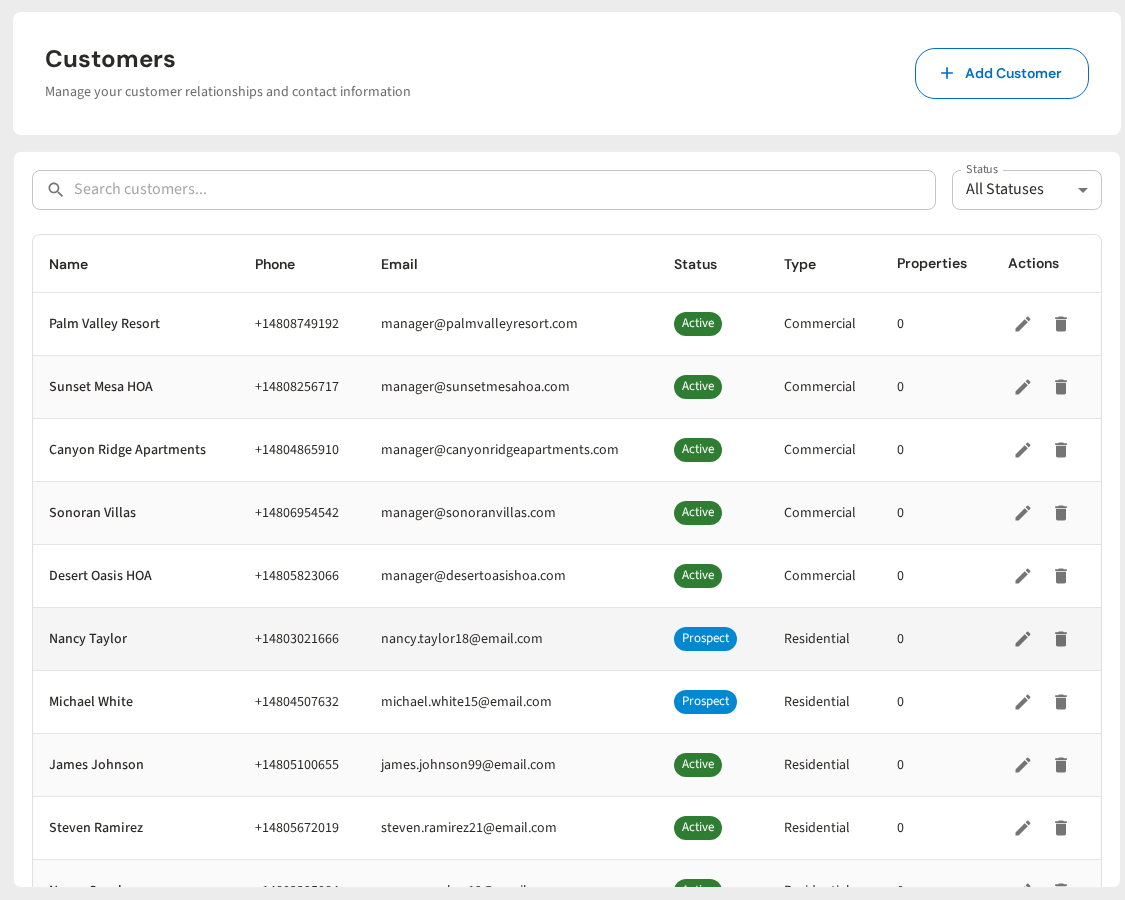
PoolDial's conversations feature links every message to the right customer record. When you open a customer's profile, you see their name, address, service plan, payment status, and every message you've ever sent or received. All in one place.
This matters most when you have a team. If your tech talked to Mrs. Johnson last week and you're calling her today, you can read the whole conversation first. You don't have to ask your tech "what did she say?" You just open her record and read it.
Searching Message History in PoolDial
Try finding a text from three months ago on your phone. You'll scroll for five minutes and probably give up. Now try finding an email from a customer whose name you can't quite remember. Good luck.
PoolDial lets you search all your messages at once. Type a customer name, a keyword, or a date range, and every matching message shows up. Need to find the text where a customer approved a repair? Search "approve" and their name. It takes about two seconds.
This is helpful for:
- Finding old approvals. "Did they say yes to the new pump?" Search and find out.
- Checking what you told someone. "What price did I quote them?" Pull up the thread and see.
- Training new employees. Show them real examples of how you handle common questions.
- Tracking response times. See how fast your team replies to customer messages.
Using PoolDial Message History to Resolve Disputes
Disputes happen. A customer says you never told them about a price increase. They say they never approved the repair. They claim they texted you about a problem three weeks ago and you ignored them.
Without message history, it's your word against theirs. With PoolDial, you pull up the thread and show them. "Here's the text I sent on March 5th about the price change. Here's your reply saying OK." Conversation over.
This also protects you from bigger problems. If a customer threatens legal action over a repair, you have a record of every message, approval, and photo. That record is stored in PoolDial, not on your personal phone where it could get lost or deleted.
Sending Broadcast Messages with PoolDial
Sometimes you need to message all your customers at once. A freeze warning is coming. You're raising prices in January. You're closed for the holiday. Whatever the reason, you don't want to send 80 individual texts.
PoolDial's broadcast messaging lets you text or email your entire customer list with one click. You can send to everyone, or filter by route, service type, or status. The message goes out as a normal text from your business number, so it feels personal even though it went to 200 people.
You can also let the AI receptionist handle incoming calls so you never miss a new lead. It answers, takes a message, and adds it to your inbox. You call them back when you're ready.
Getting Started with PoolDial Conversations
If you're still using your personal phone to text customers, you're making your life harder than it needs to be. Here's how to switch:
- Step 1: Sign up for PoolDial and import your customer list. You can bring contacts from a spreadsheet or another app.
- Step 2: Get your business phone number. PoolDial gives you a dedicated number for texts and calls.
- Step 3: Start messaging from the app. Every text, call, and email goes through PoolDial and stays in the customer's record.
- Step 4: Tell your customers your new number. Most people won't even notice the change.
Within a week, every message will be in one place. No more checking three apps. No more lost texts. No more "I forgot to call them back."
Stop Missing Customer Messages
PoolDial puts every text, email, and call in one inbox tied to the customer record. No more scattered messages. Plans start at $2/pool.
Start Your Free Trial