
Customer Communication Tips for Pool Service Companies


Your pool work can be perfect. Your chemicals can be spot on. But if you don't talk to your customers, they won't know it. And if they don't know it, they start to wonder if you even showed up.
Good communication is what keeps customers happy, stops problems before they start, and sets you apart from every other pool company in town. Here is how to do it right.
Key Takeaways
- Respond fast. Reply to every customer message within 1 hour during business hours. Speed builds trust.
- Be proactive. Text when you're on the way and when you're done. Customers love knowing what's going on.
- Send service reports. A quick summary after each visit shows the work you did and the value you bring.
- Handle complaints with care. Listen first, fix fast, and follow up to make sure they're happy.
- Use PoolDial to automate most of it. On-my-way texts, service reports, and broadcast messages happen without extra work.
Why Fast Responses Matter with PoolDial
When a customer texts you about their pool, they want an answer now. Not tomorrow. Not next week. A study by Lead Connect found that 78% of customers buy from the company that responds first. The same idea applies to keeping customers. If they text you and hear nothing for two days, they start looking at other pool companies.
Here is a good rule: reply to every message within 1 hour during business hours. If you can't give a full answer that fast, at least let them know you saw their message and will get back to them soon.
With PoolDial's Conversations inbox, every text, email, and portal message lands in one place. You can reply from your phone or your computer. No more missed texts buried in your personal phone. And if you use Cody, the AI assistant, it can draft replies for you so all you have to do is tap send.
How PoolDial Helps You Be Proactive
Most pool companies only talk to customers when there is a problem. That is backwards. The best companies reach out before the customer even thinks to ask.
Here are three easy proactive messages that make a big difference:
- "On my way." A quick text when you're heading to their house lets them know you're coming. They can put the dog inside, open the gate, or just feel good knowing their pool pro is on the way.
- "All done." A short text when you finish the service. Something like: "Pool is done. Chlorine was a little low so I added extra today. Looking good!" This takes 20 seconds and makes the customer feel like they're getting personal attention.
- "Heads up." If you see something that needs fixing, like a cracked pump lid or a worn O-ring, text them about it right away. Don't wait until it breaks. They will thank you for catching it early.
PoolDial sends on-my-way and service-complete texts for you. When a tech starts a route stop, the customer gets a notification. When they finish and log their service, the customer gets a summary. No extra typing needed.
Sending Service Reports with PoolDial
Service reports are the single best way to show customers what they're paying for. When you leave a report after every visit, the customer sees the work you did, the chemicals you added, and the readings you took. It turns an invisible service into something real.
A good service report includes:
- Date and time of service
- Chemical readings (chlorine, pH, alkalinity, CYA)
- What chemicals you added and how much
- What you cleaned (skimmer basket, pump basket, tile, etc.)
- Any notes or issues you noticed
- A photo of the pool when you're done
PoolDial builds the service report for you as your tech logs the stop. Chemical readings, tasks completed, photos, and notes all get packaged into a clean report that goes to the customer through their customer portal. They can see every visit, every reading, and every photo in one place.
Handling Customer Complaints with PoolDial
Every pool company gets complaints. A green pool after a storm. A gate left open. A bill that looks wrong. How you handle complaints is what separates great companies from the rest.
Follow these four steps:
- Listen first. Let the customer finish talking before you respond. Don't get defensive. Most of the time, they just want to feel heard.
- Say sorry. Even if it wasn't your fault, say something like: "I'm sorry that happened. Let me look into it right now." An apology costs nothing and calms things down fast.
- Fix it fast. Whatever the issue is, fix it within 24 hours if you can. Speed matters more than perfection here. A quick fix shows you care.
- Follow up. After you fix the problem, check back in a day or two. "Hey, just wanted to make sure everything looks good after we came back out." This step is what turns a complaint into loyalty.
PoolDial's Conversations inbox keeps a full history of every message with every customer. So when a complaint comes in, you can see every past interaction, every service report, and every note in one place. No guessing. No "he said, she said."
Seasonal Announcements with PoolDial Broadcast Messaging
There are a few times each year when you need to talk to all your customers at once. These are the big moments where a single message can save you dozens of phone calls.
| When | What to Send |
|---|---|
| Spring opening | "Spring is here! We'll start weekly service on [date]. Please make sure your gate code is up to date." |
| Before a storm | "Big storm coming Thursday. We recommend running your pump through the storm and removing loose items from the pool area." |
| Price increase | "Starting [date], monthly service will be $X. This is the first increase in [X] months. Thank you for being a customer." |
| Holiday schedule | "We'll be closed for Thanksgiving week. Your next service will be [date]. Happy holidays!" |
| Winter closing | "Last service of the season is [date]. Here's what to do to keep your pool safe over winter." |
PoolDial's broadcast messaging lets you text or email all your customers at once. Pick a group (all customers, just one route, or a custom list) and send. You can also schedule messages ahead of time so you never forget.
What Good Communication Looks Like with PoolDial
Let's put it all together. Here is what a well-communicated pool service looks like from the customer's point of view:
- Monday morning: They get a text that says "Your pool tech is on the way."
- 30 minutes later: They get a service report with chemical readings, a photo, and a note that says "Added 2 lbs of chlorine. Pool looks great."
- Wednesday: They text a question about their pump. They get a reply within 30 minutes.
- Before a storm: They get a broadcast message with tips to protect their pool.
- End of month: Their invoice is sent on the same day every month. Autopay charges their card. No action needed.
That customer never has to wonder if you showed up. They never have to chase you down for answers. They never feel forgotten. And they will refer you to their neighbors, because that kind of service is rare.
PoolDial handles steps 1, 2, 4, and 5 without you doing anything. You just focus on the pool work and reply to messages when they come in. For more on managing your inbox, read our guide on managing pool customer messages. And if you want to see how AI can help you reply even faster, check out AI customer communication for pool service.
See It in Action: PoolDial Conversations
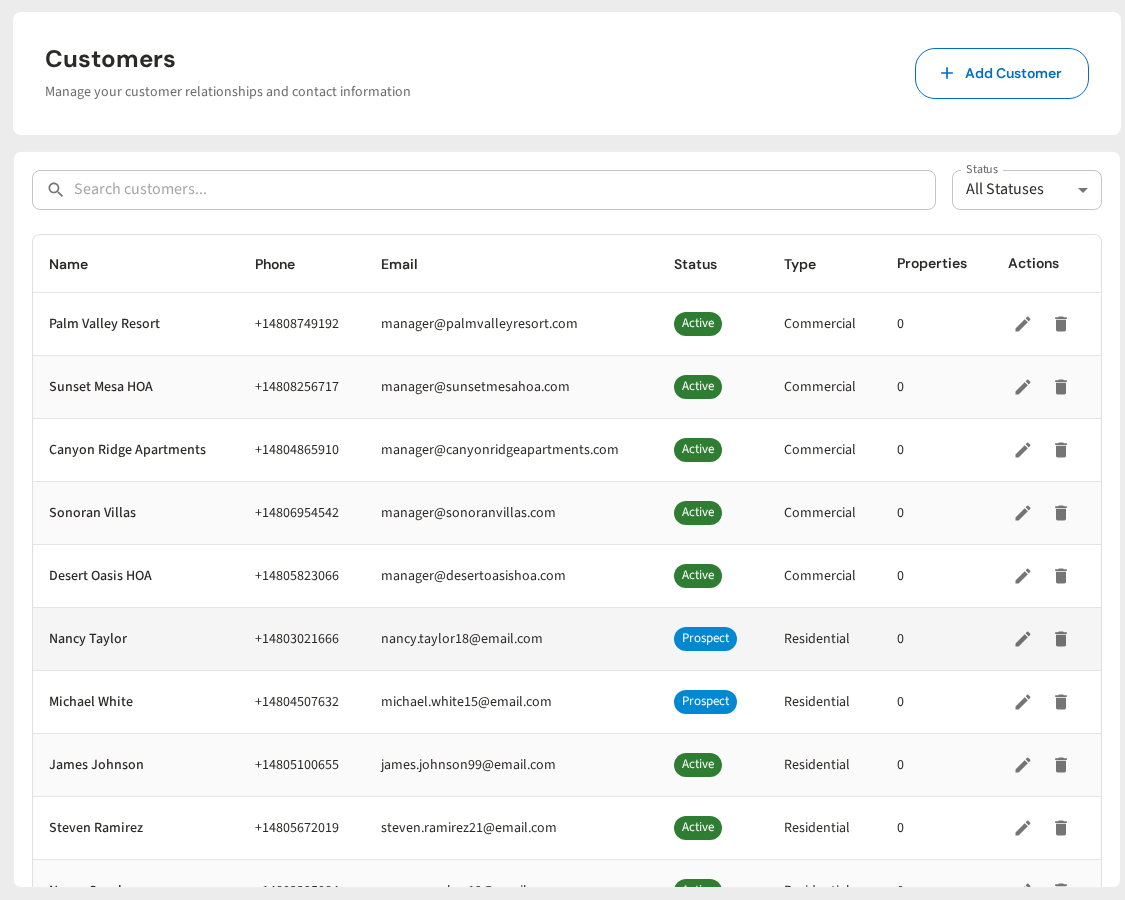
PoolDial puts every customer message in one inbox. Text, email, and portal messages all show up together. Reply from your phone or your desktop. Send on-my-way texts with one tap. Broadcast seasonal updates to everyone at once. And let Cody draft replies so you can respond in seconds instead of minutes.
Better Communication, Less Work
PoolDial automates on-my-way texts, service reports, and broadcast messages so your customers always know what's going on. Plans start at $2/pool.
Start Your Free Trial