
Self-Service Portals: Letting Pool Customers Help Themselves


Your phone rings at 2 PM on a Tuesday. It's Mrs. Johnson. She wants to know if her pool guy came today. You check the schedule, confirm yes, and hang up. Three minutes later, Mr. Torres calls. He wants to know his balance. You pull up his account, read the number, and hang up. Then the next call comes in. And the next.
Every one of those calls takes two to five minutes. Multiply that by ten calls a day, five days a week, and you're spending four to eight hours every week just answering questions your customers could answer themselves. That's a full workday lost to phone calls that don't need to happen.
A customer portal fixes this. It gives your customers a place to log in and find the answers on their own. They can see their invoices, pay their bills, check when you last came, look at their chemical readings, and download inspection reports. No phone call needed. No text needed. No waiting for you to get back to them.
This guide walks you through exactly how a self-service portal works, what it does for your business, and how to get your customers to actually use it.
Key Takeaways
- A portal cuts phone calls. Most customer questions are about payments, schedules, and service history. A portal answers all of them without your involvement.
- Transparency builds trust. When customers can see their chemical readings and service logs, they stop wondering if you actually showed up.
- Portals make you look bigger. A one-truck operation with a customer portal looks just as professional as a company with 20 trucks and an office staff.
- Getting adoption is easy. Send the portal link after every service visit. Customers will start using it on their own.
- Self-service means fewer disputes. When the data is right there for everyone to see, there's nothing to argue about.
What Customers Can Do in PoolDial's Self-Service Portal
A good portal is not just a fancy invoice page. It's a full window into the service you provide. Here's what your customers can do when they log into PoolDial's customer portal:
View and pay invoices. Every invoice you've ever sent is right there. Current balance, past invoices, payment history. Customers can pay with one tap. No hunting through email for an old invoice link. No calling you to ask "how much do I owe?" For more on streamlining payments, check out our guide on setting up an online payment portal.
See service history. Every visit your tech has made shows up in the portal. Date, time, what was done, any notes the tech left. If a customer wants to know whether you came last Thursday, they don't need to call. They open the portal and see the answer in five seconds.
View chemical readings. Every time your tech tests the water, those numbers go into PoolDial's chemical tracking system. The customer can see their chlorine, pH, alkalinity, CYA, and everything else. They can see the trend over time. They can see what chemicals you added and why. This is a huge trust builder.
Download inspection reports. If you do equipment inspections, the full report with photos is available in the portal. Customers can download it as a PDF. This is especially valuable for real estate transactions, insurance claims, or just peace of mind.
Update their card on file. When a credit card expires, the customer can update it themselves. No phone call to you. No failed payment. No awkward "your card was declined" conversation. They just log in, enter the new card, and they're done. PoolDial's billing system picks up the new card automatically.
See upcoming service dates. Customers can check when your next visit is scheduled. This alone kills half of the "when are you coming?" calls you get every week.
How PoolDial's Portal Stops "When Are You Coming?" Calls
This is the single most common call every pool company gets. The customer just wants to know when you're showing up. They're not angry. They're not complaining. They just want information.
The problem is that this call interrupts your day. You might be driving. You might be at a pool with your hands in the skimmer basket. You might be eating lunch. Every time you stop to answer this question, you lose momentum.
With PoolDial's portal, the customer opens the app or website, sees "Next service: Thursday, April 24," and moves on with their day. No call. No text. No interruption for either of you.
But it goes even further than that. PoolDial can send automatic notifications when your tech is on the way to a stop. The customer gets a text that says "Your pool tech is headed to your property now." They don't even need to check the portal. The information comes to them.
Think about it from the customer's side. They're used to cable companies that give them a four-hour window and still show up late. When your pool service sends a real-time update, that's a level of service they're not getting from anyone else. That's the kind of thing they tell their neighbors about.
Here's what a typical week looks like with and without a portal:
| Without a Portal | With PoolDial's Portal |
|---|---|
| 8-12 "when are you coming?" calls per week | 0-2 calls per week (and those are real issues) |
| 3-5 "did you come today?" calls per week | Customer checks portal and sees the service log |
| 2-4 "what's my balance?" calls per week | Customer checks portal and pays online |
| 1-2 "my card expired" calls per month | Customer updates card in portal on their own |
| 15-25 interruptions per week | 2-4 real conversations that matter |
That's 15 to 25 phone calls a week that just go away. At three minutes each, you're saving close to an hour every single week. Over a year, that's more than 50 hours you get back.
How PoolDial's Portal Ends "Did You Come?" Disputes
This is the call that hurts. A customer says you didn't show up. You know you did. Maybe you even have GPS data to prove it. But without a way for the customer to see the proof, it turns into a he-said-she-said situation.
These disputes damage trust. Even if you win the argument, the customer feels defensive. They start watching more closely, looking for reasons to be unhappy. That's how you lose accounts.
PoolDial's portal eliminates this entirely. Every service visit creates a log entry that the customer can see. It shows the date, the time your tech arrived, what they did, any chemicals they added, and any notes or photos they left. If your tech took a photo of the pool after cleaning, the customer can see it right there in their portal.
When the proof is available for everyone to see, disputes don't happen. The customer opens the portal, sees "Service completed: Thursday, April 17, 10:42 AM. Skimmed, vacuumed, brushed walls, tested water. Added 2 lbs of chlorine," and that's the end of it. No argument. No awkward phone call. No damage to the relationship.
For customers who get service while they're at work (which is most of them), this is incredibly valuable. They leave for work at 7 AM and come home at 6 PM. They can't tell by looking at the pool whether you came or not, especially if the pool looked fine before service. The portal gives them the confidence that yes, you showed up, and here's exactly what you did.
Why Sharing Data Through PoolDial Builds Customer Trust
Most pool companies keep all their data locked up. Chemical readings live in a notebook in the truck. Service logs live in the tech's head. Invoices live in QuickBooks. The customer sees none of it unless they ask.
That's a problem because trust is built on transparency. When you hide information (even if you're not doing it on purpose), customers fill in the blanks with their own assumptions. And those assumptions are usually worse than reality.
Here's how it plays out. A customer's pool turns green after a rainstorm. They think, "Did my pool guy even add chlorine last week?" Without data, they have no way to know. So they call you, maybe a little frustrated, and you have to explain what happened. Maybe they believe you. Maybe they don't.
Now picture the same scenario with a portal. The customer's pool turns green. They open the portal and see: "April 17: Free chlorine 3.0 ppm, pH 7.4, CYA 40. Added 1.5 lbs granular chlorine." They can see you did your job. The green pool is from the rainstorm, not from neglect. They understand without you having to explain.
This kind of transparency changes the relationship. The customer stops being suspicious and starts being a partner. They trust the data. They trust your work. They stop calling to check up on you and start calling only when they have a real question or need a repair.
There's a retention benefit too. Customers who can see the value they're getting are far less likely to cancel. When all they see is a monthly charge on their credit card, it's easy to think "do I really need this?" When they can see a full history of visits, chemical adjustments, and inspection reports, the value is obvious. They can see exactly what their money is paying for. Read more about how transparency drives retention in our guide on customer transparency.
What a Good PoolDial Portal Experience Looks Like vs. a Bad One
Not all portals are created equal. A bad portal is worse than no portal at all because it frustrates customers and makes your company look disorganized. Here's the difference:
A bad portal:
- Requires a separate username and password that the customer has to create and remember
- Shows a generic dashboard with no useful information
- Only shows invoices, nothing about service history or chemical readings
- Looks like it was built in 2008 and doesn't work well on a phone
- Takes more than two taps to find anything
- Requires the customer to call you to do anything useful (defeating the whole purpose)
A good portal (like PoolDial's):
- Sends a magic link by text or email so there's no password to remember. The customer taps the link and they're in.
- Shows the most important information right away: next service date, current balance, and recent service activity
- Includes full service history with dates, tech notes, and photos
- Displays chemical readings in a clear format anyone can understand, not just pool pros
- Works perfectly on a phone because that's how 90% of customers will use it
- Lets customers pay, update their card, and download reports without calling you
The design matters more than you think. Your portal is an extension of your brand. When a customer opens a clean, modern, easy-to-use portal, they think "this is a professional company." When they open a clunky, confusing portal, they think "maybe I should look for someone else."
PoolDial's portal is built with the customer in mind, not the pool tech. That means simple language (not industry jargon), big buttons, and a layout that makes sense to someone who has never tested pool water in their life. A customer doesn't need to know what "ORP" stands for. They need to know that their water is safe and balanced.
How to Get Pool Customers to Actually Use PoolDial's Portal
The best portal in the world is useless if nobody logs in. Getting customers to adopt it is simpler than you might expect, but it does take a little effort upfront.
Send the portal link after every service visit. This is the single most effective thing you can do. When PoolDial sends a service completion notification ("Your pool was serviced today"), include the portal link. The customer is already thinking about their pool. They're curious about what was done. They tap the link, see the details, and now they know the portal exists. After two or three visits, checking the portal becomes a habit.
Mention it during onboarding. When you sign up a new customer, tell them: "You'll get a link to your customer portal where you can see your service history, chemical readings, invoices, and more. You can check it anytime." Set the expectation from day one that the portal is their go-to for information.
Redirect phone calls to the portal. When a customer calls to ask about their balance, don't just answer the question. Answer it and then say, "By the way, you can check your balance anytime in your customer portal. I'll send you the link right now." Do this consistently and within a month, the phone calls drop.
Use it to deliver inspection reports. Instead of emailing a PDF, tell customers: "Your inspection report is ready in your portal. You can view it or download it anytime." This gives them a reason to log in that feels valuable, not like homework.
Make it part of your service emails. Every email you send through PoolDial (invoices, reminders, service confirmations) should have a link to the portal in the footer. The more places they see the link, the more likely they are to click it.
Here's the truth: you don't need 100% adoption. If even half your customers start using the portal, you'll see a massive drop in phone calls and a noticeable improvement in customer satisfaction. The ones who never log in will still get the same great service. The ones who do log in will become your most loyal accounts because they can see exactly how much value you deliver every single week.
Why PoolDial's Portal Makes Your Business Look Bigger and More Professional
There's a perception gap in pool service. Big companies with office staff and branded trucks look "professional." Solo operators and small crews often look like "just a guy with a net." But the actual quality of service might be the same, or the small operator might even be better.
A customer portal closes that perception gap. When a homeowner logs into a clean, branded portal and sees their service history, chemical data, invoices, and upcoming schedule, they think "this is a real company." They don't know (and don't care) whether you have two employees or two hundred. The experience feels polished and organized.
Think about the businesses you interact with as a consumer. Your bank has an app. Your electric company has a portal. Your dentist has a patient portal. These are tools you expect from a professional organization. When your pool service has one too, you're playing at the same level.
This matters for a few reasons:
- Referrals. When your customer tells a neighbor about you, the neighbor might check you out online. If they find a professional portal with login access, that's a strong signal that you're legitimate and organized. It helps close the referral before you even make contact.
- Price justification. When you charge $180 a month and the other guy charges $120, the portal helps justify the difference. The customer can see the value. They have data. They have reports. They have a professional experience. The $120 guy with no portal and no service records can't compete on that level.
- Customer confidence. People stick with companies that feel stable and organized. A portal signals that you're running a real business, not a side hustle. That confidence translates directly into retention.
- Selling premium services. When you offer add-ons like equipment inspections, filter cleanings, or acid washes, the portal gives customers a record of what was done. They can see the before and after photos. They can see the inspection report. That makes it easier to sell the next premium service because they already trust the process.
One pool pro put it this way: before the portal, his customers thought of him as "the pool guy." After the portal, they started calling him "our pool service company." That shift in language is small but it reflects a real change in how they see the relationship. "The pool guy" is replaceable. "Our pool service company" is a partner.
How PoolDial's Portal Saves You Real Time and Money
Let's do the math. Say you have 80 residential accounts. On average, you get 3 calls per week from customers asking about schedules, 2 calls about payments, 2 "did you come?" questions, and 1 call about chemical readings. That's 8 calls a week at about 3 minutes each. That's 24 minutes a day or about 2 hours a week.
Over a year, that's over 100 hours. If you bill your time at $75/hour (which is a reasonable rate for a pool service owner's time), that's $7,500 a year in time spent answering questions that a portal could handle automatically.
But the real savings go beyond just phone time. Think about the interruption cost. When you're at a pool and you stop to answer a call, you lose focus. You have to get back into what you were doing. Studies show that every interruption costs about 10 to 15 minutes of productive time, not just the length of the call itself. So those 8 weekly calls might actually cost you 2 to 3 hours of lost productivity.
Then there's the dispute cost. Every "did you come?" argument takes 10 to 20 minutes to resolve. Some of them lead to credits or discounts to keep the customer happy. Some of them lead to cancellations. A portal that shows proof of service prevents all of that.
And don't forget the payment side. When customers can pay through the portal with one tap, you get paid faster. No waiting for checks. No calling to remind someone their invoice is overdue. PoolDial's billing tools handle all of this, and the portal puts the payment button right in front of the customer when they're already looking at their account.
The portal doesn't just save time. It saves the mental energy of managing all those small interactions throughout the day. When you're not constantly interrupted by routine questions, you can focus on the work that actually grows your business: selling new accounts, training your team, improving your service quality, and enjoying your evenings without a phone full of missed calls.
See It in Action: PoolDial's Customer Portal
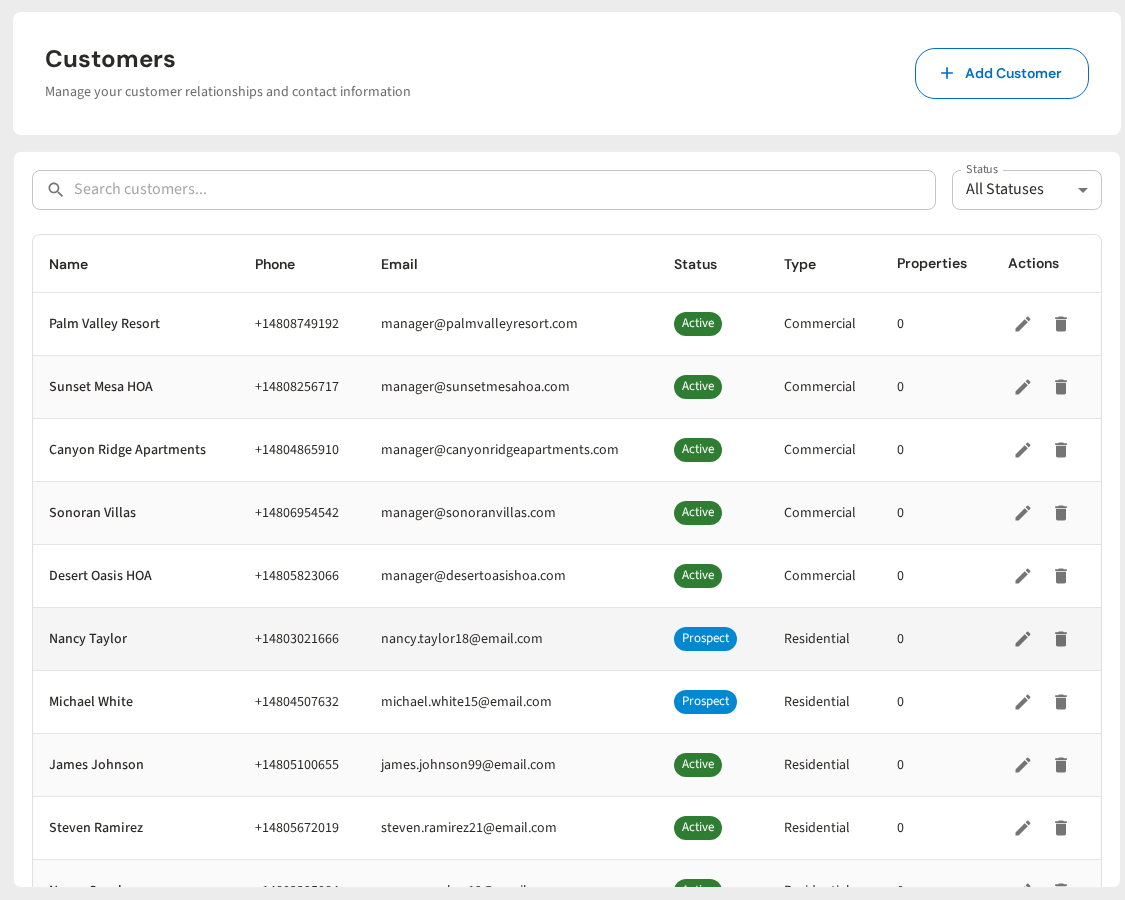
PoolDial's customer portal gives every account a branded, mobile-friendly login where they can view invoices, pay bills, see service history, check chemical readings, download inspection reports, and update their payment method. It's included with every PoolDial plan at no extra cost.
Your customers get a portal link by text or email. No app to download. No password to create. They tap the link, verify their identity, and they're in. The portal shows their most recent service at the top, followed by upcoming visits, open invoices, and a history of chemical readings over time.
For you, it means fewer phone calls, fewer disputes, faster payments, and happier customers. For your customers, it means they're never in the dark about their pool service.
Give Your Customers a Portal They'll Actually Use
PoolDial's self-service portal lets customers view invoices, pay bills, see service history, and check chemical readings on their own. Fewer calls for you. More confidence for them. Plans start at $2/pool.
Start Your Free Trial