
Setting Up Online Payments for Pool Service Customers


You cleaned 25 pools today. You are tired. You smell like chlorine. The last thing you want to do is sit at your kitchen table and figure out who paid you and who didn't. Then you have to send invoices, make phone calls, and drive to someone's house to pick up a check.
There is a better way. Online payments let your customers pay you from their phone or computer in about 10 seconds. No checks. No cash. No "I'll get it to you next week." You do zero extra work after the first setup. The money just shows up in your bank account.
This guide walks you through every step of setting up online payments for your pool service. By the end, you will know how to connect a payment processor, invite customers to pay online, store cards on file, set up autopay, and let customers update their own payment info without calling you.
Key Takeaways
- Online payments get you paid faster. Customers tap a link and pay in seconds instead of mailing a check.
- The setup takes about 15 minutes. Connect Stripe, set your billing cycle, and send invite links.
- Cards on file mean you never chase payments. The card charges on the 1st of the month. Done.
- Customers can update their own card. No more "can you read me your new card number?" phone calls.
- PoolDial's customer portal handles all of this. One setup, zero ongoing work.
Why Online Payments Matter for PoolDial Users
Let's talk about why this is worth your time. If you are still collecting checks or cash, you are spending hours every month on something that should take zero hours.
Here is what happens when a customer pays by check:
- You send an invoice (by mail or email).
- The customer sees it, maybe.
- They write a check, maybe.
- They mail the check or leave it on the kitchen counter for you.
- You pick it up, drive to the bank, and deposit it.
- You wait 2 to 5 business days for the check to clear.
- Sometimes the check bounces, and you start all over.
That process can take 2 to 4 weeks from the time you do the work to the time you get paid. For a solo operator with 80 pools, that is a lot of money sitting out there waiting to come in.
Now here is what happens with online payments:
- PoolDial sends a text or email with a payment link.
- The customer taps the link.
- They enter their card (or it's already saved).
- They tap "Pay."
- The money hits your bank account in 1 to 2 business days.
That's it. Five steps, and most of them happen without you doing anything. The customer gets a receipt. You get a notification. Everyone is happy.
The 2 to 3 percent credit card processing fee is the cost of getting paid on time, every time. Think of it this way. If your average pool is $160 per month, the processing fee is about $4. That $4 saves you the phone call, the drive to pick up a check, the trip to the bank, and the 3 weeks of waiting. It is the best $4 you spend every month.
What the Customer Experience Looks Like in PoolDial
Before we get into the setup, let's look at what your customers actually see. This matters because if the payment process is confusing, people won't do it. PoolDial's customer portal makes it simple enough that anyone can figure it out.
Here is the step-by-step experience from your customer's point of view:
Step 1: They get a text message. It says something like: "Hi Sarah, your pool service invoice for April is ready. Tap here to pay: [link]." That's it. One sentence and a link. No app to download. No account to create.
Step 2: They tap the link. It opens in their phone's web browser. They see your company name, the amount owed, and a big "Pay Now" button. The page loads fast and looks professional with your branding on it.
Step 3: They enter their card. If this is their first time, they type in their card number, expiration date, and the three-digit code on the back. If they have paid before and saved their card, the card info is already there. They just tap "Pay."
Step 4: Done. They see a confirmation screen. They get a receipt by email or text. The whole thing takes about 10 seconds if their card is saved, or about 30 seconds if they need to enter it for the first time.
That's the experience. No login. No password. No app. Just a link, a card, and a tap. Your customers will love it because it respects their time. And you will love it because you get paid without lifting a finger.
Through the customer portal, customers can also see their full payment history, view past invoices, and check their service schedule. It is a self-service hub that answers the questions they used to call you about.
How to Set Up Online Payments in PoolDial: Step by Step
The whole setup takes about 15 minutes. You only do it once. After that, payments run on their own. Here is exactly what to do.
Step 1: Connect Stripe to your PoolDial account.
PoolDial uses Stripe to process payments. Stripe is the same payment processor used by companies like Shopify, Lyft, and Amazon. It is secure, reliable, and handles all the complicated stuff like PCI compliance so you don't have to worry about it.
To connect Stripe:
- Log in to your PoolDial dashboard.
- Go to Settings, then Billing.
- Click "Connect Stripe."
- Follow the prompts. You will need your business name, your bank account number (where you want the money to go), your Social Security number or EIN, and a photo ID.
- Stripe verifies your info. This usually takes a few minutes, but sometimes it takes up to 24 hours.
Once Stripe is connected, you are ready to accept credit cards, debit cards, and ACH bank transfers. The money goes straight to your bank account. PoolDial does not touch your money at any point.
Step 2: Set up your billing cycle.
Go to Settings, then Billing in your PoolDial dashboard. Choose when you want to bill your customers. Most pool companies bill on the 1st of the month. Some bill on the 15th. Pick whatever works for you.
You can also choose whether to bill in advance (charge before you do the work) or in arrears (charge after the work is done). Billing in advance is the better option because it means you never do work that hasn't been paid for. If a customer's card declines on the 1st, you know before you show up on the 3rd.
Step 3: Add your customers and set their monthly rate.
If you already have customers in PoolDial, just make sure each one has a monthly service rate. If you are new, add your customers and set their rate. You can do this one at a time, or you can import them all at once from a spreadsheet.
Step 4: Send customer invite links.
This is the part where your customers get set up to pay online. From any customer's profile in PoolDial, tap "Send Portal Invite." PoolDial sends them a text or email with a link to their payment portal. When they open the link, they can:
- See their current balance
- Pay their invoice
- Save a card on file for autopay
- View their service history
You can send invites one at a time or send them to all your customers at once. The first time you switch to online payments, send them to everyone. After that, just send an invite when you add a new customer.
Step 5: Turn on autopay (optional but recommended).
This is the real magic. When a customer saves a card on file and turns on autopay, their card gets charged automatically on your billing date. No invoice to send. No link to tap. No reminder to follow up on. The money just moves from their account to yours every month.
For a full walkthrough on autopay, check out our guide on setting up autopay for pool customers.
Card on File vs. One-Time Payments in PoolDial
When a customer pays through PoolDial's portal, they have two options: pay once or save their card. Both work, but they are very different for you as the business owner.
| Card on File (Autopay) | One-Time Payment |
|---|---|
| Card is saved securely through Stripe | Customer enters card info each time |
| Charges automatically every month | Customer must tap a link and pay manually |
| You do zero work after setup | You send an invoice and hope they pay |
| Late payments almost never happen | Late payments are common (people forget) |
| Customer can still see receipts in the portal | Customer gets a receipt after each payment |
Card on file with autopay is the clear winner. Your goal should be to get every customer on autopay. Here is how to do it:
- Make it the default for new customers. When someone signs up for your service, require a card on file before the first visit. Put it in your service agreement. Most customers expect this. It is normal.
- For existing customers, ask once. Send a message: "We're switching to online billing. It's faster and easier for both of us. Tap this link to save your card and you'll never have to think about payment again." Most people will do it.
- For holdouts, keep sending pay links. Some people don't want to save their card. That's fine. They can still pay one-time through the portal. It's still better than a check.
In our experience, most pool companies get 70 to 90 percent of their customers on autopay within the first month of switching. The rest usually come around within 2 to 3 months.
How Customers Update Their Own Card in PoolDial
This is one of the most underrated features of online payments. Think about what happens right now when a customer's card expires:
- Their autopay fails.
- You get a notification that the charge didn't go through.
- You call or text the customer.
- They don't answer.
- You call again the next day.
- They answer and read you their new card number over the phone.
- You type it into your system while sitting in your truck between stops.
- You hope you got the numbers right.
That whole process takes 2 to 5 days and multiple touches. It is a waste of your time, and it is not great for the customer either. Nobody wants to read their credit card number out loud over the phone.
With PoolDial's customer portal, here is what happens instead:
- The card on file expires or gets declined.
- PoolDial automatically sends the customer a text: "Your payment method needs to be updated. Tap here to add a new card."
- The customer taps the link, enters their new card, and taps "Save."
- Done. The next charge goes through on the new card.
You never make a phone call. You never type in a card number. You never even know it happened unless you check the activity log. The customer handles it on their own time, which is usually the same day they get the text.
This saves you hours every year. The average credit card expires every 3 years, so if you have 100 customers, about 33 cards expire every year. That is 33 phone calls and 33 manual card updates you don't have to do anymore.
For more on the self-service features your customers get, read our guide on pool customer self-service portals.
Payment Notifications and Receipts in PoolDial
Good communication builds trust. When a customer pays you, they want to know the payment went through. When you get paid, you want to know the money is coming. PoolDial handles both sides automatically.
What the customer gets:
- A receipt by email or text right after payment. It shows the amount, date, last four digits of their card, and your company name.
- A record of every payment in their portal. They can go back and look at any payment from any month.
- A notification if their card fails. The message includes a link to update their card right away.
What you get:
- A notification when a payment comes in. You can see it on your phone or in the dashboard.
- A notification when a payment fails. PoolDial tells you which customer, which card, and why it failed (expired, insufficient funds, etc.).
- A daily or weekly summary of all payments received. This is great for reconciling with your bank account.
- A full payment history for every customer. One click and you can see every payment they have ever made, when they made it, and which card they used.
You don't have to set any of this up. It works out of the box when you connect Stripe. PoolDial's billing system handles every notification and receipt automatically.
Cash flow is what keeps your business alive. You need money coming in steadily to pay for chemicals, gas, truck payments, and your own salary. Online payments turn your cash flow from a slow drip into a steady stream. Instead of waiting 2 to 4 weeks for checks to clear, the money hits your bank account 1 to 2 days after the charge.
Handling Credit Card Processing Fees in PoolDial
The number one objection pool pros have about online payments is the processing fee. Stripe charges 2.9% plus 30 cents per transaction. On a $160 pool service, that is about $4.94. Over 80 pools, that is about $395 per month.
That sounds like a lot. But let's look at what you are actually paying for:
- No more bank trips. If you go to the bank once a week to deposit checks, that is 4 trips a month. At 20 minutes per trip, that is over an hour. What is your time worth?
- No more chasing late payers. If even 10% of your customers pay late and you spend 15 minutes on each one (calling, texting, following up), that is over 2 hours a month.
- No more bounced checks. A bounced check costs you the service you already did, plus usually a $25 to $35 bank fee. One bounced check per quarter wipes out the processing fees on several pools.
- Faster cash flow. Getting paid in 2 days instead of 2 weeks means you always have cash on hand for supplies and payroll.
You have a few options for handling the processing fee:
- Absorb it. Most pool companies just build it into their pricing. If your service is $160, keep it at $160 and treat the $4.94 as a cost of doing business. This is the simplest approach.
- Raise your rates slightly. If you are switching from checks to cards, raise your rate by $5 to $10 at the same time. Most customers won't notice, and the ones who do will understand.
- Offer a cash/check discount. Instead of charging more for cards, offer a small discount for customers who pay by check. This keeps you legal in all states and gives customers a choice. Very few will choose the check option, but the ones who do are probably the ones who would complain about the fee.
For a deeper look at processing fees and how to handle them, check out our guide on credit card processing for pool service.
How PoolDial's Portal Handles Everything After Setup
Here is the part that makes all of this worth doing. Once you finish the 15-minute setup, you don't have to think about payments again. PoolDial's system runs on its own. Let's walk through what happens each month without you doing anything.
On the 1st (or whatever billing date you chose):
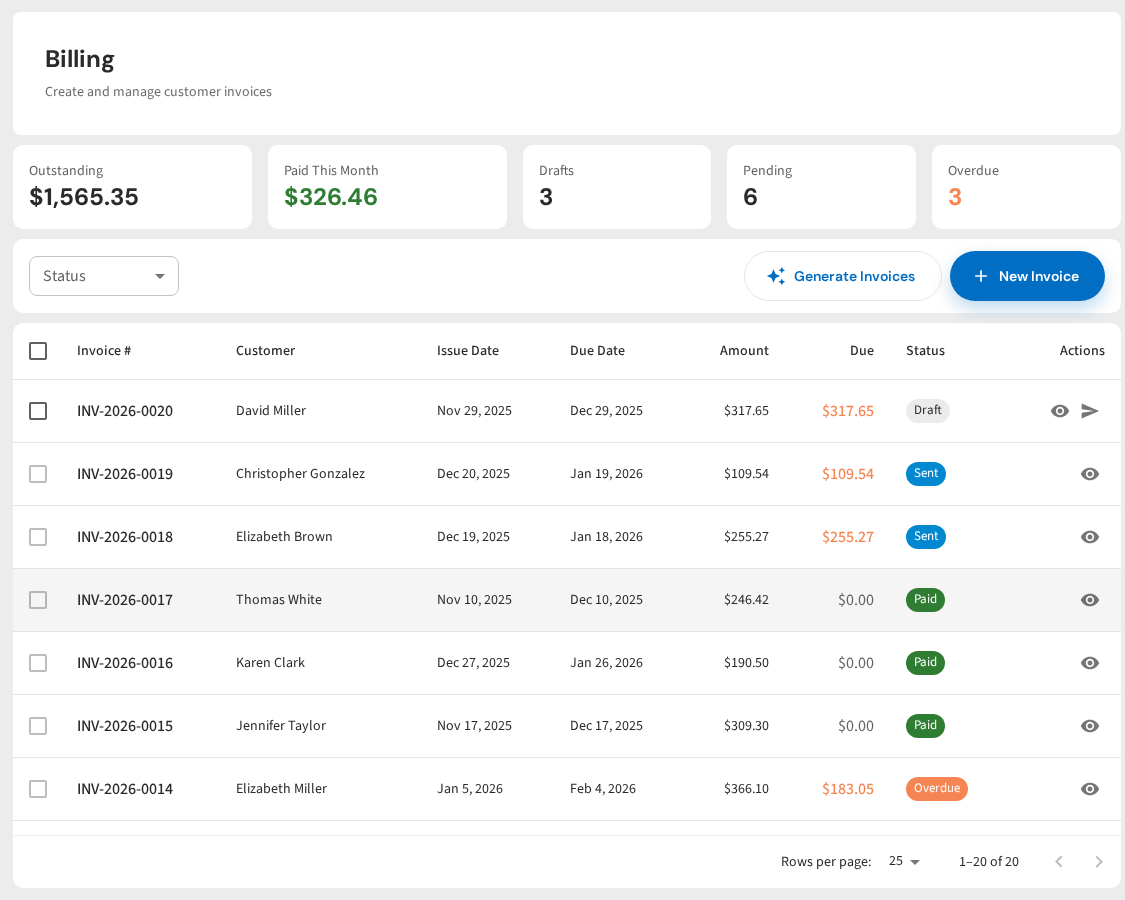
- PoolDial creates invoices for every active customer.
- Customers with autopay get charged automatically. The money starts moving to your bank.
- Customers without autopay get a text and email with a pay link.
- You get a summary of how many charges went through and how many failed.
Within the first 48 hours:
- Most autopay charges land in your bank account.
- Most one-time payers have already tapped their link and paid.
- Any failed charges get retried automatically.
- Customers with failed cards get a text asking them to update their card.
By day 3 to 5:
- PoolDial sends a reminder to anyone who hasn't paid yet.
- Most of those people pay within 24 hours of the reminder.
By day 7:
- A second reminder goes out to anyone still unpaid.
- At this point, 95%+ of your customers have already paid.
By day 14:
- If someone is still unpaid, PoolDial flags them in your dashboard so you can make a personal call.
- This usually affects 1 to 2 customers per month, if any.
Compare that to the old way: printing invoices, mailing them, waiting for checks, depositing them, calling people who forgot, and keeping track of it all in a spreadsheet. With PoolDial, you do none of that. You just clean pools and watch the money come in.
Common Questions About Setting Up Online Payments in PoolDial
Here are the questions we hear most from pool pros who are thinking about switching to online payments.
"What if my older customers don't want to pay online?"
You might be surprised. Most people over 60 already pay bills online with their bank, buy things on Amazon, and use Venmo to send money to their grandkids. A payment link by text is simpler than any of those things. Send them the link and walk them through it one time. After that, they will be fine.
For the very few who truly can't or won't, you can still accept checks. PoolDial doesn't force you to go all-digital. But most companies find that once they offer online payments, even their most reluctant customers switch within a few months.
"Is it safe? What about credit card fraud?"
Stripe handles all the security. They are PCI Level 1 certified, which is the highest level of payment security. Your customers' card numbers are encrypted and stored by Stripe, not by PoolDial and not by you. You never see the full card number. You never store it on your phone or in a spreadsheet. This is actually much safer than having customers read you their card number over the phone.
"What if a customer disputes a charge?"
Chargebacks happen sometimes, but they are rare for recurring service businesses. If a customer disputes a charge, Stripe notifies you and gives you a chance to respond with evidence (like service photos and signed agreements). PoolDial keeps records of every service visit, which makes it easy to prove you did the work.
"Can I accept ACH (bank transfer) payments?"
Yes. Stripe supports ACH transfers, which have lower processing fees (typically 0.8% with a cap). Some customers prefer this because it comes straight from their checking account. The downside is that ACH transfers take a little longer to process and are harder to reverse if there is a problem.
"What about customers who want to pay by Venmo or Zelle?"
You can still accept those if you want, but they create the same problem as checks. You have to track them manually, match them to the right customer, and follow up if someone forgets. PoolDial can't track Venmo or Zelle payments automatically. The whole point of the payment portal is to keep everything in one place so you don't have to track anything by hand.
"Do I need to send invoices, or does PoolDial do it?"
PoolDial does it. Invoices go out automatically on your billing date. Customers with autopay don't even need an invoice because their card is charged automatically. They still get a receipt, but they don't have to do anything. Customers without autopay get the invoice with a pay link included.
For more about what your customers can do in the portal, read our guide on customer self-service. And if you want the full autopay setup walkthrough, see our guide on setting up autopay for pool customers.
Get Paid Without Chasing Payments
PoolDial's customer portal lets your customers pay from their phone in seconds. Autopay, card updates, receipts, and reminders all happen automatically. Plans start at $2/pool.
Start Your Free Trial