
How to Track Pool Equipment for Every Customer


Your tech pulls up to a backyard they have never been to before. The pump is making a weird noise. They pop open the equipment pad and find a setup they don't recognize. Is that a Pentair IntelliFlo or a Hayward SuperPump? What size is the filter? Is there a salt cell hiding behind the heater? They have no idea, because nobody ever wrote it down.
This happens every day at pool companies that don't track equipment. The tech wastes 15 minutes trying to figure out what they are looking at. They call the office. Nobody there knows either. They take a guess, order the wrong part, and now a simple repair turns into two trips and a frustrated customer.
It does not have to work that way. When you log every piece of equipment for every customer, your techs show up ready. They know what pump is running, what filter is installed, and what parts to bring. Repairs are faster. Parts orders are correct the first time. And when a customer calls asking if their heater is still under warranty, you can answer in seconds.
Key Takeaways
- Log equipment on the first visit. Pump, filter, heater, salt cell, automation, cleaner, and lights. Get the make, model, and serial number for each one.
- Keep records updated. When equipment gets replaced, update the profile right away so the data never goes stale.
- Use it for diagnosis. Knowing the exact equipment helps your techs troubleshoot faster and order the right parts the first time.
- Track warranty dates. Log the install date so you know when warranty coverage runs out.
- Make it accessible in the field. PoolDial puts equipment details on every customer record, so your techs can pull them up on their phone at the job site.
Why Equipment Tracking Matters in PoolDial
Think about the last time you had to diagnose a problem over the phone. A customer calls and says "my pump isn't working." The first thing you need to know is what pump they have. Is it a single-speed or variable-speed? What brand? How old is it? Without that information, you are guessing.
Equipment tracking solves five big problems at once:
- Faster diagnosis. When your tech knows the customer has a Pentair IntelliFlo 3 VSF, they already know the common failure points for that model. They know what error codes mean. They know what parts to check first. Compare that to walking up to an equipment pad cold and trying to figure out what they are looking at.
- Correct parts ordering. A Hayward DE4820 takes different grids than a Pentair FNS Plus 48. If you don't know which filter is installed, you are calling the customer, asking them to read the label, and hoping they get it right. With equipment records, you just look it up and order the correct part.
- Warranty claims. Most pool equipment comes with a manufacturer warranty. Pumps are usually 3 years. Heaters are often 1 to 2 years on parts and heat exchangers. Salt cells vary by brand. If you have the install date and serial number logged, you can check warranty status before you quote a replacement. That saves the customer money and makes you look like a pro.
- Replacement planning. A variable-speed pump lasts about 8 to 12 years. A salt cell lasts 3 to 7 years depending on the brand and water chemistry. When you track install dates, you can see which equipment is nearing end of life and recommend replacement before it fails. That is better for the customer and creates repair revenue for you.
- Consistent service across techs. When one tech has all the equipment details in their head and they quit or go on vacation, that knowledge walks out the door. When the details are in your software, any tech on your team can service any pool.
What Equipment to Log in PoolDial
Every pool has a different setup. A basic residential pool might just have a pump and a cartridge filter. A full-featured backyard might have a variable-speed pump, a DE filter, a gas heater, a salt chlorine generator, an automation controller, a robotic cleaner, and LED lights. You need to log all of it.
Here is the full list of equipment you should record for every customer:
| Equipment | What to Record | Why It Matters |
|---|---|---|
| Pump | Make, model, HP/speed type, serial number, install date | Most common repair item. Knowing the model speeds up every service call. |
| Filter | Type (cartridge, DE, sand), make, model, size (sq ft), serial number | Filter grids, cartridges, and sand all vary by model. Wrong parts = wasted trip. |
| Heater | Type (gas, heat pump, electric), make, model, BTU rating, serial number | Heater parts are expensive. You need the exact model to order the right heat exchanger or igniter. |
| Salt chlorine generator | Make, model, cell size, serial number, install date | Salt cells wear out and need replacement. Knowing the model and age helps you plan ahead. |
| Automation controller | Make, model, firmware version if known | Programming and troubleshooting depend on the exact system. Pentair IntelliCenter works very differently from Hayward OmniLogic. |
| Cleaner | Type (robotic, suction, pressure), make, model | Cleaner parts vary widely by model. A Polaris 280 uses different parts than a Polaris 380. |
| Lights | Type (LED, incandescent, fiber optic), make, model, voltage | Replacement bulbs and fixtures are model-specific. Voltage matters for safety. |
You might also want to note the plumbing size (1.5" or 2"), the type of pool surface (plaster, pebble, fiberglass, vinyl), and the pool volume in gallons. These are not equipment per se, but they affect how you service the pool and dose chemicals. For a full guide on what else to document, check out our article on documenting customer properties.
How to Build the Equipment Profile During the First Visit with PoolDial
The first visit to a new customer's pool is where you build the foundation. It takes about 5 to 10 extra minutes to log all the equipment, and that small investment pays off every single time your team visits that pool in the future.
Here is a step-by-step process your techs can follow:
Step 1: Walk the equipment pad. Before you do anything else, take a slow walk around the equipment pad. Look at every piece of equipment. Open the timer box. Check behind the heater. Some pools have equipment tucked in corners or hidden inside sheds. Make sure you see everything.
Step 2: Photograph the labels. Every piece of pool equipment has a label with the make, model, and serial number. Take a photo of each label with your phone. This is faster than writing things down by hand, and you can enter the details into PoolDial later if you are in a rush. But if you have a few minutes, enter them on the spot using the PoolDial mobile app.
Step 3: Enter the details into PoolDial. Open the customer record in PoolDial. Go to the equipment section. Add each piece of equipment with the make, model, serial number, and install date if you know it. If you don't know the install date, ask the homeowner. They might know when they last replaced the pump or had the pool built. Even an approximate year is better than nothing.
Step 4: Note any issues. While you are logging equipment, note anything that looks worn, damaged, or near end of life. A cracked pump lid. A rusty heater cabinet. A salt cell with heavy calcium buildup. Add these notes to the equipment record so you can follow up later with a repair quote or replacement recommendation.
Step 5: Take a wide shot. Take one photo of the entire equipment pad from a few feet back. This gives future techs a quick visual of how everything is laid out. It is especially helpful when a new tech visits the property for the first time.
Make this part of your new customer onboarding process. Every new customer gets a full equipment audit on the first visit. No exceptions. When every tech follows the same steps, you end up with complete records for every pool on your route.
Where to Find Make, Model, and Serial Numbers with PoolDial
Finding the label on pool equipment is not always obvious. Here is where to look for the most common brands and equipment types:
Pumps: The label is usually on the side of the motor housing or on the pump body near the strainer basket. For Pentair IntelliFlo pumps, the model and serial number are on a silver sticker on the side of the drive. For Hayward pumps, look for the label on the motor body. It will say something like "SP2610X15" which tells you the model and horsepower.
Filters: The label is usually on the tank body or on a separate tag near the clamp band. For Pentair and Hayward filters, the model number is printed on a sticker on the tank. The filter size in square feet is listed there too. For example, "CCP420" means a Pentair Clean and Clear Plus with 420 square feet of filter area.
Heaters: The label is inside the front panel. You usually need to remove the front cover to see it. For Hayward heaters, it is on the inside of the access panel. For Raypak heaters, look for a white sticker on the inside of the front door. The model number tells you the BTU rating. For example, a Raypak 336 is a 336,000 BTU gas heater.
Salt cells: The model number is printed on the cell body or on the control box. For Pentair IntelliChlor, the cell says "IC20" or "IC40" on the side. For Hayward AquaRite, the cell says "T-CELL-15" or "T-CELL-9" depending on the size. The serial number is usually on the control box, not the cell itself.
Automation controllers: The model is on the front panel or inside the enclosure. For Pentair IntelliCenter, it is printed right on the front face. For Hayward OmniLogic, the model number is inside the controller box.
If the label is worn or missing, you can sometimes identify equipment by its physical appearance. Pentair pumps have a distinctive blue and black design. Hayward pumps are usually black with a yellow or green accent. But whenever possible, get the actual model and serial number from the label. It removes all guesswork.
Keeping Equipment Records Updated in PoolDial
Equipment profiles are only useful if they are current. When a customer gets a new pump installed, your records need to reflect that. Otherwise, the next tech who visits will look at the PoolDial record, see "Hayward SuperPump 1.5 HP," and then walk up to a brand new Pentair IntelliFlo. That is confusing and it slows them down.
Here are the situations where you need to update equipment records:
- You replace equipment. This is the most obvious one. When your company installs a new pump, filter, heater, or salt cell, update the record right after the job is done. Log the new make, model, serial number, and install date. If you use PoolDial's work orders to track repairs, you can update the equipment record directly from the work order.
- The customer has someone else do the work. Sometimes a homeowner hires another company or does the work themselves. If your tech shows up and notices new equipment, they should update the record. Even if you don't know the serial number right away, at least update the make and model so the record is not completely wrong.
- You discover the original entry was wrong. Maybe the first tech who logged the equipment was in a rush and put down the wrong model. If anyone catches an error, fix it right away.
- Equipment is removed. If a customer takes out their heater or removes a salt system, update the record to show that the equipment is no longer installed.
One good habit is to do a quick equipment check once a year. When you do the annual pool opening or spring startup, walk the equipment pad and compare what you see to what is in PoolDial. If anything has changed, update it. This keeps your records fresh without adding a lot of extra work.
For more on tracking what has been done to equipment over time, see our guide on equipment service history.
How PoolDial Stores Equipment on Every Customer Record
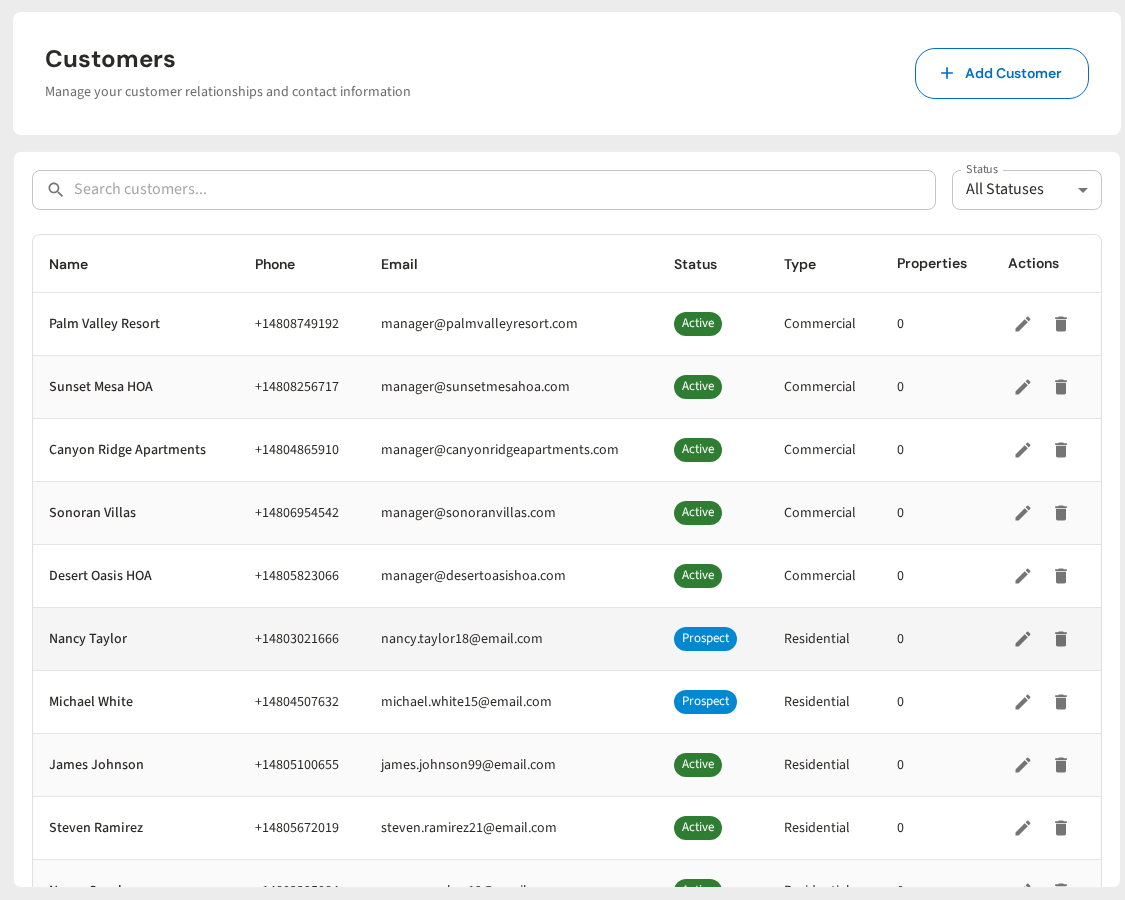
PoolDial is built to make equipment tracking simple. Every customer record has an equipment section where you can add, edit, and view all the equipment installed at that property. Here is how it works:
Adding equipment. Open the customer record and go to the equipment tab. Tap "Add Equipment" and fill in the fields: equipment type, make, model, serial number, and install date. You can add as many items as you need. Most pools have 3 to 7 pieces of equipment, so it only takes a couple of minutes.
Viewing equipment in the field. When a tech is on-site, they open the customer in the PoolDial mobile app and tap on equipment. They can see every item at a glance, including the make, model, and serial number. No calling the office. No flipping through paper files. It is all right there on their phone.
Equipment history. When equipment gets replaced, PoolDial keeps a history of what was installed before. This is useful when a customer asks "when did we replace the pump?" or when you need to show that a piece of equipment was under warranty at the time it failed.
Linking to work orders. When you create a work order for a repair, you can link it to a specific piece of equipment. This builds a service history for each item. Over time, you can see how many times a pump has been serviced, what parts have been replaced, and whether it makes more sense to keep repairing it or recommend a full replacement.
Using PoolDial Equipment Data for Warranty Tracking
Warranty tracking is one of the biggest benefits of logging equipment details. Most pool pros don't track warranties at all. When a pump fails, they quote a full replacement. The customer pays $1,500 for a new pump when the old one was still under warranty and could have been replaced for free by the manufacturer.
That is bad for the customer and bad for your reputation. If the customer later finds out the pump was under warranty, they will feel like you took advantage of them.
Here is how to use equipment data for warranty tracking:
Log the install date. This is the most important field for warranty purposes. The warranty clock starts on the install date, not the purchase date. If you installed the equipment, you know the exact date. If the customer had it installed before you started servicing the pool, ask them or check the permit records.
Know the warranty periods. Here are the typical warranty periods for common pool equipment:
| Equipment | Typical Warranty | Notes |
|---|---|---|
| Variable-speed pump | 3 years | Some brands offer extended warranties if registered within 90 days |
| Single-speed pump | 1 to 3 years | Varies by brand. Motor warranties may differ from pump body warranties. |
| Filter | 1 to 3 years | Covers the tank and internals, not wear items like cartridges or grids |
| Gas heater | 1 to 2 years (parts), 5+ years (heat exchanger) | Heat exchanger warranties are longer because they are the most expensive part |
| Heat pump | 2 to 5 years | Compressor warranties are often longer than the rest of the unit |
| Salt cell | 2 to 3 years | Cells are consumable items. Some brands prorate the warranty after the first year. |
| Automation controller | 3 years | May require registration for full warranty coverage |
When a piece of equipment fails, check the install date in PoolDial. Calculate whether it is still under warranty. If it is, file the warranty claim with the manufacturer before quoting a replacement. Your customer will thank you for saving them hundreds or even thousands of dollars. And they will tell their friends you are honest, which brings in more business.
For a deeper look at warranty tracking workflows, read our guide on tracking equipment warranties.
Recommending Replacements with PoolDial Equipment Data
Equipment tracking is not just about fixing things that break. It is also about planning ahead. When you know the age and condition of every piece of equipment at every pool, you can recommend replacements before they fail.
This is better for the customer because they get to plan the expense instead of dealing with an emergency. It is better for you because planned replacements are more profitable than emergency calls, and the customer sees you as a trusted advisor instead of just a guy who cleans pools.
Here are some examples of how to use equipment age for replacement planning:
- Pump is 10 years old. A variable-speed pump typically lasts 8 to 12 years. If the pump is 10 years old and starting to make noise, it is a good time to recommend a replacement. You can say, "Your pump is getting toward end of life. I would recommend replacing it this season before it fails in the middle of summer when you really need it."
- Salt cell is 4 years old. Most salt cells last 3 to 7 years. At 4 years, it is past the warranty and might be showing signs of wear. If chlorine output is dropping, you can recommend a new cell and explain that the old one is just wearing out naturally.
- Heater is 15 years old. Gas heaters last about 10 to 15 years. A 15-year-old heater is on borrowed time. Even if it still works, the heat exchanger could fail at any point. Let the customer know so they can budget for a replacement.
- Single-speed pump. If you see a customer still running a single-speed pump, that is a great opportunity to recommend a variable-speed upgrade. You can show them the energy savings. A variable-speed pump uses 70 to 80% less electricity. In many states, there are also rebates and incentives for switching to variable speed.
The key is that you can only make these recommendations when you have the data. If you don't know how old the equipment is, you can't tell the customer it is time to replace it. Equipment tracking turns reactive service calls into proactive sales conversations.
Common Mistakes to Avoid When Tracking Equipment in PoolDial
Equipment tracking is simple, but there are a few mistakes that make it less useful:
Only logging the brand, not the model. Writing "Pentair pump" is not enough. There are dozens of Pentair pump models, and they all take different parts. You need the full model number. "Pentair IntelliFlo 3 VSF, 011075" is useful. "Pentair pump" is not.
Skipping the serial number. The serial number is what the manufacturer needs for warranty claims. Without it, you cannot file a claim. It takes 10 seconds to photograph the label and write down the serial number. Do it every time.
Not updating records after replacements. This is the most common mistake. A tech replaces a pump but does not update the equipment record. The old pump stays in the system forever, and the next tech who looks at the record sees outdated information. Build the habit of updating records immediately after any equipment change.
Letting one tech carry it all in their head. Some techs are great at remembering equipment details. They know every pump on their route by memory. That is impressive, but it is a problem. When that tech calls in sick or leaves the company, all that knowledge is gone. Put it in PoolDial where the whole team can access it.
Not logging install dates. The install date is what makes warranty tracking and replacement planning possible. Without it, you just know what equipment is there, not how long it has been there. Always ask the customer when the equipment was installed, or check your own work order history if your company did the install.
Ignoring smaller equipment. Many companies log the pump and filter but skip the cleaner, lights, and automation controller. Those items need service too. A tech who shows up to fix a pool light needs to know if it is a 12V or 120V fixture, and what brand it is. Log everything.
Avoiding these mistakes is the difference between equipment records that are actually useful and records that just take up space. Make it part of your standard process, train every tech to follow it, and check the data once in a while to make sure it is accurate.
Track Every Piece of Equipment, Every Pool
PoolDial stores equipment details on every customer record. Your techs can pull up make, model, and serial numbers in the field from their phone. Plans start at $2/pool.
Start Your Free Trial