
Documenting Pool Properties: Equipment, Access, and Special Instructions


A new tech pulls up to a house they have never been to. The gate is locked. There is no code in the system. They call the office. The office calls the customer. The customer does not answer. The tech sits in the driveway for 15 minutes, then drives to the next stop. That pool does not get serviced today.
This happens because someone forgot to write down a gate code. Now multiply that by every missing detail across every pool on every route. The fix is simple: document every property once, store it in one place, and make sure every tech can see it from their phone.
Key Takeaways
- Record all equipment on every pool. Pump model, filter type, heater, salt cell, and automation system. You need this for repairs, parts orders, and warranty claims.
- Write down every access detail. Gate codes, key locations, dog warnings, and parking notes. If a tech cannot get in, the pool does not get cleaned.
- Log pool specs like gallons and surface type. These numbers drive your chemical dosing and affect what tools you use.
- Add special instructions for each property. Things like "use the side gate" or "do not move patio furniture." These keep customers happy and prevent complaints.
- Store everything in PoolDial. Every tech sees the same info on their phone, so anyone can cover any pool.
Why Property Documentation Matters in PoolDial
Most pool companies lose time every week because of missing property info. A tech does not know the gate code. They do not know the pool size, so they guess on chemicals. They do not know the pump model, so they cannot order the right part. Every gap in your records costs you time, money, or a customer's trust.
Good documentation solves all of this. When every property has a complete profile in your customer database, any tech can service any pool with zero phone calls. That is what makes your business run smoothly even when someone calls out sick or you hire a new person.
The goal is simple: if a tech has never been to a property before, they should be able to open the PoolDial mobile app, read the profile, and service the pool like they have been there 50 times.
How to Document Equipment Inventory in PoolDial
Every pool has equipment, and every piece of equipment will need service or replacement at some point. If you do not have the details on file, you will waste time figuring out what is installed before you can fix it.
For every pool, log the following in PoolDial's equipment tracker:
- Pump. Brand, model number, horsepower, and whether it is single-speed, dual-speed, or variable-speed. Example: Pentair IntelliFlo VSF 3HP.
- Filter. Type (cartridge, DE, or sand), brand, model, and square footage. This tells you how to clean it and when to replace the media or cartridge.
- Heater. Gas or heat pump, brand, model, and BTU rating. Note whether it is natural gas or propane.
- Salt cell. Brand, model, and install date. Salt cells wear out over time, and the install date helps you predict when to replace it.
- Automation system. Brand and model of the control panel. Pentair IntelliCenter, Jandy iAquaLink, Hayward OmniLogic, or something else. Note any connected features like app control or remote access.
- Other equipment. Booster pumps, water features, in-floor cleaning systems, ozone or UV systems, and pool lights. If it is on the equipment pad, it goes in the record.
For each piece of equipment, include the serial number and install date. When a pump fails two years into a three-year warranty, you want that info ready to go. Take a photo of the equipment pad and the model/serial labels so your office team can reference them without going to the property.
How to Record Access Info in PoolDial
Your tech cannot service a pool they cannot reach. Access info is the most time-sensitive part of a property record. If it is wrong or missing, the whole visit falls apart.
Record these details for every property:
- Gate code. The exact code for the front gate, side gate, or community gate. If the property has more than one gate, note which code goes with which gate.
- Key or lock location. Some customers leave a key under a rock, in a lockbox, or with a neighbor. Write down exactly where it is.
- Dog warnings. Does the homeowner have dogs? Are they inside or outside during service hours? Are they friendly or aggressive? This is a safety issue. Do not skip it.
- Parking instructions. Where should the tech park? Some HOAs do not allow trucks in driveways. Some customers want you to park on the street. Write it down.
- Entry path. Which gate or door to use. "Use the side gate on the left, not the front gate" is the kind of detail that prevents complaints.
- Customer schedule. Is the homeowner home during the day? Do they work from home? Are there specific times they do not want service?
Update access info the same day it changes. Gate codes change, dogs come and go, and HOA rules shift. If you wait a week to update the record, that is a week of techs showing up with the wrong info.
How to Track Pool Specs in PoolDial
Pool specs are the numbers that drive your chemical dosing and help you plan the right service for each pool. Without them, your techs are guessing.
- Gallons. You need this number to calculate chemical doses. A 10,000-gallon pool and a 30,000-gallon pool get very different amounts of chlorine. PoolDial uses this number in its dosing calculations.
- Surface type. Plaster, pebble, fiberglass, or vinyl. This affects which chemicals you can use, what brushes are safe, and how you treat stains. For example, you should never use a steel brush on a fiberglass pool.
- Shape and features. Freeform, rectangle, kidney, or L-shape. Note if it has a spa, water feature, beach entry, or infinity edge. These features affect cleaning time and chemical distribution.
- Sanitizer type. Chlorine, saltwater, bromine, or a mineral system. This tells the tech what chemicals to bring and how to test the water.
If you do not know the pool volume, measure the length, width, and average depth. PoolDial can help you calculate the gallons from those numbers. Getting this right on day one saves you from dosing mistakes on every visit after that.
How to Write Special Instructions in PoolDial
Special instructions are the details that do not fit into standard fields. They are the things a customer tells you once, and you need to remember forever. If you do not write them down, you will forget. And when you forget, you get a complaint.
Here are the types of special instructions to capture:
- Yard rules. "Do not move the patio furniture." "Stay off the flower bed on the east side." "Close the umbrella after service."
- Gate and entry preferences. "Use the side gate, not the front." "Lock the gate behind you every time." "Ring the doorbell before entering the backyard."
- Equipment quirks. "The pump timer resets after power outages. Set it back to 8am-4pm." "The heater makes a clicking sound on startup. That is normal." "The pool light switch is inside the garage, not on the equipment pad."
- Chemical preferences. "Customer does not want liquid chlorine. Use tablets only." "Add phosphate remover every other visit."
- Cleaning preferences. "Brush the spa steps every visit." "Vacuum the deep end. Leaves collect there." "Skim the surface twice. Large oak tree drops leaves all day."
Write these notes in plain language so any tech can understand them. Avoid abbreviations or inside jokes that only make sense to the person who wrote them. The point is that a brand-new tech should be able to read these notes and know exactly what to do.
How PoolDial Stores Property Details on Every Tech's Phone
Writing all of this down only works if your team can find it. If property details are in a binder at the office or in a spreadsheet on your laptop, they are useless to the tech standing in a customer's driveway.
PoolDial keeps every property detail on the mobile app. When a tech taps a stop on their route, they see:
- The customer's name and contact info
- The service address with one-tap navigation
- Gate codes and access notes
- Pool specs including gallons, surface type, and sanitizer type
- The full equipment list with model numbers and install dates
- Special instructions in a notes section
- Photos of the equipment pad and backyard
- Service history from every past visit
Everything syncs in real time. If the office updates a gate code, the tech sees it right away. If a tech adds a note from the field, the office sees it on the dashboard. Nobody is working from old info.
This is what makes coverage easy. When a tech calls out, you assign their route to someone else. The fill-in tech opens the app and has everything they need. No phone calls, no guessing, no missed pools. For tips on keeping all your customer records organized, see our guide on organizing pool customer records.
How to Build a Property Documentation Checklist with PoolDial
The best time to document a property is the first visit. If you wait, details slip through the cracks. Build a checklist that your techs or office team complete for every new customer. You can even use PoolDial's inspection feature to create a custom checklist for new property onboarding.
- Measure the pool. Get length, width, and average depth. Calculate gallons.
- Note the surface type. Plaster, pebble, fiberglass, or vinyl.
- Photograph the equipment pad. Get a wide shot and close-ups of every model/serial label.
- Log every piece of equipment. Pump, filter, heater, salt cell, automation, and anything else. Include brand, model, serial, and install date.
- Record access details. Gate code, key location, parking instructions, dog warnings, and entry path.
- Ask the customer for special instructions. "Is there anything about your pool or yard we should know?"
- Enter everything into PoolDial. Do it the same day while the details are fresh.
Make this checklist part of your onboarding process. Every new pool gets the same treatment. When the checklist is done, the property is ready for any tech on any day. For a more detailed look at what to check on every visit, see our pool inspection checklist best practices guide.
Document Every Pool in One Place
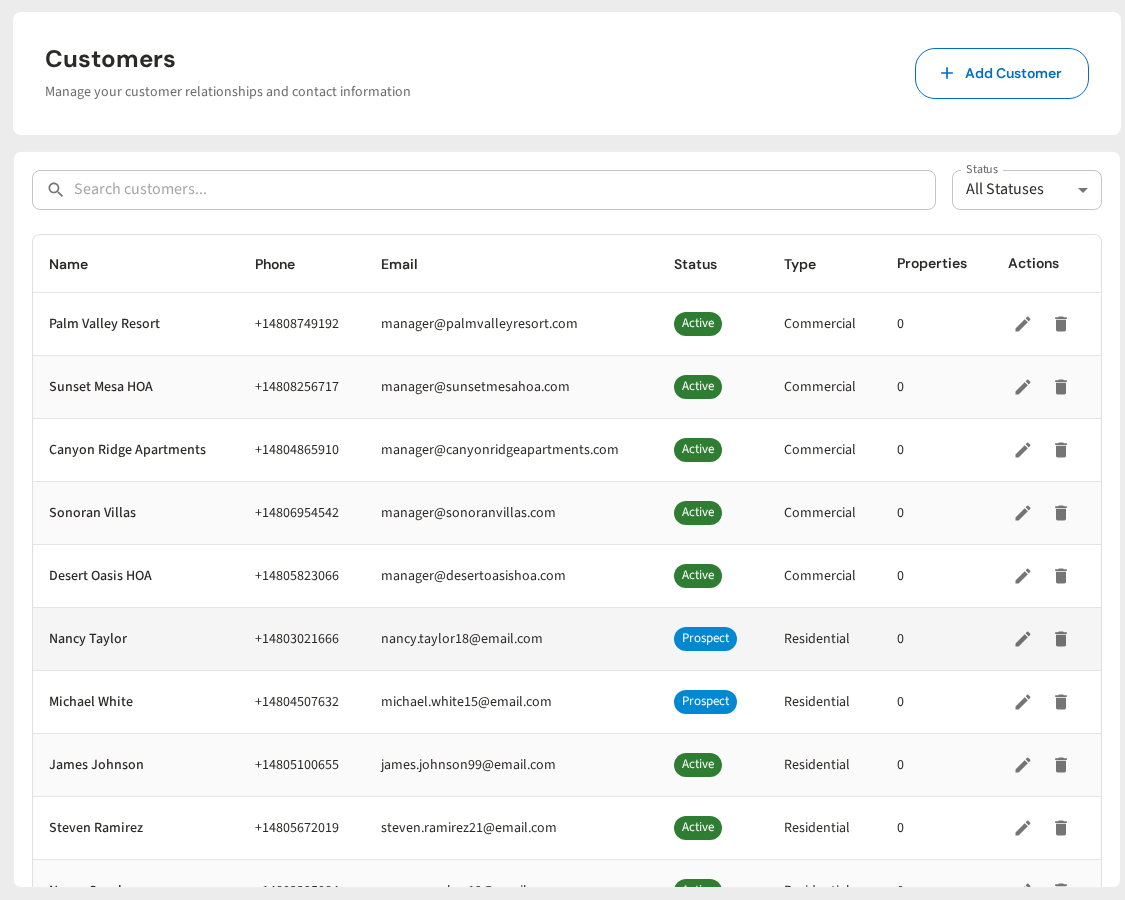
PoolDial stores equipment, access info, pool specs, and special instructions on every customer profile. Any tech can service any pool from their phone. Plans start at $2/pool.
Start Your Free Trial