
Building Accountability Systems for Pool Service Technicians


You want your techs to do great work at every pool. But you can not follow them around all day. You should not have to. The goal is not to watch every move. The goal is to build a system that keeps everyone on the same page.
Good accountability is not about catching people. It is about setting clear rules, giving your team the right tools, and checking the data each week. When you do this well, your techs feel trusted. Your customers get better service. And you stop guessing.
Key Takeaways
- Accountability is not surveillance. It is about clear rules and shared data that help your team do better work.
- Four pillars matter most. GPS tracking, chemical logs, photo proof, and customer feedback.
- Set expectations early. Talk about your standards during hiring so there are no surprises.
- Use data for check-ins. Weekly reviews based on numbers remove emotion from tough talks.
- PoolDial records everything. GPS, readings, and photos are logged at every stop with no extra work.
What Accountability Really Means for Pool Techs (and Why PoolDial Helps)
Some owners think accountability means watching techs through a camera. That is surveillance. Accountability is different. It means your team knows what is expected. They know how their work is measured. And they have tools that make it easy to meet the bar.
Think of it this way. A tech who logs chemical readings and takes photos at every stop is not being watched. They are building a record that proves they did good work. That record helps them when a customer complains. It helps you when you need to spot a problem early. PoolDial makes this record simple to create. The tech does their job, and the data gets saved in the background.
When you frame accountability as a team tool and not a punishment, people buy in. Your best techs will welcome it. They already do good work. Now they have proof. For more on how PoolDial tracks your team in the field, read our guide on tracking pool technicians.
The Four Pillars of Tech Accountability in PoolDial
A strong accountability system rests on four pillars. Each one fills a gap the others cannot cover. PoolDial brings all four together in one place.
1. GPS tracking. PoolDial's GPS tracking records when your tech arrives at a pool and when they leave. It runs in the background. No check-in buttons. No extra steps. You see arrival time, departure time, and time on site for every stop.
2. Chemical logs. PoolDial's chemical tracking lets techs log readings right from their phone. Free chlorine, pH, alkalinity, CYA. Each reading is time-stamped and tied to the stop. If a tech logged readings, they tested the water. To learn more, check out our guide on how to log pool chemical readings.
3. Photo proof. PoolDial's inspection feature lets techs snap before and after photos at each pool. Photos show the pool surface, skimmer basket, pump basket, and any problems. A picture tells you more than any text message ever could.
4. Customer feedback. When customers can see their service records through PoolDial, they speak up fast if something looks wrong. That feedback loop closes the gap between what your tech reports and what the customer sees.
Setting Expectations During Hiring with PoolDial in Mind
The best time to talk about accountability is before the first day on the job. When you bring up your systems during the interview, you attract techs who want structure. The ones who push back on basic tracking are usually the ones who cut corners.
Here is what to cover during hiring:
- GPS is always on. Tell them PoolDial tracks arrival and departure at every stop. Explain that this protects them from false complaints.
- Chemical readings are required. Every pool gets tested. Every reading gets logged in PoolDial. No exceptions.
- Photos are part of the job. Before and after pictures at every stop. It takes 30 seconds.
- You review the data each week. Not to spy. To coach and help them get better.
When you say all this up front, there are no surprises later. Your tech knows the rules from day one. And PoolDial's team management tools make it easy to assign routes and track each person's work.
Running Weekly Check-Ins with PoolDial Data
Data takes the emotion out of tough talks. When you sit down with a tech and pull up their PoolDial numbers, the conversation is about facts. Not feelings.
Here is a simple weekly check-in you can run in 10 minutes:
- Stops completed. Did they hit every pool on their route? PoolDial shows the full list with timestamps.
- Time on site. Are they spending enough time at each pool? A 5-minute visit on a pool that needs 20 minutes is a red flag.
- Chemical readings logged. Did every stop get a reading? Missing readings mean the water was not tested.
- Photos taken. Are they taking before and after shots? Look for patterns. If a tech stops taking photos on Fridays, they might be rushing to finish early.
- Customer complaints. Did any customers call about missed visits or poor service?
Keep the tone helpful. Show the data in PoolDial and ask questions. "I see you spent 8 minutes at the Johnson pool on Tuesday. That one usually takes 25. What happened?" Most of the time, there is a good reason. But if there is not, the data makes the problem clear.
Handling a Tech Who Skips Pools or Cuts Corners with PoolDial
It happens. A tech marks a pool as done but the GPS in PoolDial shows they were never there. Or they log readings but skip the photos every time. Or a customer calls and says the pool is still green.
Here is how to handle it:
- Start with the data. Pull up the PoolDial records. Show the tech exactly what you see. "GPS shows you were not at 123 Oak Street on Wednesday. Can you walk me through your day?"
- Listen first. Sometimes there is a reason. A gate was locked. A dog was loose. They had a flat tire. Give them a chance to explain.
- Be direct about the standard. If the explanation does not add up, say so. "We need GPS check-ins, readings, and photos at every stop. That is the job."
- Document everything. Write down what you discussed. Save the PoolDial records that show the issue. If the problem keeps happening, you need a paper trail.
- Follow up fast. Check their PoolDial data the next week. If they fix the problem, say so. If they do not, you know what to do.
The key is that PoolDial gives you facts, not opinions. You are not accusing anyone based on a gut feeling. You are looking at GPS data, timestamps, and photos. That makes hard conversations much easier. For more on verifying visits, see our guide on verifying pool service visits.
How PoolDial Collects Accountability Data Without Extra Work
The best system is one your techs barely notice. If logging data takes too long, they will skip it. PoolDial is built to capture proof in the background so your team can focus on the pool.
Here is what happens at each stop with PoolDial:
- GPS records on arrival. The moment the tech reaches the property, PoolDial logs the time and location. No buttons to press.
- Readings take 30 seconds. The tech enters chlorine, pH, and other numbers right in the app. PoolDial saves them to the customer's profile.
- Photos are part of the checklist. The inspection screen in PoolDial prompts for before and after photos. Two taps and it is done.
- GPS records on departure. When the tech leaves, PoolDial logs the time again. You get total time on site for every visit.
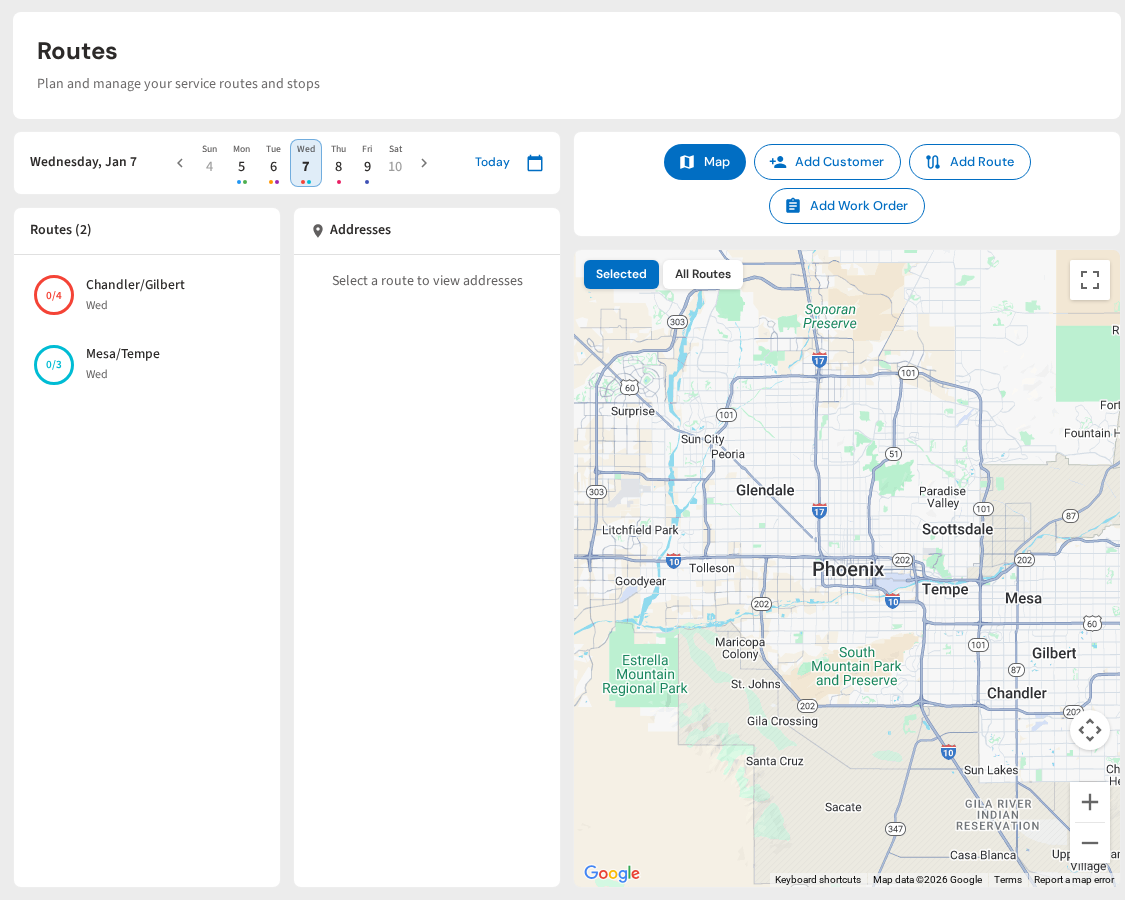
All of this data flows into one place. You can see every tech's day in PoolDial without calling or texting them. Your customers can see their service history too. That shared view is what turns tracking into real accountability.
Building a Culture of Trust and Accountability with PoolDial
Accountability works best when it goes both ways. Your techs follow the system. And you use the data to help them, not punish them. When your team sees that PoolDial data leads to praise and coaching instead of just write-ups, they trust the process.
Here are a few ways to build that culture:
- Celebrate good numbers. When a tech has 100% readings logged for the week in PoolDial, say something. A quick text or a shout-out at the morning meeting goes a long way.
- Share customer praise. When a customer says their pool has never looked better, pass that along to the tech who services it. Connect it to the PoolDial data. "Mrs. Garcia loves her pool. Your readings show you have kept her chlorine perfect for six weeks."
- Fix problems together. If a pool keeps going green, do not blame the tech right away. Pull up the PoolDial history and look at the trends together. Maybe the CYA is too high. Maybe the run time is too short. Use the data to solve the problem as a team.
- Keep it simple. Do not add new rules every week. Stick to the basics. GPS, readings, photos. PoolDial handles the rest.
The pool companies that grow the fastest are the ones that build systems early. PoolDial gives you the tools to hold your team to a high standard without standing over their shoulder. Your techs do better work. Your customers stay longer. And you spend less time putting out fires.
Build Accountability Without Micromanaging
PoolDial tracks GPS, chemical readings, and photos at every stop. Give your team the tools to prove their great work. Plans start at $2/pool.
Start Your Free Trial