
How to Keep Your Pool Techs Connected in the Field



Your techs spend the whole day alone. They drive from pool to pool, and when something comes up, they call you. But you are on a route too. Or you are in a meeting. Or you are helping another tech who called five minutes ago.
Group texts pile up. Important questions get buried. Somebody shows up at a pool with no gate code and no idea what happened last visit. This is the reality for most pool service teams. But it does not have to be.
With the PoolDial mobile app, your techs have everything they need in their pocket. Customer notes, team messaging, GPS location, and more. No more calling the boss for every little thing.
Key Takeaways
- Customer notes travel with your techs. Gate codes, dog warnings, and special instructions are in the app before they arrive.
- GPS shows where everyone is. No more calling around to find out who is where.
- In-app messaging replaces phone tag. Techs can send a quick message without interrupting your day.
- Broadcast messages reach the whole team at once. Weather delays, schedule changes, and updates go out in one tap.
- Everything stays in one place. No more scrolling through group texts to find the answer.
The Problem PoolDial Solves: Techs Are on Their Own All Day
Pool techs work alone. They drive to a house, clean the pool, and move on. Most of the day, they have no contact with anyone else on the team.
That works fine until it doesn't. A customer asks about a repair quote. A pool is green and the tech is not sure what to do. The gate is locked and nobody left the code. Each of these things turns into a phone call to the owner or the office.
That is the daily grind for most pool service owners. You are trying to do your own work while also being the help desk for your entire team. PoolDial gives your techs the info they need so they stop calling you for things the app already knows.
Give Your Techs Customer Notes with PoolDial
The best way to cut down on phone calls is to give your techs the answers before they ask. PoolDial's customer profiles hold everything a tech needs to know about a stop. Gate codes, dog names, equipment notes, and special instructions all live in one place.
When a tech opens their route in the PoolDial app, they can tap any stop and see the full history. What chemicals were added last time. What the customer said about the timer. Whether the pool has a salt system or a tablet feeder.
You and your techs can add notes after every visit. Over time, each customer profile becomes a playbook. A new tech can walk into any backyard and know exactly what to do. No phone call needed.
Track Your Team in Real Time with PoolDial GPS
When a customer calls and asks, "Where is my pool guy?" you need an answer. Without GPS, you are guessing. You call the tech. They don't pick up because they are wrist-deep in a pump basket. Now you are stuck.
PoolDial's GPS tracking shows you where every tech is on a live map. You can see who is at a pool, who is driving, and who is done for the day. All from your phone.
This also helps with accountability. If a stop gets marked complete but the tech never went to that address, the GPS log will show it. Most techs appreciate the transparency too. It means they get credit for the work they actually do. For more on this topic, check out our guide on tracking pool technicians in the field.
Replace Phone Tag with PoolDial In-App Messaging
Phone calls interrupt. When a tech calls you, you have to stop what you are doing and answer. If you don't pick up, they are stuck waiting. If you call back and they don't pick up, the cycle starts over.
PoolDial's conversations feature lets your team send messages inside the app. A tech can snap a photo of a cracked pump lid, type a quick note, and send it. You see it when you have a free moment. No interruption. No phone tag.
Messages are tied to customers and stops, so the context is built in. You don't have to wonder which pool they are talking about. The photo, the note, and the customer info are all in one thread.
Send Team-Wide Updates with PoolDial Broadcast Messaging
Group texts are a mess. Someone sends a message. Three people reply. Two of those replies are just "ok." Now the important info is buried and someone missed it.
PoolDial's broadcast messaging lets you send a one-way update to your whole team. Rain delay tomorrow. New chemical supplier. Holiday schedule change. One message, everyone gets it, and nobody clutters the thread with replies.
Broadcast messages are one piece of building those written processes. When you send consistent updates through PoolDial, your team knows where to look for the latest info. It is not scattered across three group chats and a voicemail.
Build a Connected Team with PoolDial Team Management
Keeping your techs connected is not just about messaging. It is about giving everyone the right access to the right info. PoolDial's team management lets you set roles and permissions for each person on your team.
A tech can see their own route, their assigned customers, and their messages. They don't see billing info or other techs' routes unless you want them to. An office manager can see everything. You control who sees what.
This keeps things simple for your techs. They open the app and see only what matters to them. No clutter. No confusion. Just today's route, the customer notes, and any messages from you. For more on running your business from a phone, read our guide on managing your pool business from your phone.
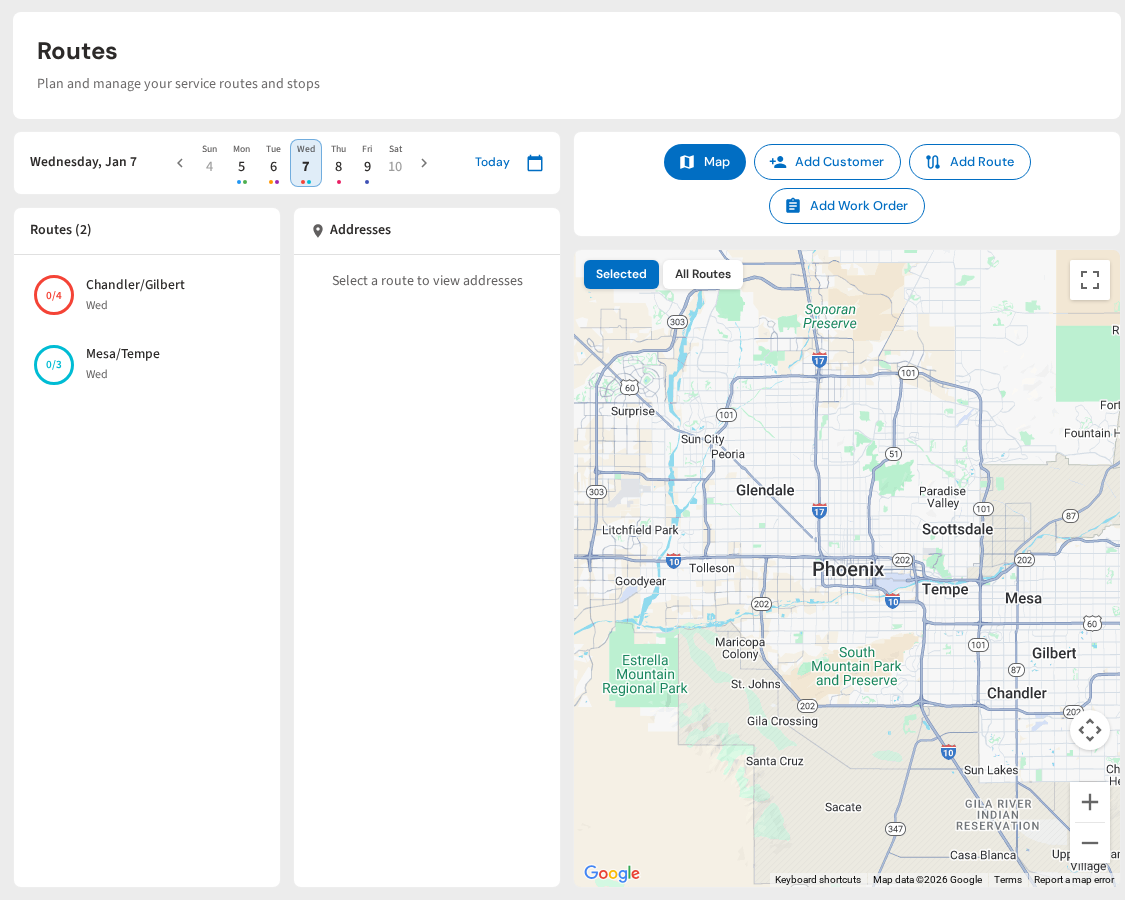
See It in Action: PoolDial Routes on Mobile
PoolDial replaces the chaos of group texts, missed calls, and sticky notes with one app that keeps your whole team on the same page. Your techs show up prepared. You know where everyone is. And when something comes up, there is a better way to handle it than calling the boss.
Keep Your Pool Techs Connected
PoolDial gives your team customer notes, GPS tracking, in-app messaging, and broadcast updates. All in one app. Available on iOS and Android. Plans start at $2/pool.
Start Your Free Trial