
How to Organize Pool Customer Records and Property Notes



Your best tech calls out sick on a Tuesday morning. He has 18 pools on his route. Can someone else cover them? That depends on one thing: can the fill-in tech find everything they need to know about each pool without calling you, the customer, or the sick tech?
If the answer is no, you have a records problem. And it will cost you time, money, and customer trust every time something changes. Here is how to fix it.
Key Takeaways
- Every customer needs a complete profile. Contact info, address, gate code, pets, billing details, and service history should all be in one place.
- Every pool needs its own record too. Size, surface type, equipment list, and special instructions belong on the property, not in someone's head.
- Good records make your team flexible. Any tech should be able to service any pool with no phone calls.
- Write it down once, use it forever. PoolDial stores everything in a shared database that every team member can see from their phone.
What Customer Info to Store in PoolDial
Start with the basics. Every customer record needs the same set of fields filled out. If you skip fields now, you will pay for it later when you need that info and don't have it.
Here is what to collect for every customer in your customer database:
- Full name. First and last. You will need this for invoices, emails, and texts.
- Phone number. The one they actually answer. Mark if they prefer calls or texts.
- Email address. For invoices, service reports, and broadcast messages.
- Service address. The pool location. This might be different from their billing address.
- Billing address. Where invoices go. Could be a property manager or HOA.
- Gate code or access info. How your tech gets in. Update this every time it changes.
- Pets. Dogs, especially. Your tech needs to know before they open the gate.
- Billing info. Monthly rate, billing cycle, autopay status, and card on file. PoolDial's billing system tracks all of this.
The goal is simple. If a new tech opens this customer's profile on their phone, they should know everything they need before they pull into the driveway.
What Pool and Property Details to Track in PoolDial
The customer record covers who they are. The property record covers what the pool looks like and how to service it. These are two different things, and both matter.
For each pool, record:
- Pool size. Gallons or dimensions. You need this for chemical dosing. PoolDial's chemical tracking uses this number to calculate how much to add.
- Surface type. Plaster, pebble, fiberglass, vinyl. This affects what chemicals and tools you use.
- Equipment list. Pump model, filter type, heater, salt cell, automation system. Log each piece in PoolDial's equipment tracker with the brand, model number, and install date.
- Special instructions. "Don't use the front gate on Mondays." "Brush the spa steps every visit." "The pump timer resets after power outages." These notes save your tech from guessing.
- Photos. A photo of the equipment pad, the backyard layout, and any tricky access points. A fill-in tech who has never been to the property can look at these and know what to expect.
Why Organized Records Matter in PoolDial When a Tech Calls Out
This is the real test of your record-keeping. A tech is sick. Or they quit. Or they go on vacation. Someone else has to cover their route. What happens next?
If your records are in a notebook, on sticky notes, or in a tech's head, you are stuck. You have to call the absent tech to ask about gate codes. You have to call customers to ask about their dogs. You have to guess at chemical dosing because nobody wrote down the pool size.
If your records are in PoolDial, the fill-in tech opens the app, taps the first stop, and sees everything: address, gate code, dog warning, pool size, equipment list, special instructions, and a photo of the equipment pad. They can service that pool like they have been there a hundred times.
This is the difference between a business that depends on one person and a business that runs as a team. For more on documenting property details, see our guide on pool customer property documentation.
How to Build a Service History in PoolDial
Good records are not just about today. They are about last month, last year, and the pattern over time. Service history tells you things that a single visit can't.
- Chemical readings. Track chlorine, pH, alkalinity, CYA, and calcium at every visit. Over time, you will spot trends. A pool that keeps losing chlorine might have a leak or too much CYA.
- What was done. Did the tech brush, vacuum, clean the filter, or add acid? Log it every visit so there is no question about what was or was not done.
- Repairs and work orders. When you replaced the pump, fixed a leak, or installed a new salt cell, put it in the record. Next time something breaks, you can check what was done before.
- Customer communication. Notes from phone calls, texts, and emails. If a customer called to complain about algae three months ago, you want that on record. Read more about keeping track of customer messages in our guide on managing pool customer messages.
PoolDial logs all of this automatically as your techs complete their stops. The history is always there, always searchable, and always tied to the right customer.
How to Set Up New Customers in PoolDial the Right Way
The best time to collect all this info is when you sign up a new customer. If you wait, you will forget. If you let techs fill it in later, half the fields will be blank.
Build a checklist for new customer onboarding:
- Collect contact info. Name, phone, email, service address, billing address.
- Get access details. Gate code, lock combo, where to park, pet warnings.
- Do a property survey. Measure the pool, note the surface type, photograph the equipment pad, and log every piece of equipment with model numbers.
- Write special instructions. Anything the tech needs to know. Ask the customer: "Is there anything unusual about your pool or yard that we should know?"
- Set up billing. Monthly rate, billing date, card on file, autopay. Get this done on day one so you never have to chase a first payment.
- Enter it all in PoolDial. Do it the same day, not next week. A record that is 80% complete is 80% useful.
Common Record-Keeping Mistakes to Avoid with PoolDial
Most pool companies know they should keep records. The problem is how they do it. Here are the mistakes that cost you the most:
- Keeping info in your head. If only you know the gate code, you are the bottleneck. Put it in the system so anyone on your team can find it.
- Using paper or notebooks. Paper gets wet, lost, and left in the truck. It can't be searched, shared, or backed up. Digital is the only way.
- Splitting info across apps. Contacts in your phone, notes in a spreadsheet, billing in QuickBooks, equipment in a folder. That is five places to look for one customer. PoolDial keeps it all in one place.
- Not updating records. The gate code changed six months ago and nobody updated the system. Now the fill-in tech is locked out. Make it a rule: if something changes, update the record that day.
- Skipping equipment details. "They have a Pentair pump" is not enough. Log the model number, serial number, and install date. When it breaks, you will need all three to order the right part.
See Customer Records in Action with PoolDial
PoolDial gives every customer a single profile that holds everything: contact info, property details, equipment, service history, billing, and notes. Your office staff sees it on the dashboard. Your techs see it on the mobile app. Everyone is looking at the same data, always up to date.
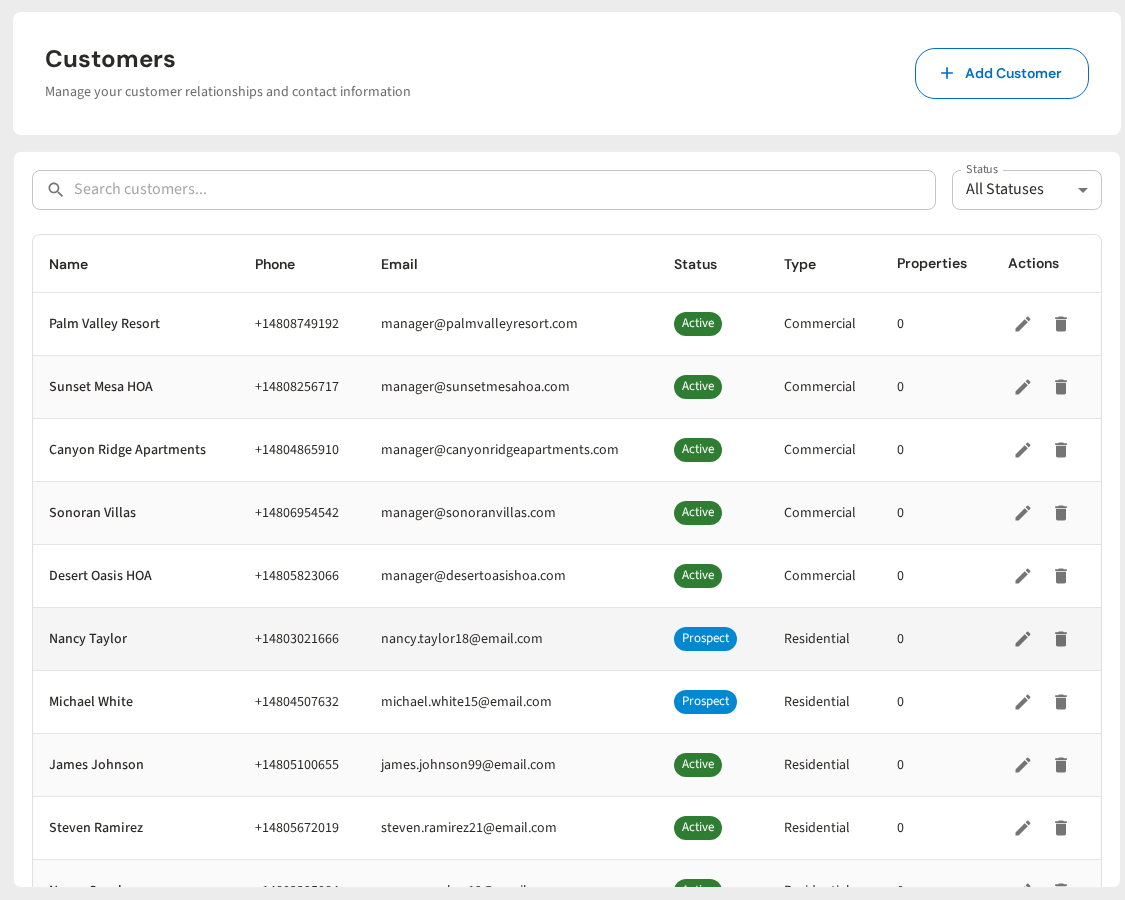
One Place for Every Customer Detail
PoolDial keeps contacts, property notes, equipment, service history, and billing in one shared database. Any tech can service any pool. Plans start at $2/pool.
Start Your Free Trial