
How Pool Service Companies Are Using AI Assistants



You did not start a pool business to sit at a desk. You started it to work outside, take care of pools, and build something of your own. But the desk work keeps growing. Emails, invoices, customer questions, price increase letters. It piles up.
AI assistants can take a big chunk of that off your plate. Not in some far-off future. Right now. PoolDial's AI assistant, Cody, lives inside your dashboard and mobile app. It knows your customers, your routes, and your numbers. You just ask it what you need.
Key Takeaways
- Cody is not ChatGPT. It knows your business data, so answers are specific to your company.
- Ask in plain English. "How many pools did we add this month?" Just type it and get an answer.
- Draft emails and letters in seconds. Price increases, welcome emails, past-due notices.
- Calculate chemical doses. Tell Cody the pool size and current readings. It does the math.
- Generate invoices with a message. "Create an invoice for the Smith filter clean" and it is done.
- Works on your phone. Use Cody from the PoolDial mobile app while you are on the road.
What Cody Can Do Inside PoolDial
Cody is the AI chat assistant built into PoolDial. It can read your customer list, pull up account details, create invoices, and answer questions about your business. Think of it as a helper that already knows everything in your system.
Here are some things pool pros ask Cody every day:
- "How many new customers did we add this month?"
- "What is the gate code for 123 Oak Street?"
- "Draft a welcome email for my new customer Jane Wilson."
- "Create an invoice for a filter clean at the Rodriguez property."
- "How much chlorine do I need for a 15,000 gallon pool with a free chlorine level of 1 ppm?"
- "Write a price increase letter for all customers going from $150 to $165."
- "What is Mrs. Chen's current balance?"
You type or speak your question. Cody gives you the answer or does the task. No clicking through menus. No searching through screens.
Why PoolDial's Cody Is Different from ChatGPT
You can ask ChatGPT to write an email. But it does not know your customers. It does not know your prices. It cannot look up a gate code or check a balance. It is a general tool that gives general answers.
Cody is different because it is connected to your PoolDial account. When you ask "What is the balance on the Johnson account?", Cody pulls the real number from your billing system. When you say "Draft an email to Mrs. Park about her pool pump," Cody already knows her name, address, and equipment history.
| Task | ChatGPT | PoolDial's Cody |
|---|---|---|
| Write a price increase letter | Generic template | Uses your real prices and company name |
| Look up a customer's gate code | Cannot do this | Pulls it from the customer record |
| Create an invoice | Cannot do this | Creates it in your billing system |
| Answer "How many pools did we add?" | Cannot do this | Counts your real customer data |
| Calculate chemical dose | May give wrong formula | Uses correct pool industry formulas |
Saving Time on Customer Emails with PoolDial
Writing emails is one of the biggest time sinks in pool service. Welcome emails, past-due reminders, seasonal shutdown notices, price increase letters. They all take time. Most pool pros put them off, which makes things worse.
With PoolDial's Cody, you just describe what you need. "Write a friendly email to let our customers know we are raising prices by $10 starting next month." Cody writes the full email in your tone, with your company name, in about three seconds. You review it, make any changes, and send it.
Some emails pool pros use Cody to write:
- Welcome emails for new customers
- Price increase letters with the old and new amounts
- Seasonal reminders (winterize, spring opening)
- Past-due payment notices
- Repair estimates and follow-ups
- "Sorry we missed you" notes when a customer is not home
What used to take 15 minutes now takes 30 seconds. That adds up fast over a week.
Looking Up Account Info Instantly in PoolDial
You are at a pool and you need the gate code for the next stop. Or a customer calls and you need to check their balance. Or you want to see when a filter was last cleaned. Instead of tapping through screens, you ask Cody.
"What is the gate code for the Williams property?" Cody finds it in your customer records and shows it. Done.
"When was the last time we cleaned the filter at 456 Elm?" Cody checks the service history and tells you the date.
This is especially helpful on the road. You are driving between stops and your hands are not free to search through an app. With PoolDial's mobile app, you can use voice to ask Cody questions and get answers without pulling over.
Chemical Calculations with PoolDial's AI
Chemical dosing is math. Most pool pros can do it in their heads for common situations. But sometimes you hit an unusual pool. A 40,000 gallon commercial pool with high CYA and low free chlorine. Or a saltwater pool that needs calcium adjusted.
PoolDial's Cody can handle those calculations for you. Tell it the pool volume, your current readings, and your target levels. It gives you exact amounts for the chemicals you need to add.
Example: "I have a 20,000 gallon pool. Free chlorine is 0.5 ppm and CYA is 80 ppm. What do I add?" Cody calculates the amount of liquid chlorine or tablets you need. No flipping through charts. No second-guessing.
This is a big help for newer technicians who are still learning. It is also useful for experienced pros who hit edge cases. PoolDial keeps the math accurate so your water stays balanced.
Generating Invoices and Tracking Business Numbers in PoolDial
Creating invoices usually means opening the billing page, finding the customer, adding line items, and hitting send. With Cody, you skip all of that. Just say "Create an invoice for a pump motor replacement at the Garcia property for $450." Cody builds the invoice in your billing system and you can review it before sending.
You can also ask Cody about your business numbers. Questions like:
- "How many pools did we add this month?"
- "What is our total revenue for April?"
- "How many customers are past due?"
- "Which route has the most stops?"
These answers used to require pulling reports or counting by hand. PoolDial gives you the data in a sentence. You stay informed without spending time on reports.
How to Get Started with PoolDial's AI Assistant
Cody is included in every PoolDial plan. There is nothing extra to set up. Open the chat window in your dashboard or tap the chat icon in the mobile app. Start typing your question. That is it.
Here are a few tips to get the most out of Cody in PoolDial:
- Be specific. "Write an email" is okay. "Write a price increase email from $150 to $165 starting June 1" is better.
- Use customer names. Cody can look up customers by name, so include it when you have a question about a specific account.
- Ask follow-up questions. If the first answer is close but not perfect, tell Cody what to change. "Make it shorter" or "Add a line about the new filter."
- Try it for tasks you dread. The things you put off, like writing letters or crunching numbers, are the tasks where Cody saves the most time.
PoolDial also has an AI receptionist that answers your phone calls and books jobs. Between Cody and the receptionist, most of your admin work can run on autopilot.
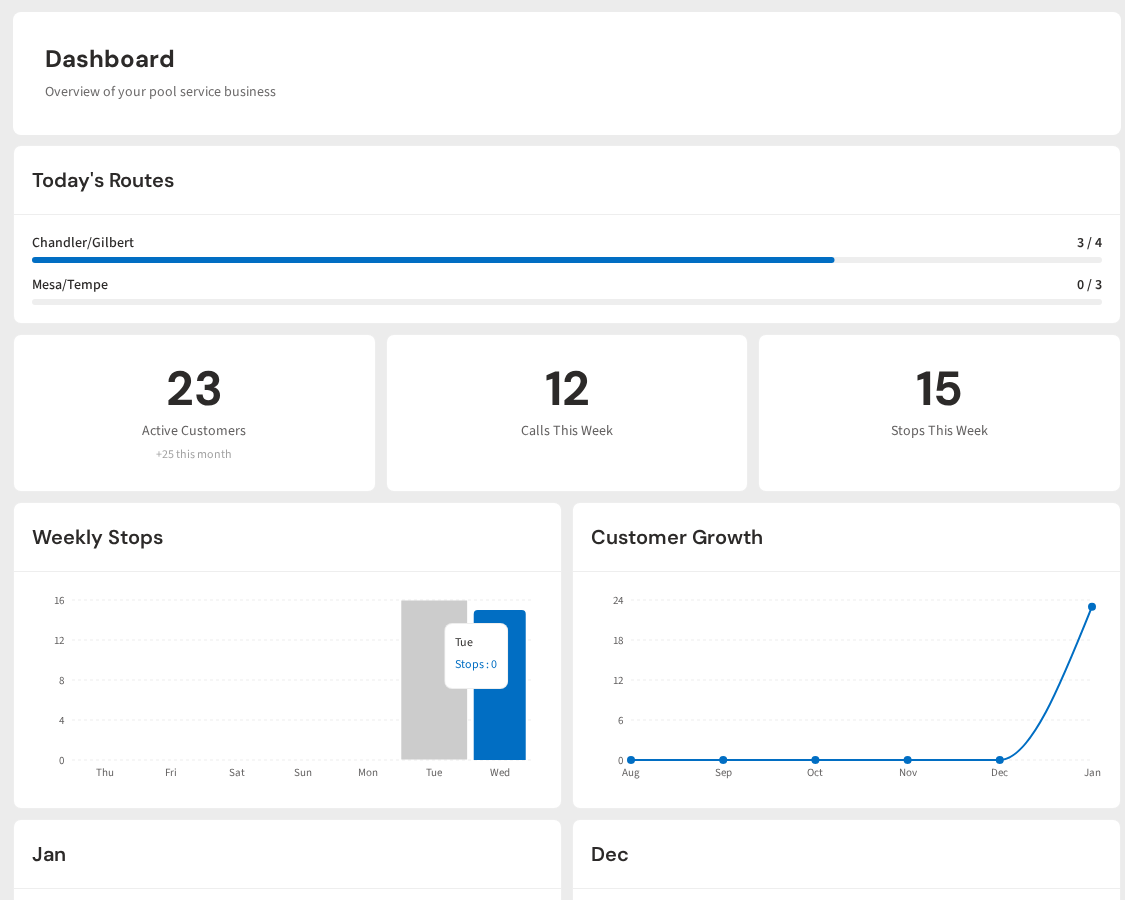
Meet Cody, Your AI Pool Business Assistant
Cody lives inside PoolDial. It knows your customers, your routes, and your numbers. Ask it anything, draft emails in seconds, and create invoices with a message. Plans start at $2/pool.
Start Your Free Trial