
Work Order Process for Pool Service Companies: From Request to Completion



A customer calls about a broken pump. Your tech finds a cracked tile during a weekly clean. The AI receptionist logs a leak report at 9 PM on a Saturday. All three of these need to become work orders. But what happens next?
Most pool companies lose money on repairs not because they can't do the work, but because the steps between "something is broken" and "the customer paid" have too many gaps. Jobs get forgotten. Quotes sit in a text thread. Invoices go out late. This guide walks through every step of the work order process and shows how PoolDial keeps each one on track.
Key Takeaways
- Every repair starts with a request. It can come from a customer call, a tech in the field, or the AI receptionist. PoolDial captures all three.
- Quote before you work. A written quote protects you and sets clear expectations for the customer.
- Close the loop. The job is not done until the customer is billed and the work order is marked complete.
- A written process means nothing falls through the cracks. Every tech follows the same steps, every time.
- PoolDial handles the whole lifecycle. From request to quote to approval to billing, all in one place.
Step 1: How Repair Requests Reach PoolDial
Work orders start with a request. Someone needs something fixed, replaced, or checked. In pool service, requests come from three places:
- The customer calls or texts. "My pump is making a weird noise." "The pool is losing water." These are the most common. If you use PoolDial's AI receptionist, it answers the call, asks the right questions, and logs the request for you. No voicemail, no sticky notes.
- Your tech finds something in the field. During a weekly clean, they spot a cracked tile, a leaking valve, or a filter that's past its life. They open the PoolDial mobile app, tap "New Work Order," and log it right there with photos.
- You spot it yourself. Maybe you review a customer's equipment age and realize their heater is 12 years old. You create a proactive work order to recommend a replacement before it fails.
The key is that every request goes into the same system. It does not matter if it came from a phone call, a text, or a tech in the field. It all lives in PoolDial.
Step 2: Creating the Work Order in PoolDial
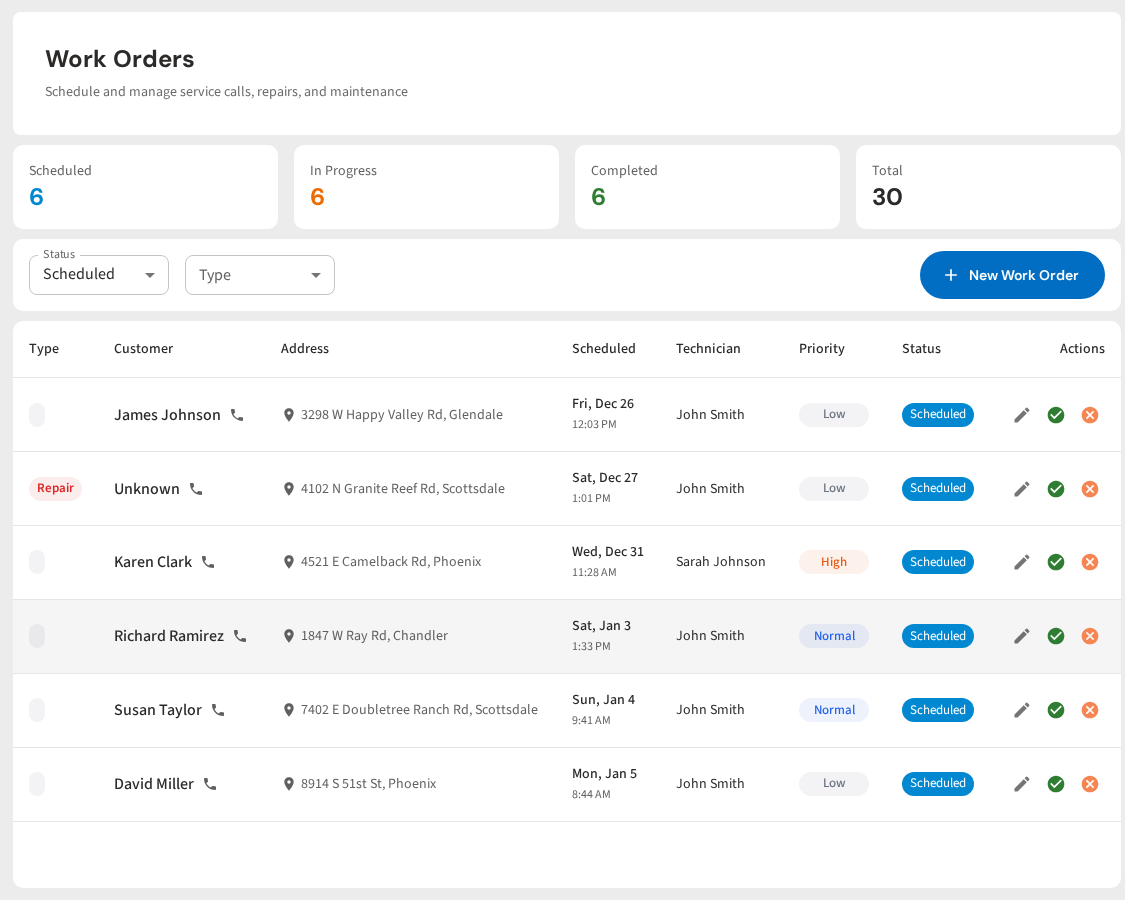
Once you have a request, turn it into a work order. This takes about 30 seconds in PoolDial. Here is what you fill in:
- Customer and property. PoolDial links the work order to the right customer and address. All the property notes, gate codes, and equipment records are already there.
- Description. What needs to be done. Keep it simple: "Replace pool pump motor. Customer reports loud grinding noise." The more detail you add now, the less back-and-forth later.
- Priority. Is this urgent (pool is green, pump is dead) or can it wait until next week?
- Photos. If your tech took photos of the problem, attach them. Photos help with quoting and give the customer proof of the issue.
Now you have a record. It is tied to a customer. It has a status. It will not get lost in a text thread or forgotten on a whiteboard.
Step 3: Quoting the Job with PoolDial
Before you do any work, send a quote. This is where a lot of pool companies skip a step and regret it later. A quote does three things:
- Sets the price. The customer knows exactly what they will pay. No surprises.
- Protects you. If the customer says "I never agreed to that," you have a written record with their approval.
- Gives you a paper trail. For your books, for your taxes, and for any disputes.
In PoolDial, you build the quote right inside the work order. Add line items for parts, labor, and any markup. PoolDial calculates the total. Then send it to the customer by text or email with one tap. For a deeper look at how to price repairs, check out our quoting guide.
For small jobs under $100, some companies skip the formal quote and just tell the customer the price over the phone. That is fine for simple things like replacing a skimmer basket. But for anything over $100, put it in writing.
Step 4: Getting Customer Approval in PoolDial
The quote is out. Now you wait. This is where jobs stall if you do not have a system. The customer gets the quote, means to respond, and forgets. A week goes by. Then two.
PoolDial tracks quote status so nothing sits in limbo. Here is how the approval process works:
- Customer gets a text or email with the quote. They can view it, approve it, or ask a question. No app to download, no account to create.
- They tap "Approve." PoolDial marks the work order as approved and notifies you. You are ready to schedule.
- If they do not respond, PoolDial shows the quote as pending. You can follow up with a quick text: "Hey, just checking in on that pump quote. Want me to get it on the schedule?"
- If they decline, mark it as declined and move on. You still have a record of the recommendation in case the equipment fails later.
The goal is simple: no work starts until the customer says yes. And no approved quote sits in a drawer collecting dust.
Step 5: Scheduling the Work in PoolDial
The customer said yes. Now schedule it. In PoolDial, you assign the work order to a tech and pick a date. A few things to think about:
- Parts. Do you have the pump motor in stock, or do you need to order it? Do not schedule the job until you have what you need.
- Route. If the repair is at a property you already visit on Wednesdays, schedule it for a Wednesday. Less driving, more profit.
- Time. Big jobs like equipment replacements need more time. Block out enough so your tech is not rushed.
- Notify the customer. Let them know when to expect the tech. PoolDial can send an automatic notification when the job is scheduled.
Your tech sees the work order on their mobile app along with the customer info, the quote details, the property notes, and any photos from the original request. They show up prepared.
Step 6: Completing the Work in PoolDial
The tech is on site. The pump is replaced. Now close the loop. In the PoolDial mobile app, the tech marks the work order as complete. They can:
- Add completion notes. "Replaced 1.5 HP pump motor. Tested for 15 minutes, running smooth. Old motor was seized."
- Take after photos. Before-and-after photos show the customer what was done and protect you if there are questions later.
- Log time. How long did the job take? This helps you price future jobs more accurately.
When the tech marks the job complete, you get a notification. The work order status updates. The customer's service history now includes this repair. Everything is documented.
Step 7: Billing the Customer Through PoolDial
The work is done. Now get paid. This is where too many pool companies drop the ball. The job is finished on Tuesday, but the invoice does not go out until Friday. Or the next week. Or never.
In PoolDial, billing is built into the work order. When the tech marks the job complete, you can send the invoice with one tap. The customer gets a text or email with a link to pay online. PoolDial's billing system handles the rest:
- If they have a card on file, charge it right away. No waiting.
- If they do not, send a pay link. One tap to enter their card and pay.
- If the quote was pre-approved, the customer already agreed to the price. There are no surprises on the invoice.
The faster you bill, the faster you get paid. Same-day invoicing after a repair is the standard you should aim for. For more on handling payments, see our guide on managing repair requests.
Step 8: Closing the Work Order in PoolDial
The job is done. The customer paid. Now close the work order. This last step is easy to skip, but it matters. A closed work order means:
- Your open work order list stays clean. You can see at a glance what is still in progress and what is done.
- The customer's history is complete. Next time you visit that property, you can see that you replaced the pump in April 2026. That helps with future recommendations.
- Your numbers are accurate. PoolDial's analytics can show you how many work orders you complete per month, your average repair revenue, and how long jobs take from request to close.
A good work order process is a circle, not a line. The request comes in, the work gets done, the customer pays, and the record is sealed. Then you are ready for the next one.
| Step | What Happens | PoolDial Feature |
|---|---|---|
| 1. Request | Customer calls, tech finds issue, or AI logs it | AI Receptionist, Mobile App |
| 2. Create | Log the details, attach photos, set priority | Work Orders |
| 3. Quote | Build and send a quote with parts and labor | Work Orders + Billing |
| 4. Approve | Customer reviews and approves the quote | Customer Portal |
| 5. Schedule | Assign to a tech, pick a date, order parts | Work Orders + Mobile App |
| 6. Complete | Tech does the work, logs notes and photos | Mobile App |
| 7. Bill | Send the invoice, collect payment | Billing |
| 8. Close | Mark complete, update customer history | Work Orders + Customers |
Run Every Repair From Start to Finish
PoolDial handles the whole work order lifecycle. Request, quote, approve, schedule, complete, bill, close. All in one place. Plans start at $2/pool.
Start Your Free Trial