
Service Logs
Every Pool Visit Leaves a Clear Record
Save the checklist, readings, photos, and notes from each visit. Give customers confidence in the work and give your team a history they can pick up next week.


Trusted by customers around the world
Trusted By



As Featured On



Service visits documented
Water quality measurements
Service photos captured
Payments processed
Customer List
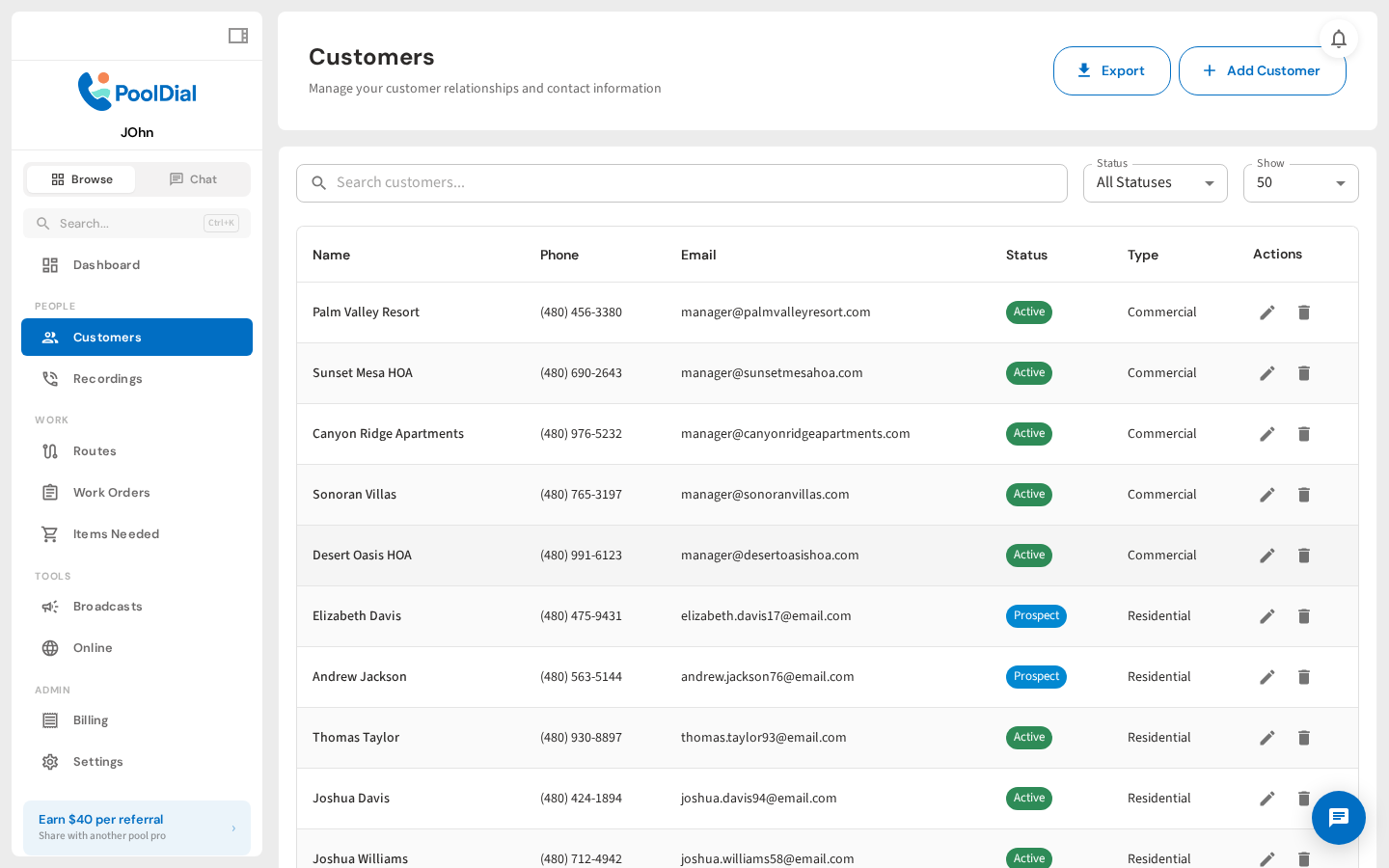
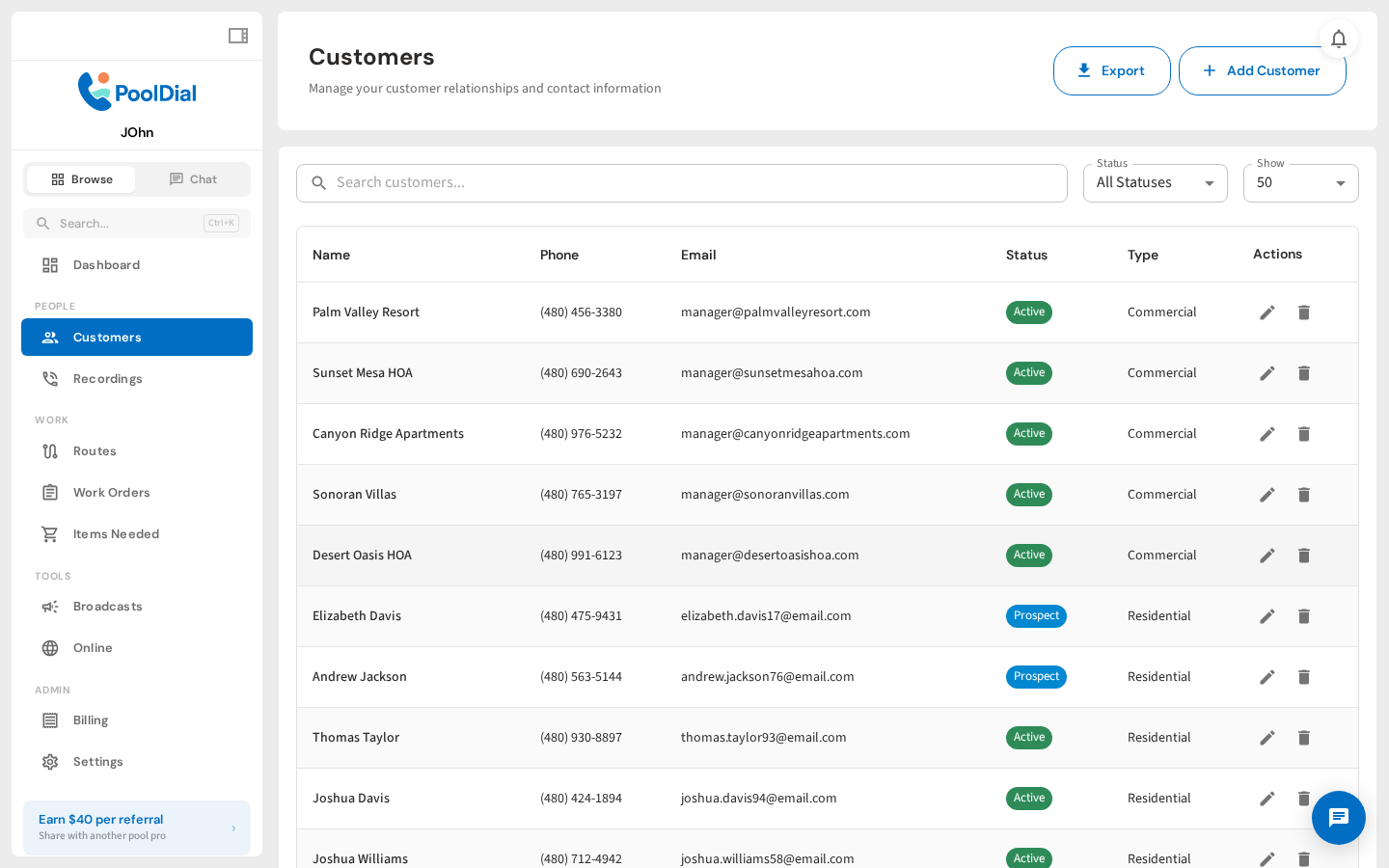
Every pool visit should leave a record. What was done, what was found, and what needs attention next time. Your customer list is the starting point for everything.
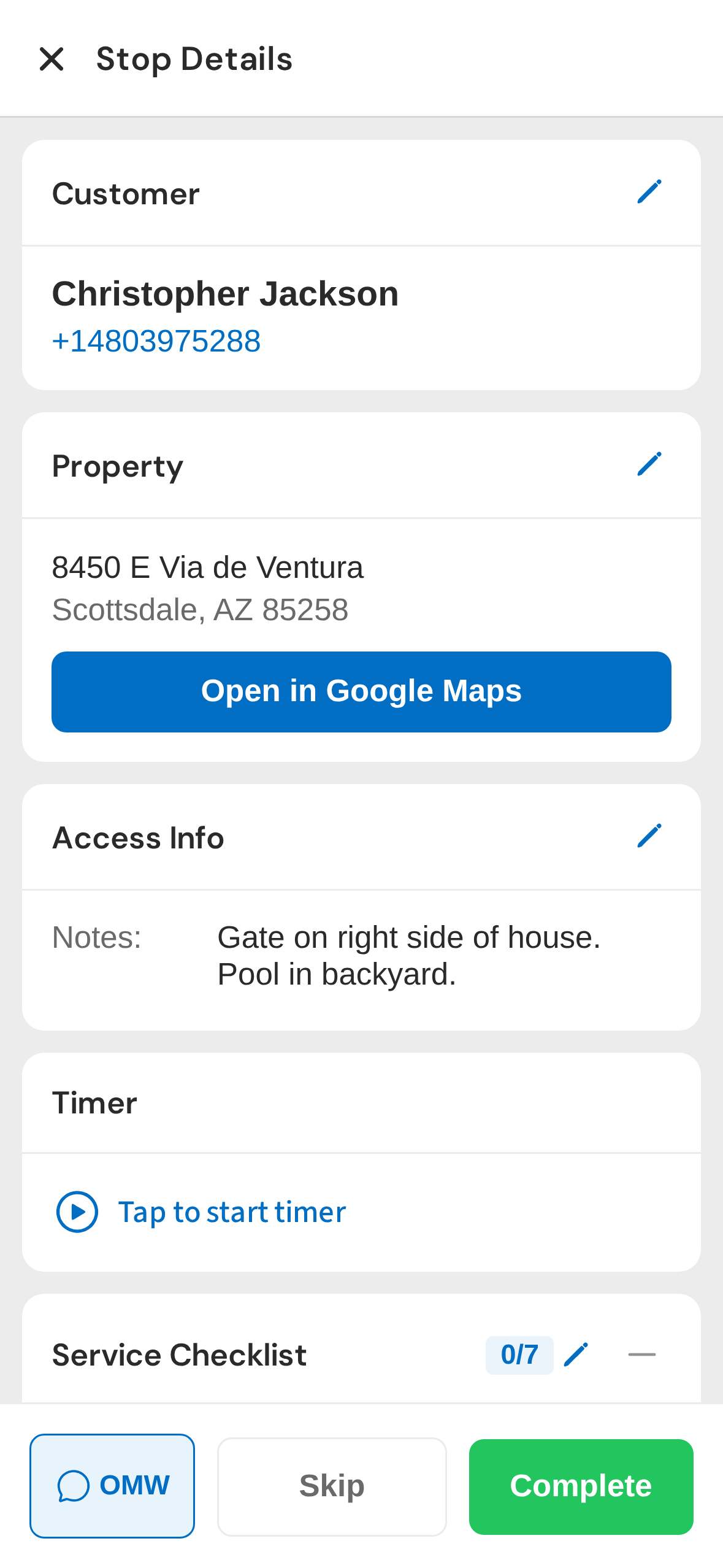
Stop Detail
Your tech opens the stop and sees everything: the service checklist, timer, and customer notes. No digging through apps or calling the office. It's all right there.
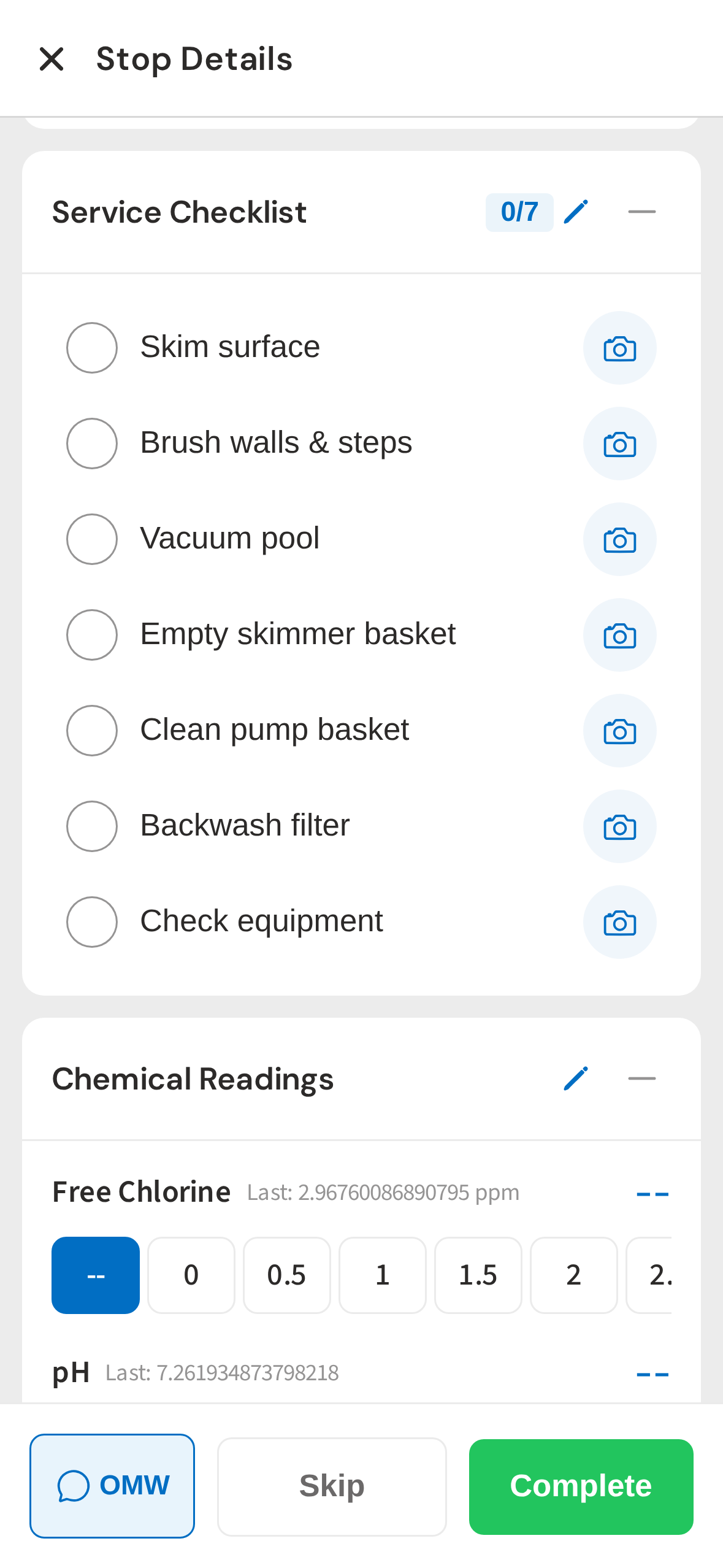
Service Checklist
The service checklist is fully customizable. Add items, reorder them, and require photos for accountability. Your techs follow the same process at every pool.
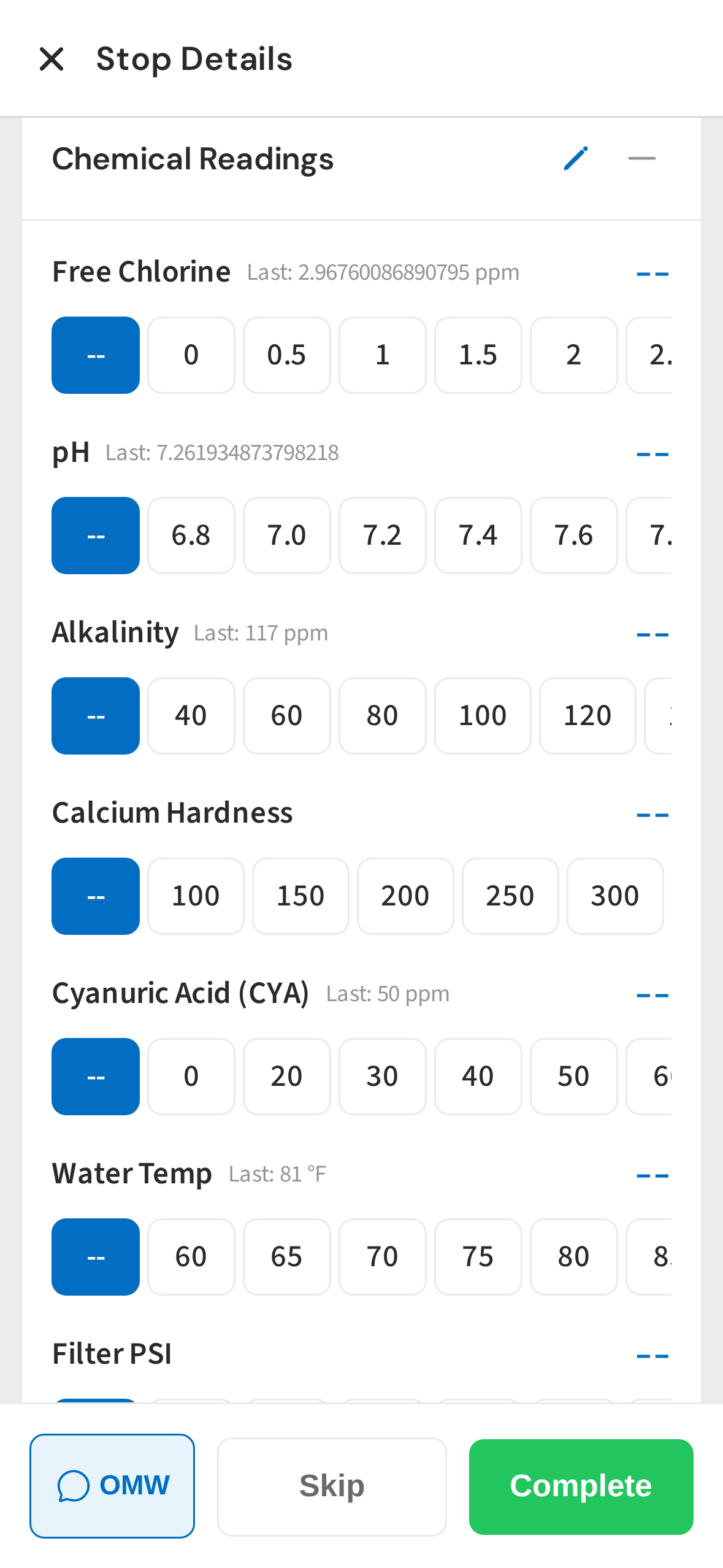
Complete Stop
When the stop is complete, one tap logs the visit. Duration, checklist, chemicals, and notes all sync to the office instantly.
Service History
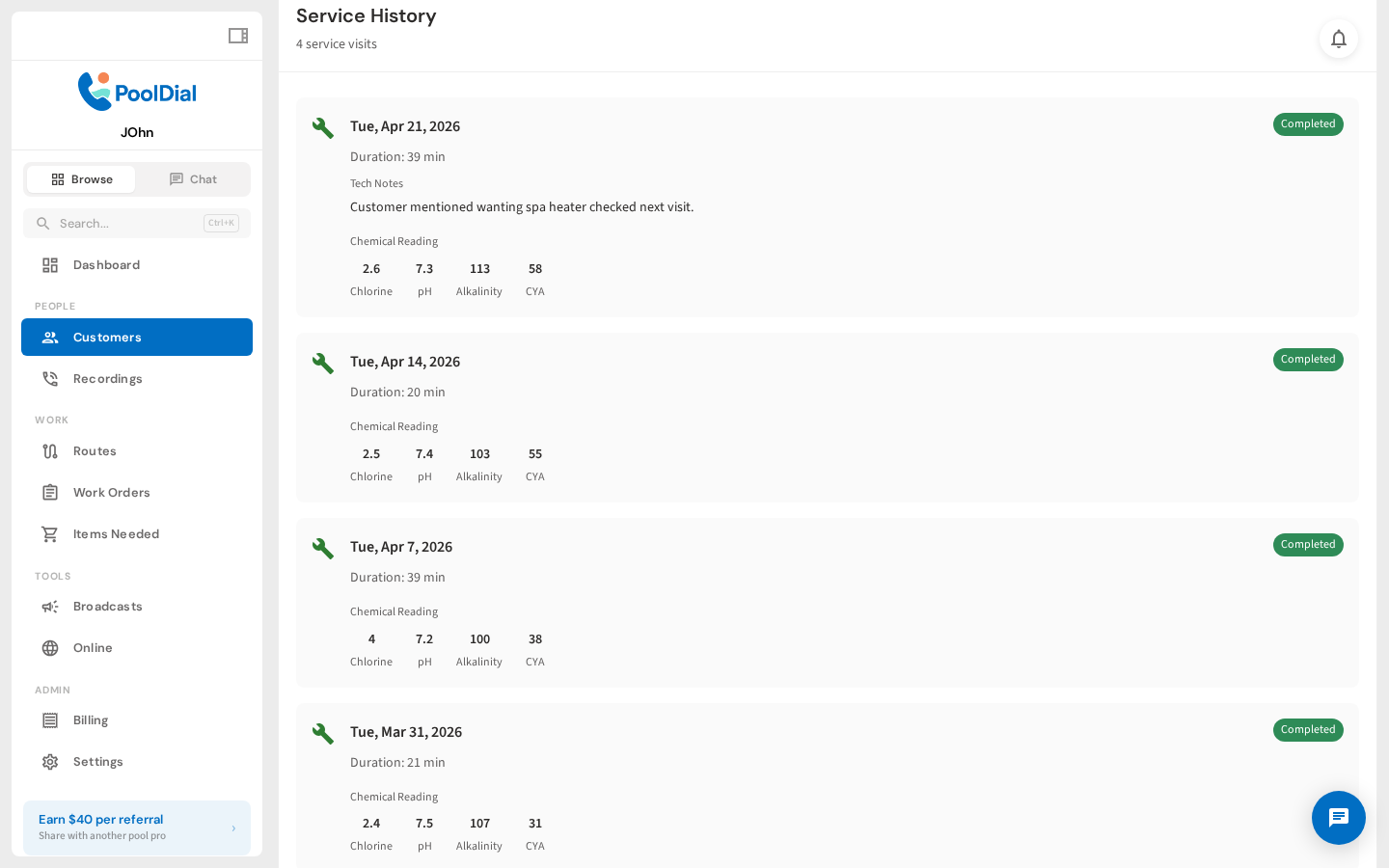
Back in the office, every service visit is logged with the date, duration, checklist items, and tech notes. When a customer calls, you've got the answer before they finish the question.
Customer Overview
The full service timeline for every customer, searchable, exportable, and always up to date. You'll never lose track of what's been done.
See the Service Log in Action
From your first customer to your first crew
Make the Next Visit Easier to Pick Up
Start a free trial and explore your workflow. Book a demo if you’d like to walk through it with us.