
How to Change Service Frequency

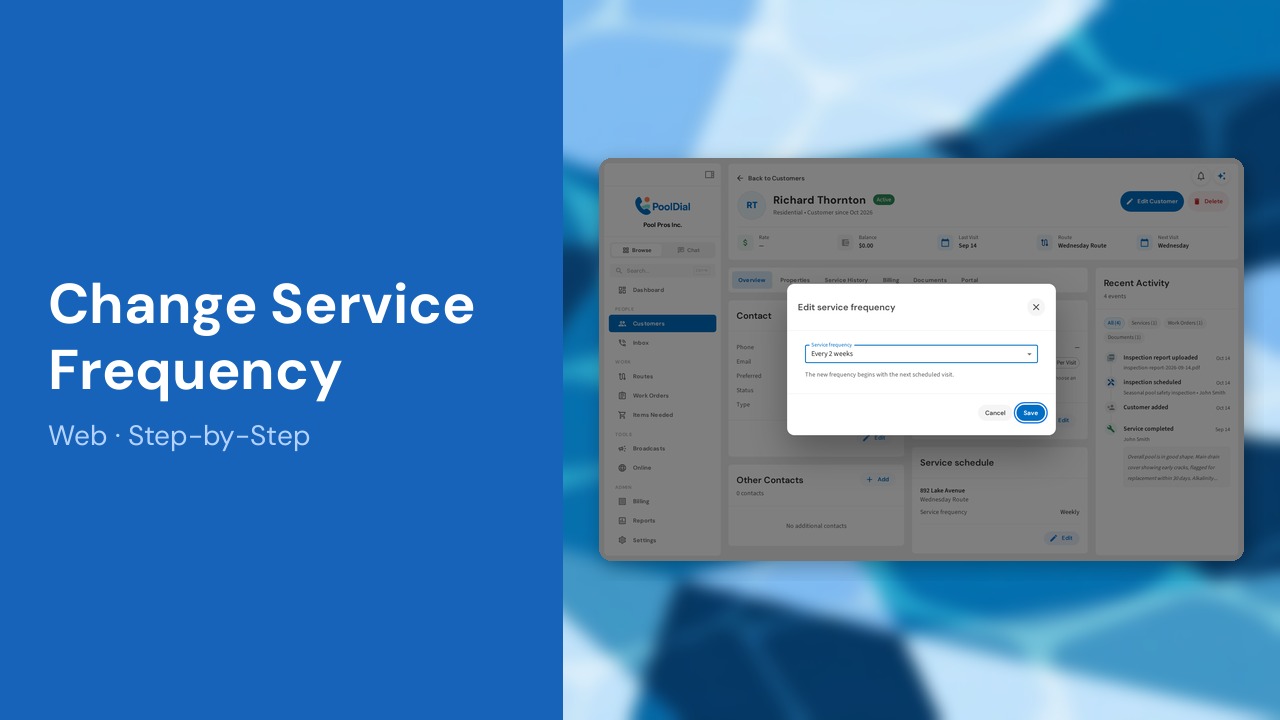
Need to move a customer to biweekly service? Choose Every 2 weeks in their service schedule. This web guide also shows where to set frequency for a new customer and how Add Stop automatically schedules the next occurrence. Owners and admins can edit recurring service schedules.
This guide covers 7 steps and takes about a minute to complete.
Video Walkthrough
Watch this narrated walkthrough of changing service frequency in Pool Dial.
1. Open the customer
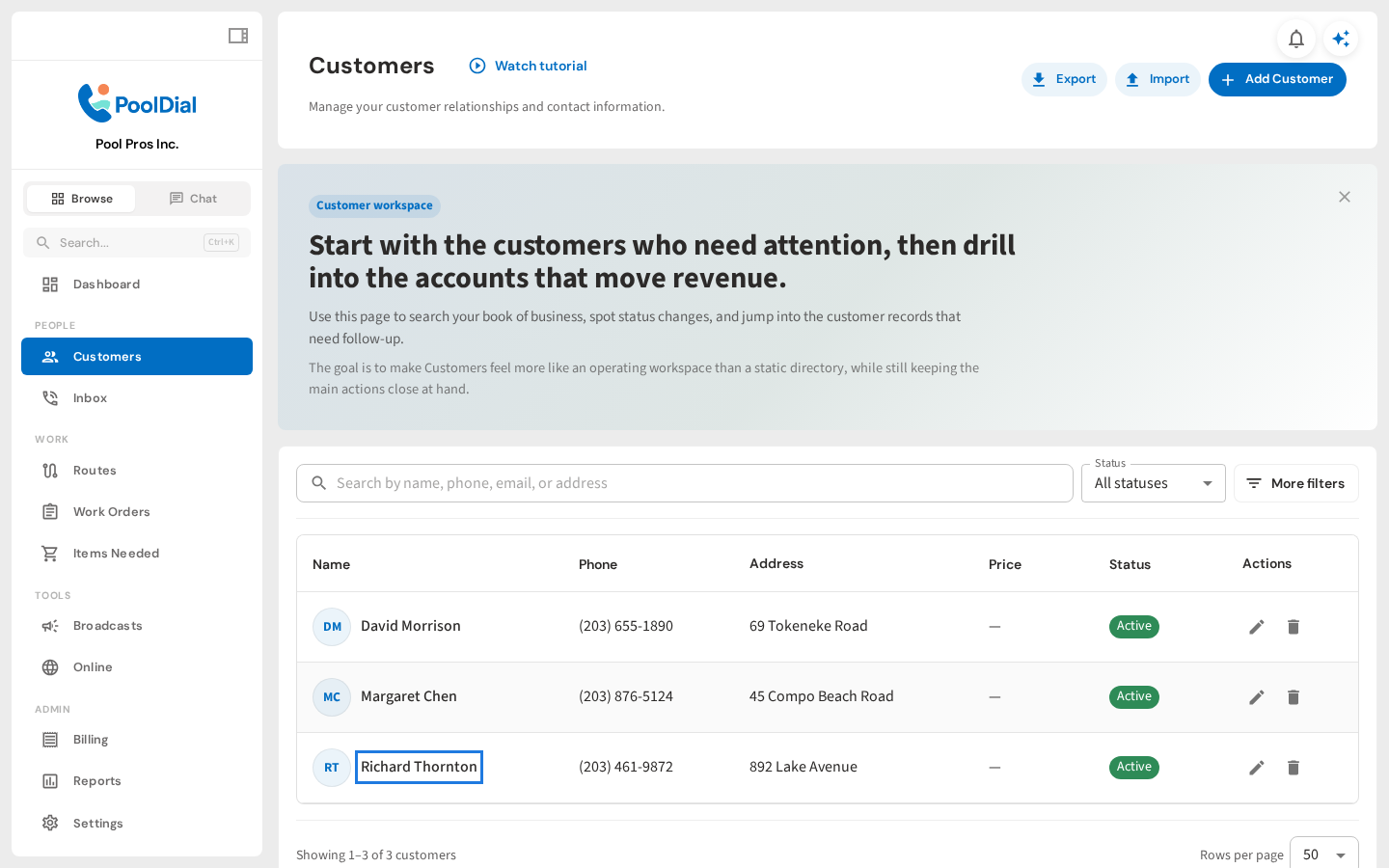
From Customers, open the customer whose recurring service you want to change. Sign in as an owner or admin to edit service frequency.
2. Find the service schedule
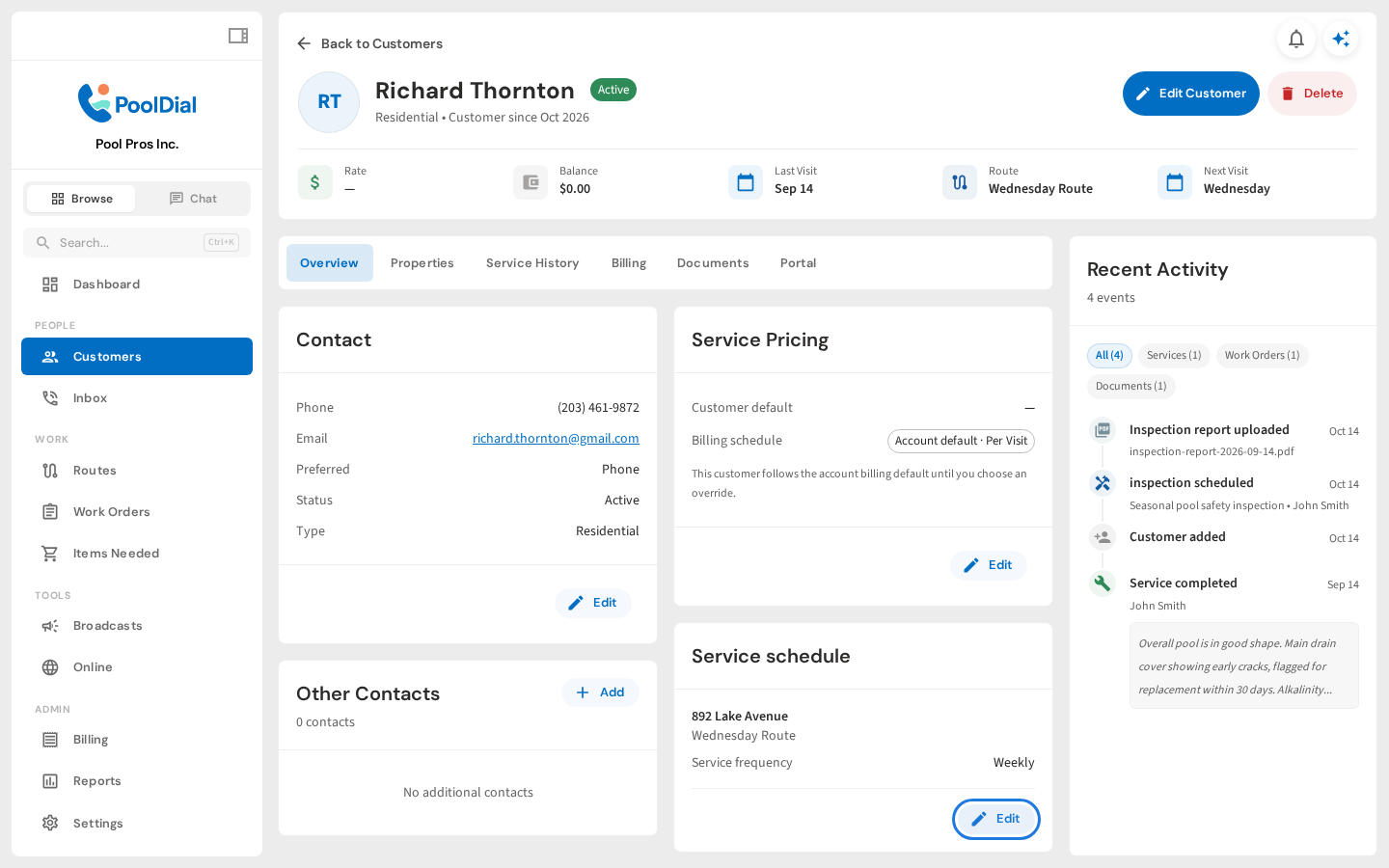
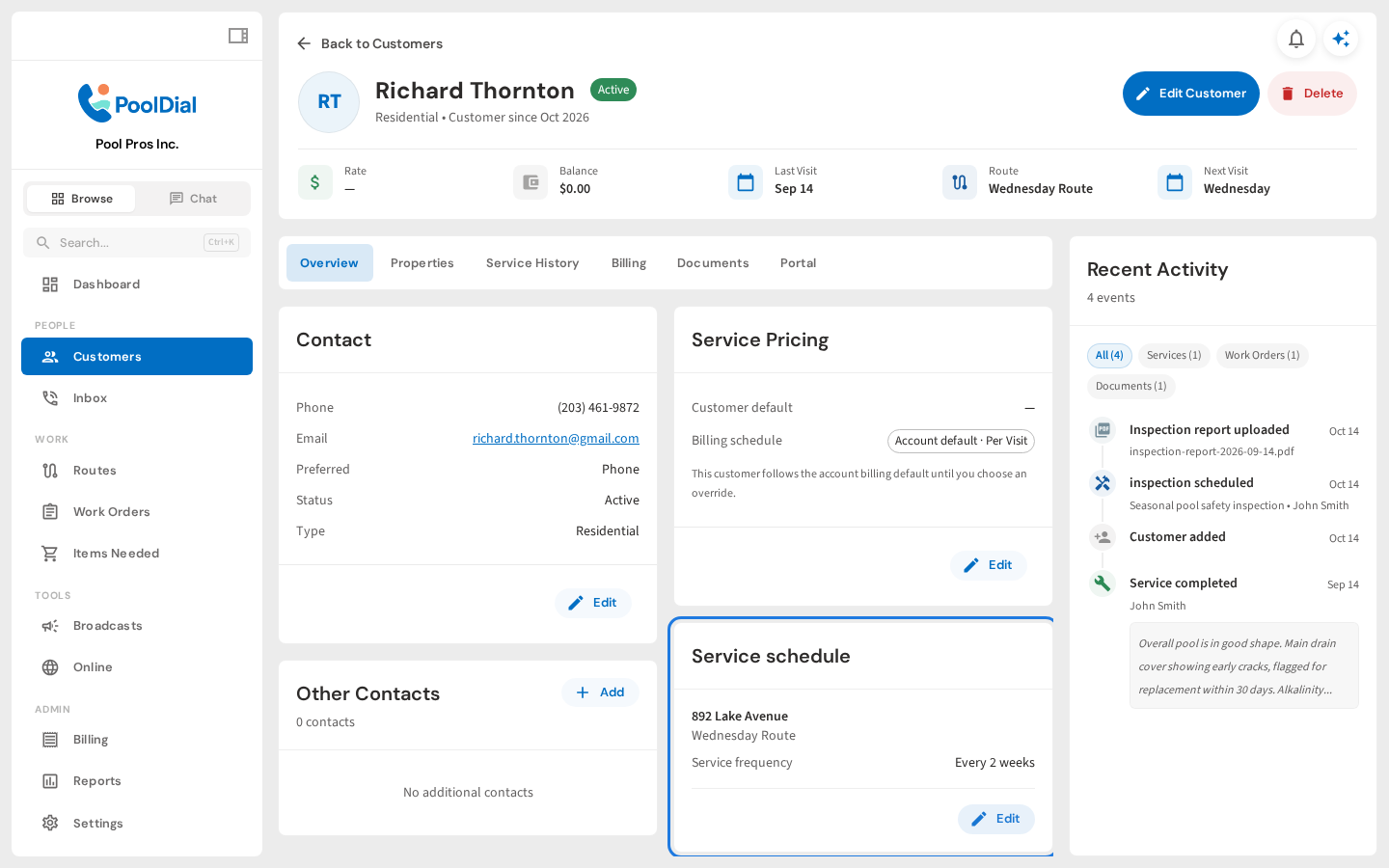
On the customer’s Overview tab, find Service schedule. Check the address and route, then click Edit for the stop you want to change.
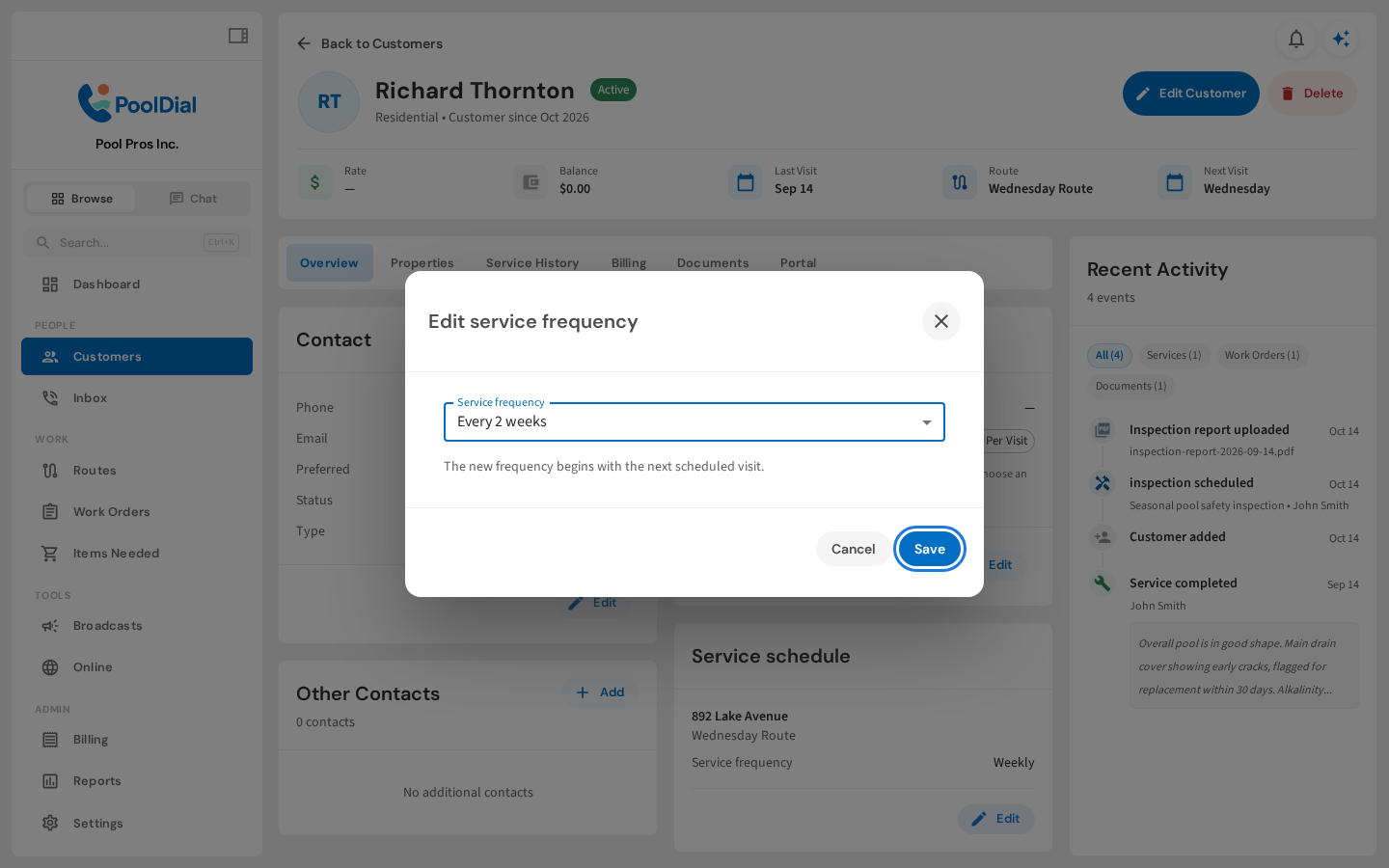
3. Choose Every 2 weeks
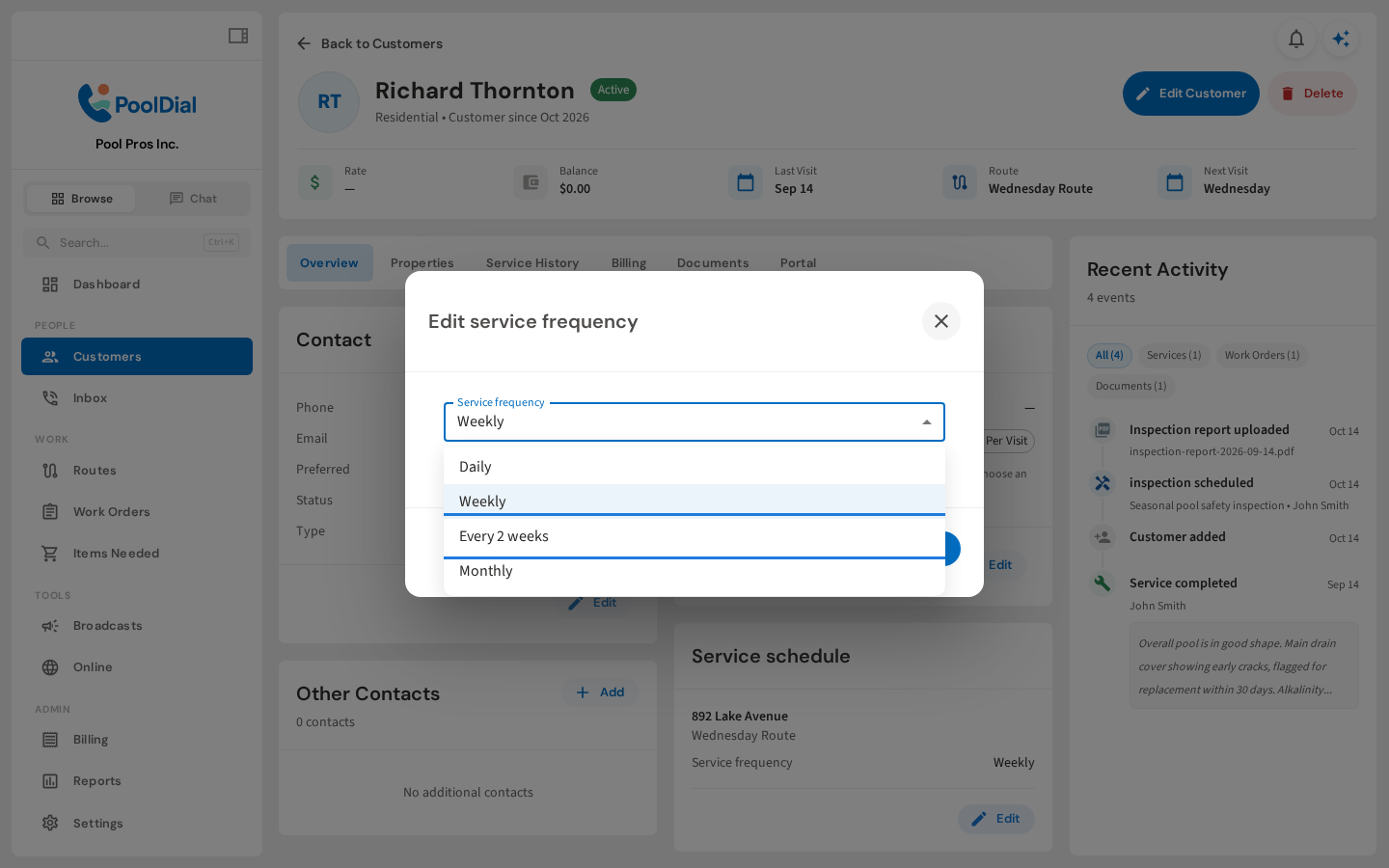
Choose Every 2 weeks for biweekly service: one visit every other week. You can also choose Daily, Weekly, or Monthly.
4. Save the new frequency
Click Save. The new frequency begins with the next scheduled visit, so you do not need to choose a separate start date.
5. Confirm the updated schedule
The Service schedule card now shows Every 2 weeks. If a customer has multiple recurring stops, update each stop that needs a different frequency.
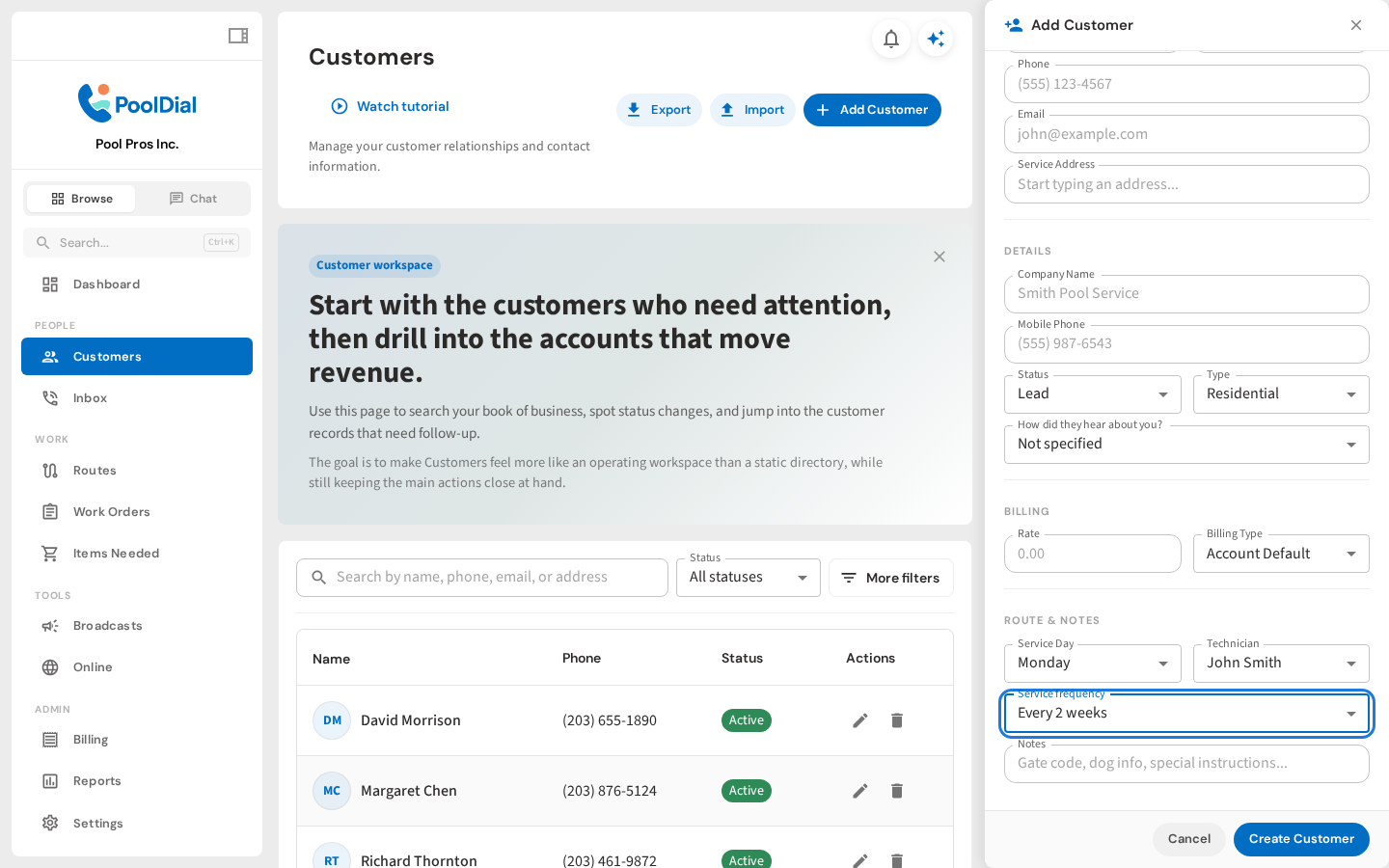
6. Set frequency for a new customer
When adding a customer, scroll to Route & Notes. Choose a Service Day, a Technician, and Service frequency, then click Create Customer to create their recurring stop.
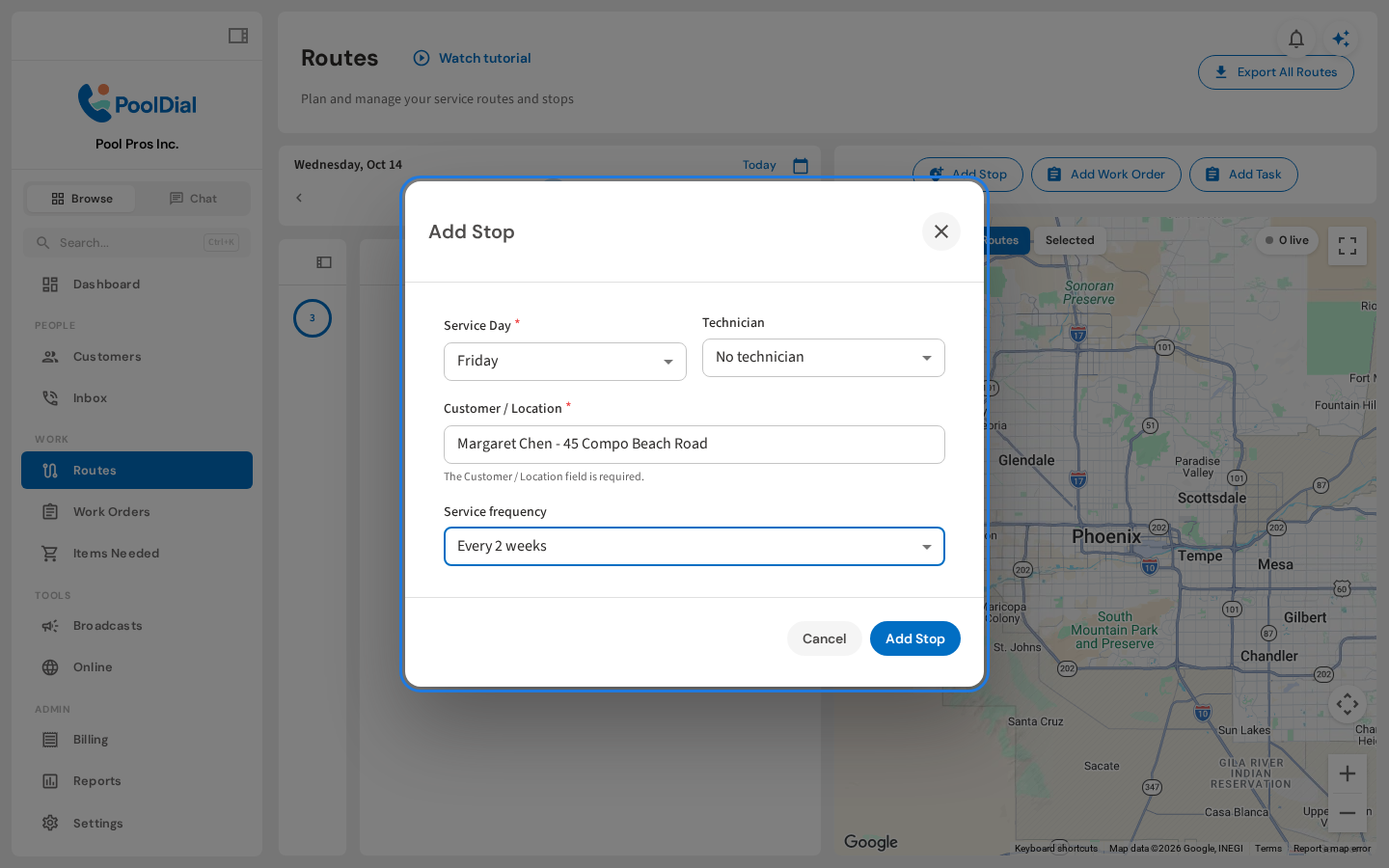
7. Add a stop at its next occurrence
In Routes, click Add Stop, select the service day, customer, and frequency, then click Add Stop. Pool Dial chooses the next occurrence automatically; if you are viewing a future week, it uses that week. There is no start-date field to fill in.
Not using PoolDial yet?
Manage your customers, routes, billing, and more — all in one place.
Start Free Trial